Quay lại tài liệu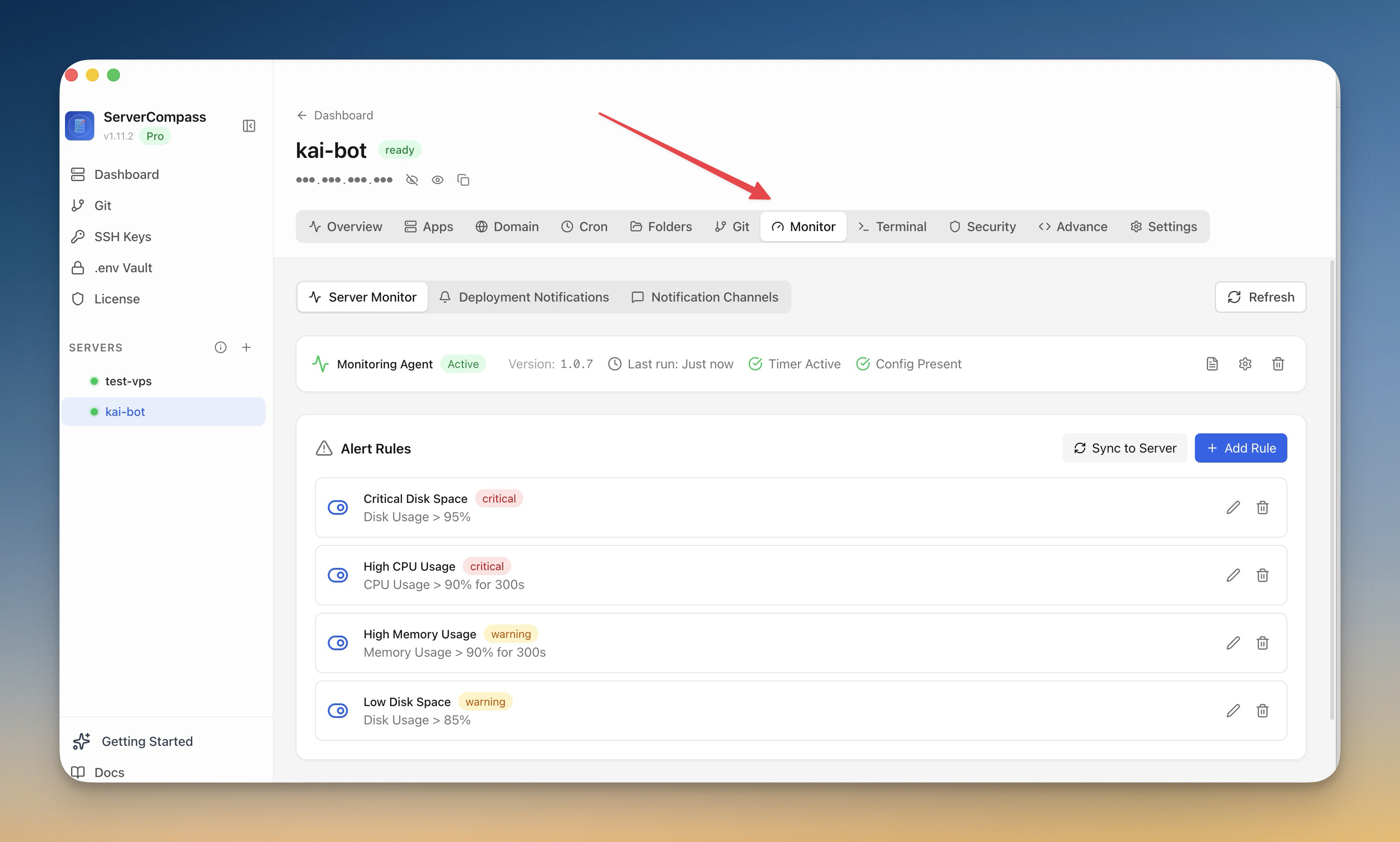
Giám sát & Cảnh báo
Thiết lập giám sát
Cài đặt agent giám sát và cấu hình cảnh báo cho máy chủ.
Intermediate6 min readUpdated 2026-09-09
Agent giám sát
Agent giám sát tùy chọn cung cấp:
- Theo dõi tài nguyên liên tục
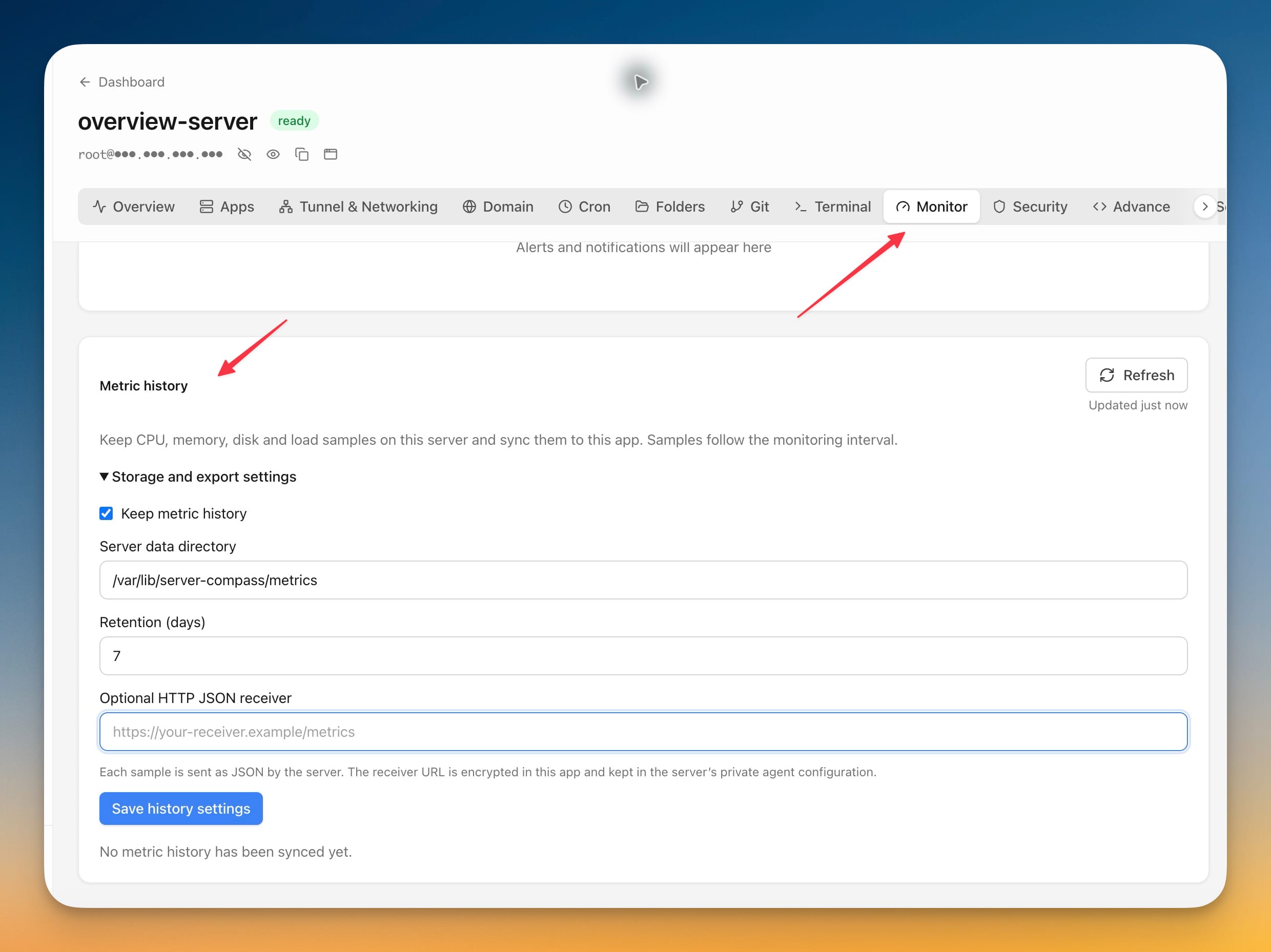
- Số liệu và biểu đồ lịch sử
- Dữ liệu hiệu suất chi tiết
- Cơ sở cho các quy tắc cảnh báo
Cài đặt agent
- Đi đến tab Monitoring
- Nhấp "Install Agent"
- Chờ cài đặt (1–2 phút)
- Agent bắt đầu thu thập số liệu ngay lập tức
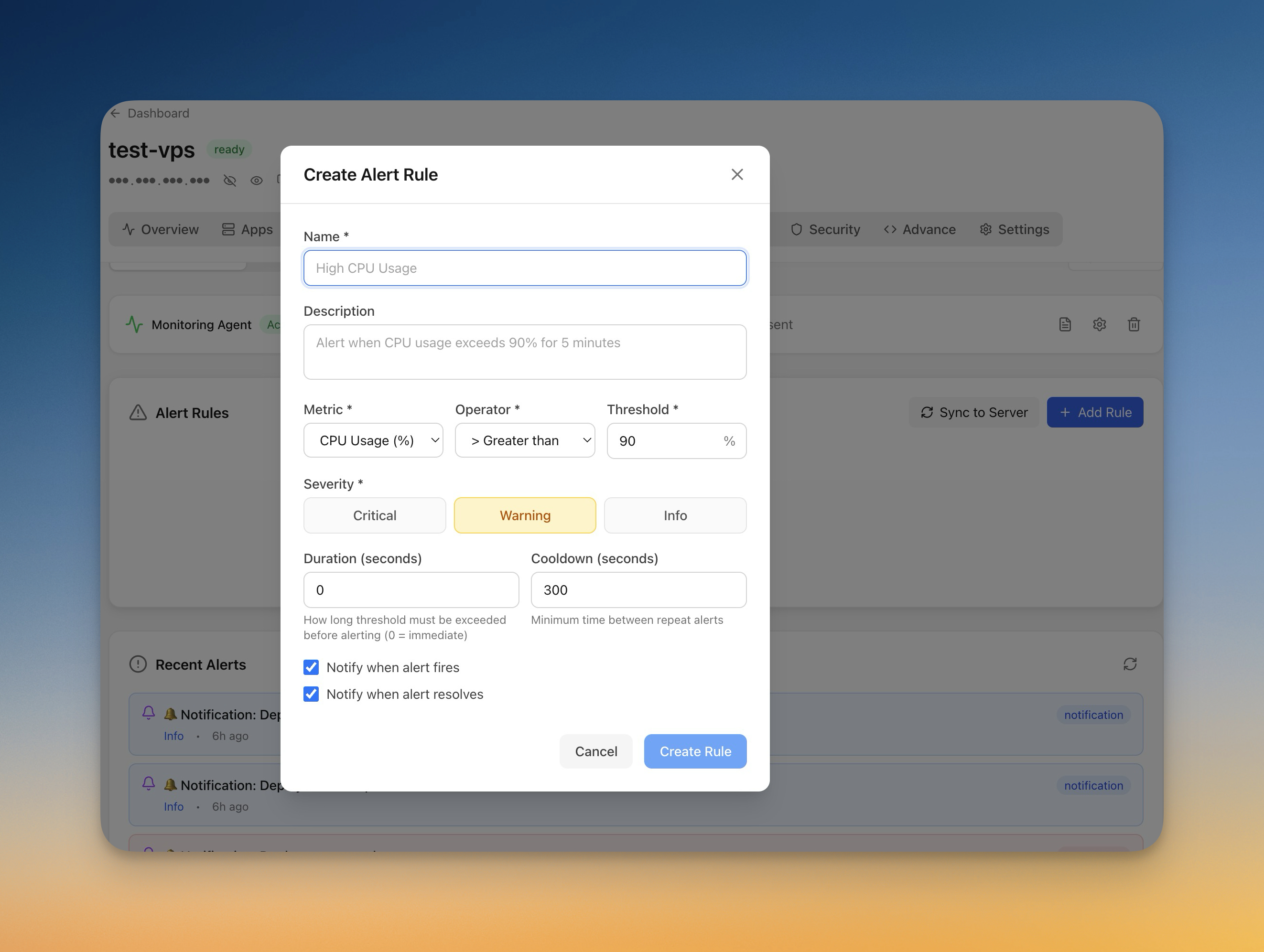
Tạo quy tắc cảnh báo
Thiết lập cảnh báo:
- Đi đến Monitoring > Alerts
- Nhấp "Add Rule"
- Chọn số liệu (CPU, bộ nhớ, ổ đĩa)
- Đặt ngưỡng và thời gian
- Chọn kênh thông báo
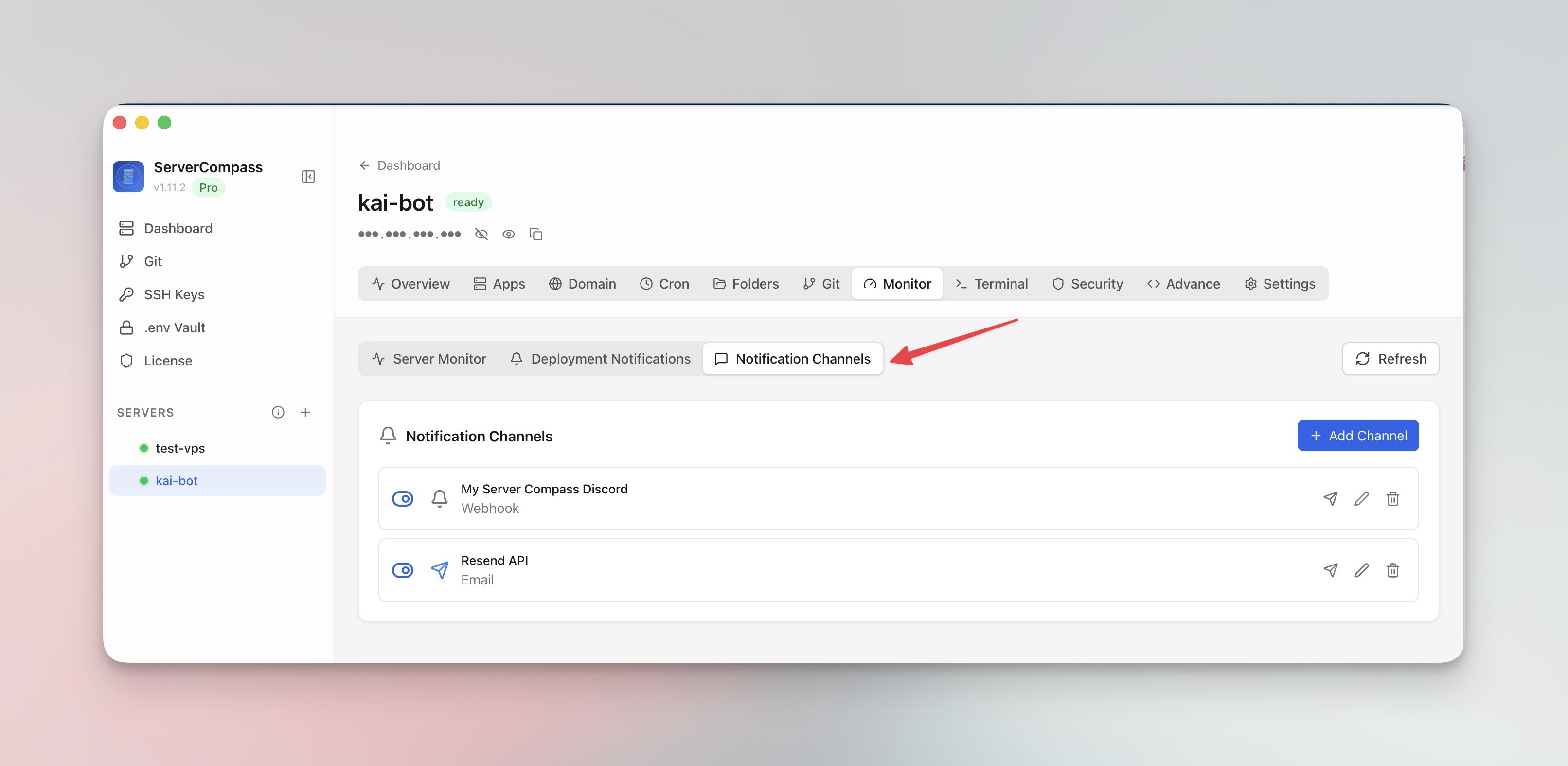
Kênh thông báo
Cấu hình nơi nhận cảnh báo:
- Email: Thông báo email trực tiếp
- Webhook: POST đến URL của bạn
- Kiểm tra kênh trước khi phụ thuộc vào chúng
Screenshots
Related Features
Monitoring Agent
Lightweight monitoring agent for continuous resource tracking. Install with one click and view metrics in your dashboard.
Custom Alert Rules
Create threshold-based alert rules for CPU, memory, disk, and custom metrics. Get notified before problems escalate.
Notification Channels
Configure email, webhook, and other notification channels. Test connectivity before relying on alerts in production.
Ready to try Server Compass?
Download the app and deploy your first application in under 5 minutes.
Download Server Compass