दस्तावेज़ पर वापस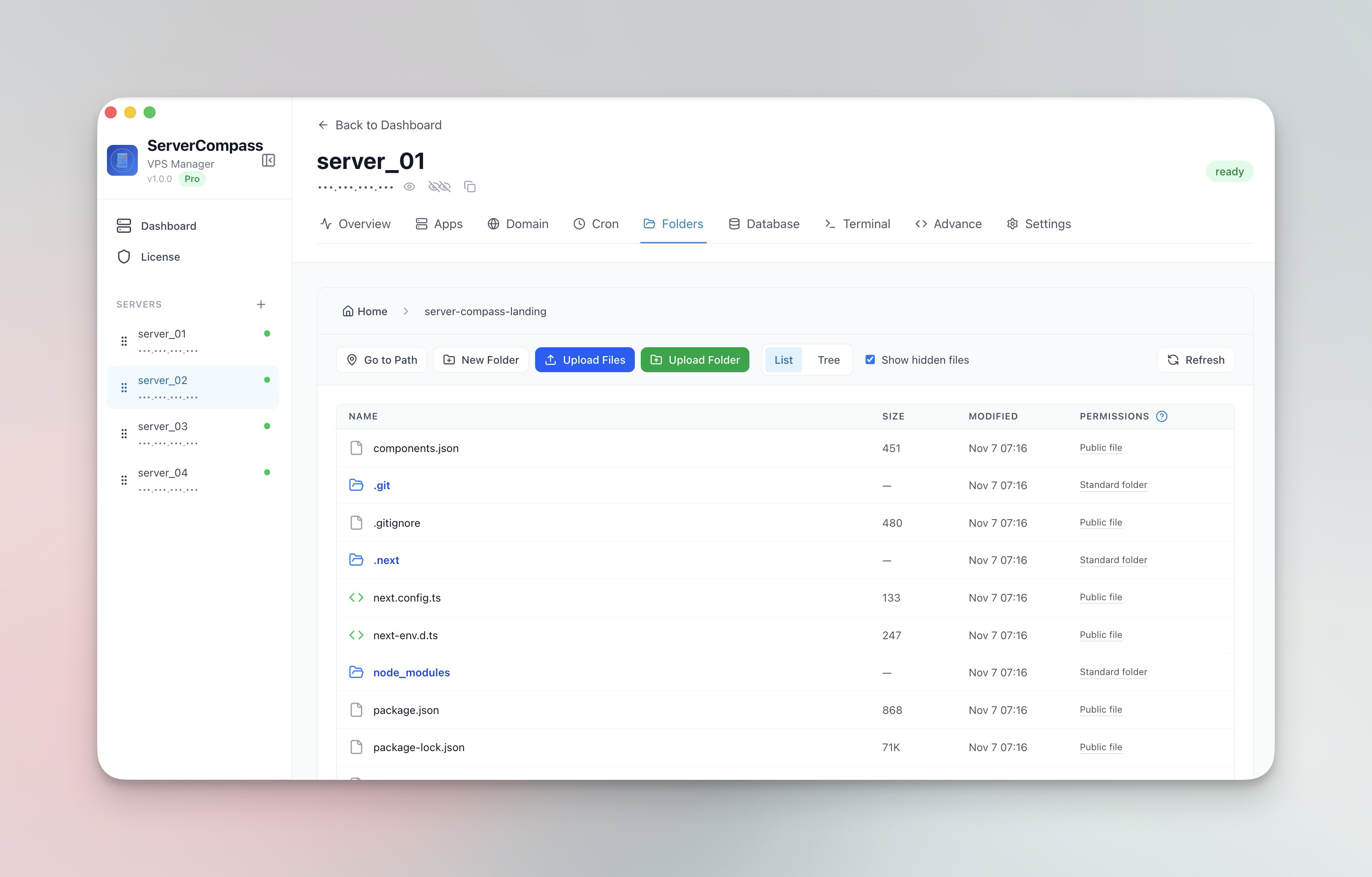


फ़ाइल प्रबंधन
Server Files Manage करें
अपने सर्वर पर files browse, edit, upload और download करें।
Beginner5 min readUpdated 2024-02-01
File browser
अपने सर्वर का filesystem navigate करें:
- Files tab पर जाएं
- File manager की तरह directories browse करें
- List और tree view के बीच toggle करें
- Hidden files show/hide करें
Files edit करें
Files directly edit करें:
- File खोलने के लिए उस पर क्लिक करें
- Built-in editor में edit करें
- Code files के लिए syntax highlighting
- Changes save करने के लिए "Save" पर क्लिक करें
Upload और download
Files transfer करें:
- Upload: Files/folders drag और drop करें
- Download: Right-click > Download
- बड़े transfers के लिए progress tracking
- तेज़ uploads के लिए automatic compression
File operations
Available operations:
- नई files और folders बनाएं
- Files और folders rename करें
- Confirmation के साथ delete करें
- File paths copy करें
Screenshots
Related Features
Visual File Browser
Navigate your server filesystem with list or tree view. Toggle hidden files and browse directories like a local file manager.
In-App File Editor
View and edit server files directly in the app. Syntax highlighting and save directly back to the server.
File & Folder Upload
Upload files and entire folders with progress tracking and automatic compression. Drag and drop support.
File Download
Download files from your server to your local machine with progress tracking. No SCP or SFTP tools needed.
Ready to try Server Compass?
Download the app and deploy your first application in under 5 minutes.
Download Server Compass