문서로 돌아가기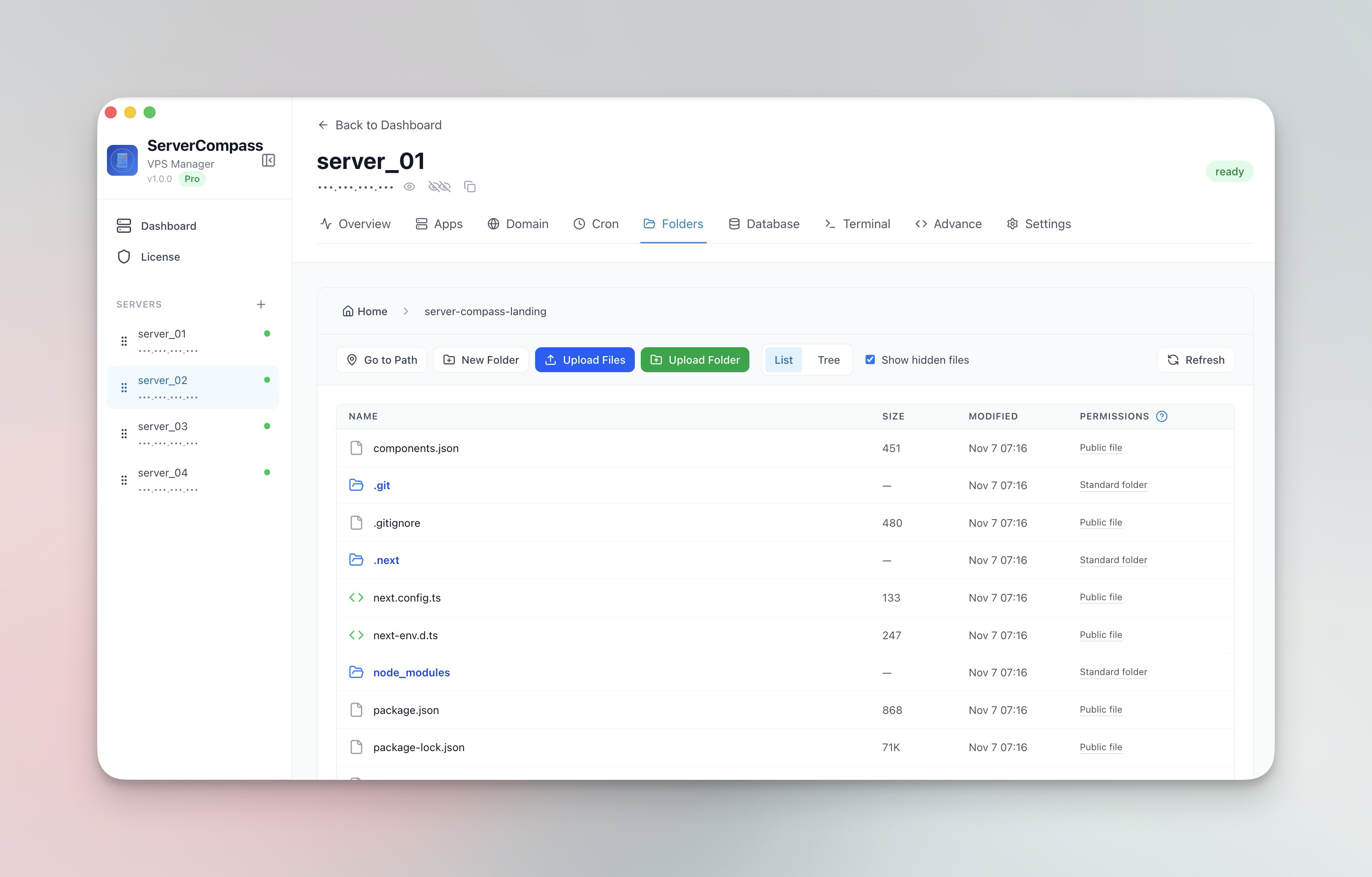


파일 관리
서버 파일 관리
서버의 파일을 찾아보기, 편집, 업로드 및 다운로드하세요.
Beginner5 min readUpdated 2024-02-01
파일 브라우저
서버의 파일시스템 탐색:
- 파일 탭으로 이동
- 파일 관리자처럼 디렉터리 찾아보기
- 목록 및 트리 뷰 간 전환
- 숨김 파일 표시/숨기기
파일 편집
파일을 직접 편집:
- 파일을 클릭하여 열기
- 내장 에디터에서 편집
- 코드 파일에 구문 강조
- "저장" 클릭하여 변경 사항 저장
업로드 및 다운로드
파일 전송:
- 업로드: 파일/폴더 드래그 앤 드롭
- 다운로드: 우클릭 > 다운로드
- 대용량 전송 진행률 추적
- 더 빠른 업로드를 위한 자동 압축
파일 작업
사용 가능한 작업:
- 새 파일 및 폴더 생성
- 파일 및 폴더 이름 변경
- 확인 후 삭제
- 파일 경로 복사
Screenshots
Related Features
Visual File Browser
Navigate your server filesystem with list or tree view. Toggle hidden files and browse directories like a local file manager.
In-App File Editor
View and edit server files directly in the app. Syntax highlighting and save directly back to the server.
File & Folder Upload
Upload files and entire folders with progress tracking and automatic compression. Drag and drop support.
File Download
Download files from your server to your local machine with progress tracking. No SCP or SFTP tools needed.
Ready to try Server Compass?
Download the app and deploy your first application in under 5 minutes.
Download Server Compass