문서로 돌아가기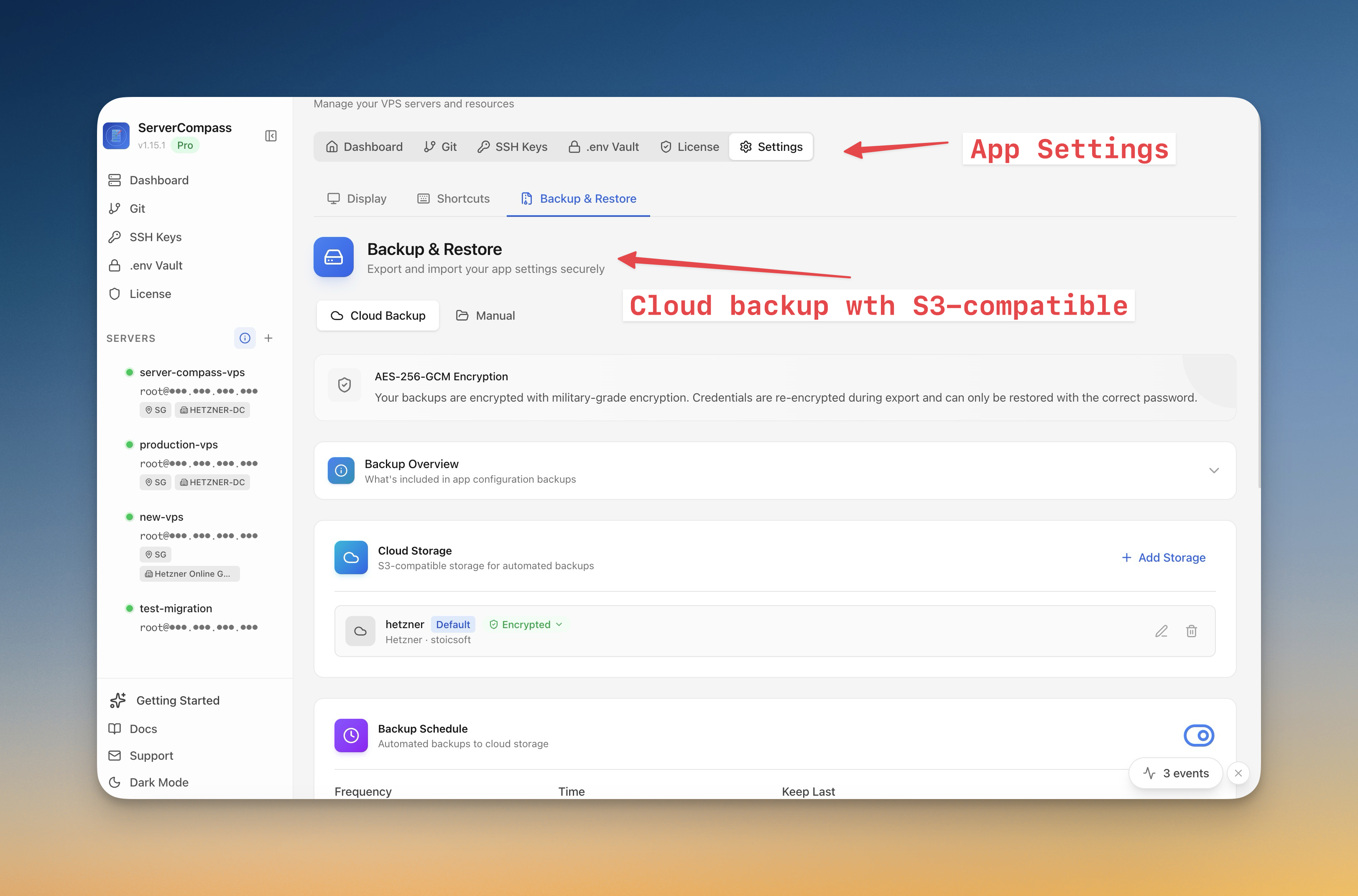
서버 관리
서버 백업 및 스냅샷
암호화된 서버 스냅샷을 생성하고 클라우드 스토리지로 자동 백업을 예약하세요.
Intermediate6 min readUpdated 2026-03-29
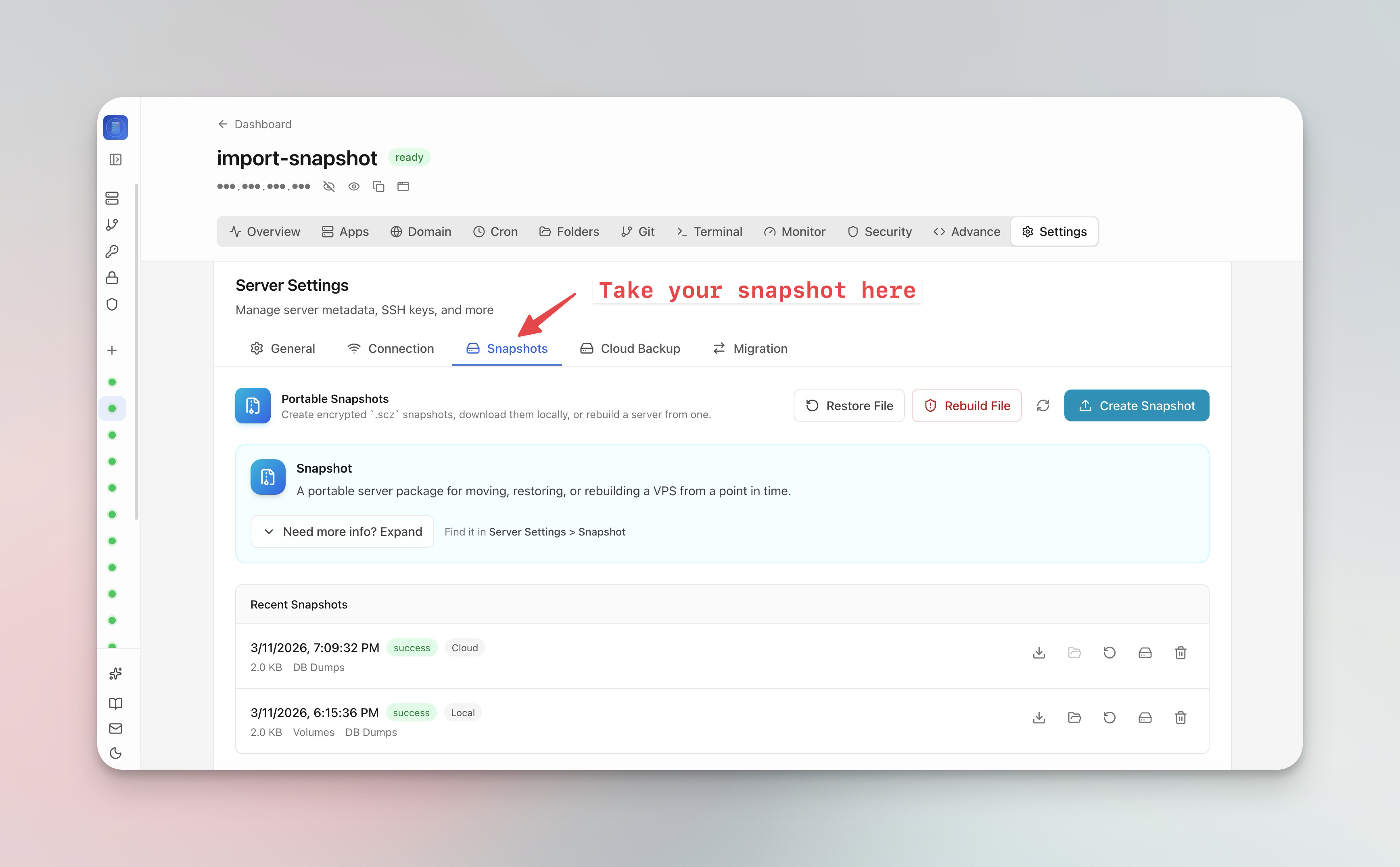
서버 스냅샷 생성
서버 스냅샷은 전체 서버 상태를 캡처합니다:
- 서버 설정 > 스냅샷 탭으로 이동
- 스냅샷 생성 클릭
- 선택적 암호화 암호 구문 설정
- 스냅샷이 클라우드 스토리지로 업로드됩니다
- 스냅샷을 사용하여 한 번의 클릭으로 전체 VPS 를 새 서버로 마이그레이션
자동 백업 예약
- 서버 설정 > 백업 탭으로 이동
- 백업 일정 구성 (일일, 주간 또는 사용자 지정)
- 백업할 내용 선택 (데이터베이스, 볼륨, 구성)
- 클라우드 스토리지 연결 (S3 호환)
- 이전 백업을 자동으로 정리하려면 보존 정책 설정
백업에서 복원
- 백업 개요 열기
- 날짜별로 사용 가능한 스냅샷 찾아보기
- 스냅샷에서 재구성하려면 복원 클릭
- 마이그레이션의 경우 "새 서버로 복원"을 선택하고 대상 서버 연결 제공
Screenshots
Video Tutorials
Related Features
Server Backups & Cloud Storage
Automated backups of stacks, volumes, databases, environment files, SSL certificates, and cron jobs. Store encrypted backups in S3-compatible cloud storage with flexible scheduling — hourly, daily, weekly, or monthly.
Server Snapshots
Export your entire server to a single AES-256 encrypted .scz file — Docker stacks, volumes, databases, domains, cron jobs, alerts, and notification channels. Save locally or upload to S3, then restore to the same server for disaster recovery or rebuild on a new VPS for migration. Domain remapping lets you switch domains during restore.
Ready to try Server Compass?
Download the app and deploy your first application in under 5 minutes.
Download Server Compass