กลับไปยังเอกสาร
โดเมนและ SSL
ทำความเข้าใจ SSL Certificates
Server Compass จัดการ SSL certificates อัตโนมัติด้วย Let's Encrypt อย่างไร
Intermediate5 min readUpdated 2024-02-01
SSL อัตโนมัติด้วย Let's Encrypt
Server Compass ใช้ Let's Encrypt เพื่อจัดหา SSL certificates ฟรี:
- Certificates ถูกออกโดยอัตโนมัติเมื่อคุณเพิ่ม domain
- การต่ออายุเกิดขึ้นอัตโนมัติก่อนหมดอายุ
- ไม่ต้องมีการแทรกแซงด้วยตนเอง
- เปิดใช้งาน HTTPS เป็นค่าเริ่มต้น
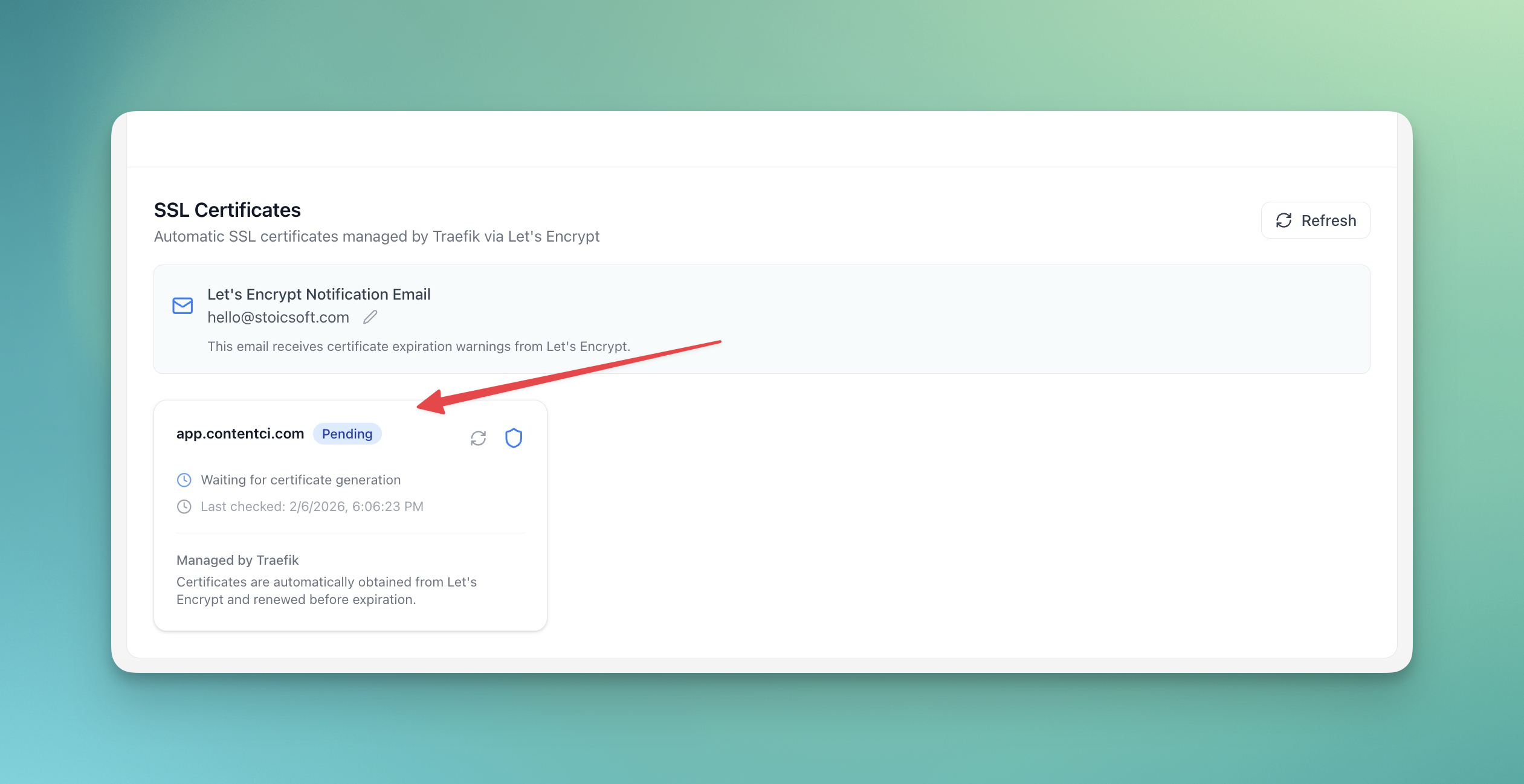
ดูรายละเอียด certificate
ในการดูข้อมูล SSL certificate:
- เปิดแท็บ Domains ของแอปของคุณ
- คลิกที่ domain
- ดูรายละเอียด certificate:
- Issuer
- Valid from/until
- Certificate chain
การต่ออายุด้วยตนเอง
Certificates ต่ออายุอัตโนมัติ แต่คุณสามารถบังคับต่ออายุ:
- ไปที่การตั้งค่า domain
- คลิก "Renew Certificate"
- รอให้ certificate ใหม่ถูกออก
แก้ไขปัญหา SSL
ปัญหา SSL ทั่วไปและการแก้ไข:
- Certificate ไม่ออก: ตรวจสอบว่า DNS ชี้ถูกต้อง
- คำเตือน mixed content: ตรวจสอบว่า resources ทั้งหมดใช้ HTTPS
- Certificate หมดอายุ: ตรวจสอบว่าการต่ออายุอัตโนมัติทำงาน
Screenshots
Related Features
Ready to try Server Compass?
Download the app and deploy your first application in under 5 minutes.
Download Server Compass