Quay lại tài liệu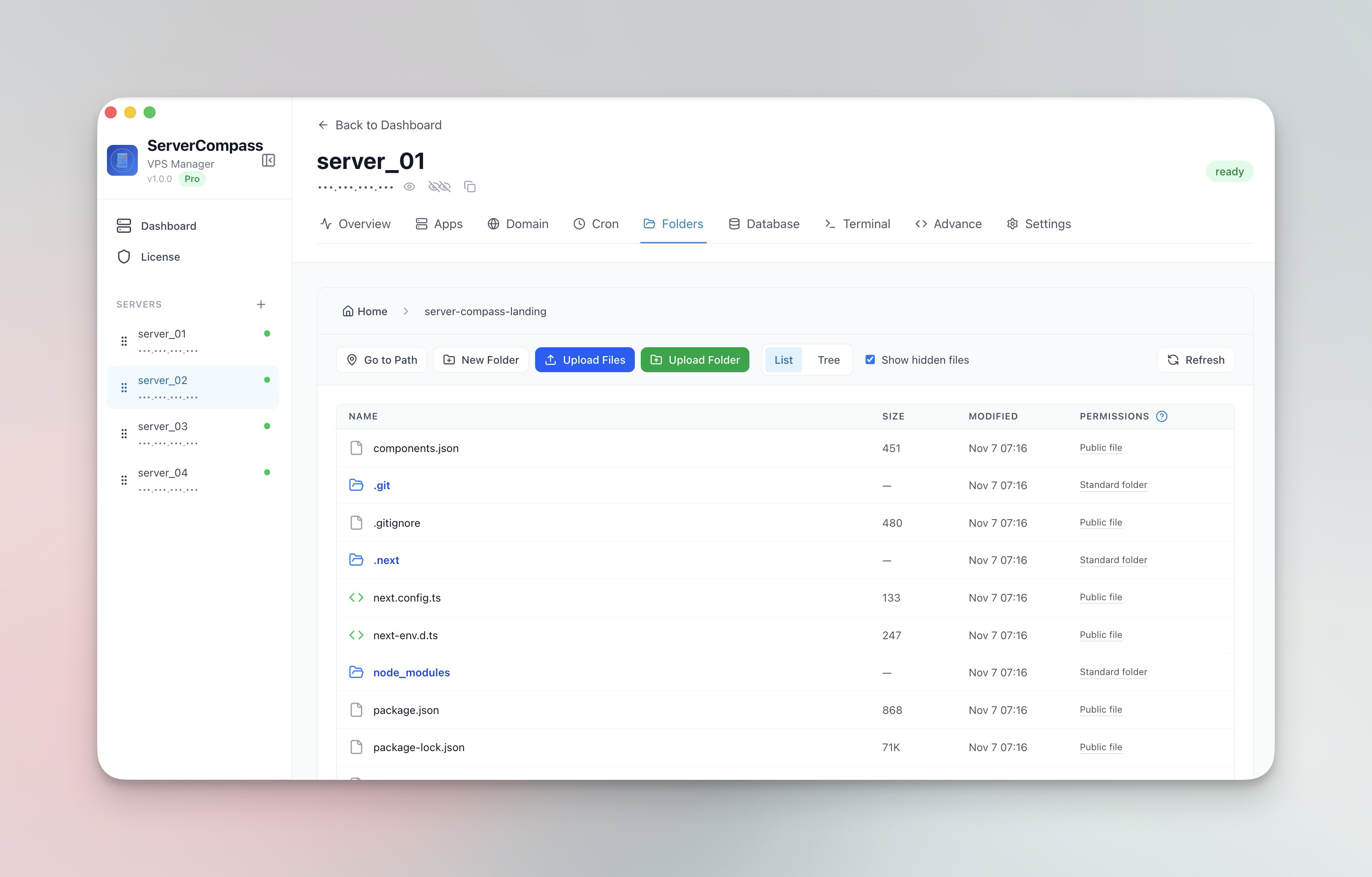


Quản lý tệp
Quản lý file máy chủ
Duyệt, chỉnh sửa, tải lên và tải xuống file trên máy chủ.
Beginner5 min readUpdated 2024-02-01
Trình duyệt file
Điều hướng hệ thống file của máy chủ:
- Đi đến tab Files
- Duyệt thư mục như trình quản lý file
- Chuyển đổi giữa chế độ xem danh sách và cây
- Hiển thị/ẩn file ẩn
Chỉnh sửa file
Chỉnh sửa file trực tiếp:
- Nhấp file để mở
- Chỉnh sửa trong trình soạn thảo tích hợp
- Tô màu cú pháp cho file code
- Nhấp "Save" để lưu thay đổi
Tải lên và tải xuống
Truyền file:
- Tải lên: Kéo thả file/thư mục
- Tải xuống: Nhấp chuột phải > Download
- Theo dõi tiến trình cho các file lớn
- Nén tự động để tải lên nhanh hơn
Thao tác với file
Các thao tác có sẵn:
- Tạo file và thư mục mới
- Đổi tên file và thư mục
- Xóa có xác nhận
- Sao chép đường dẫn file
Screenshots
Related Features
Visual File Browser
Navigate your server filesystem with list or tree view. Toggle hidden files and browse directories like a local file manager.
In-App File Editor
View and edit server files directly in the app. Syntax highlighting and save directly back to the server.
File & Folder Upload
Upload files and entire folders with progress tracking and automatic compression. Drag and drop support.
File Download
Download files from your server to your local machine with progress tracking. No SCP or SFTP tools needed.
Ready to try Server Compass?
Download the app and deploy your first application in under 5 minutes.
Download Server Compass