Quay lại tài liệu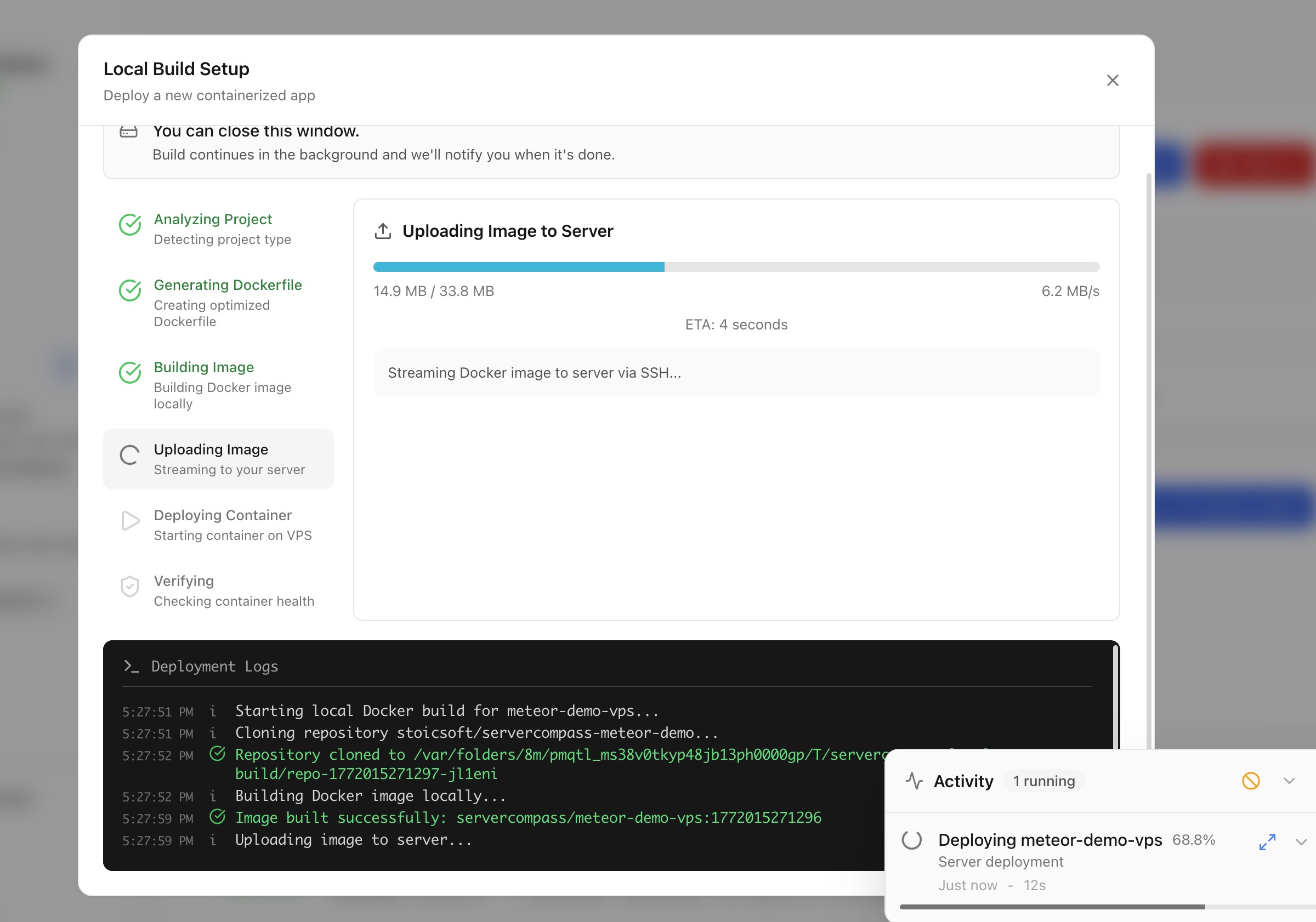
Triển khai
Triển khai với build cục bộ
Build Docker image trên máy của bạn và triển khai trực tiếp lên máy chủ mà không cần CI/CD đám mây.
Intermediate5 min readUpdated 2026-03-29
Build cục bộ hoạt động như thế nào
Build cục bộ cho phép dùng tài nguyên máy tính của bạn để build Docker:
- Server Compass build Docker image trên máy cục bộ
- Image đã build được đẩy trực tiếp lên máy chủ qua SSH
- Container được khởi chạy trên máy chủ
Không cần dịch vụ CI/CD đám mây, container registry hay tài khoản bên thứ ba.
Bắt đầu triển khai build cục bộ
- Mở Stack Wizard
- Chọn Local Build làm vị trí build
- Chọn thư mục dự án hoặc Dockerfile
- Server Compass phát hiện framework và tạo Dockerfile nếu cần
- Cấu hình biến môi trường và cổng
- Nhấp Deploy — image được build cục bộ và truyền lên máy chủ
Tải code lên để triển khai
Với dự án không có Dockerfile:
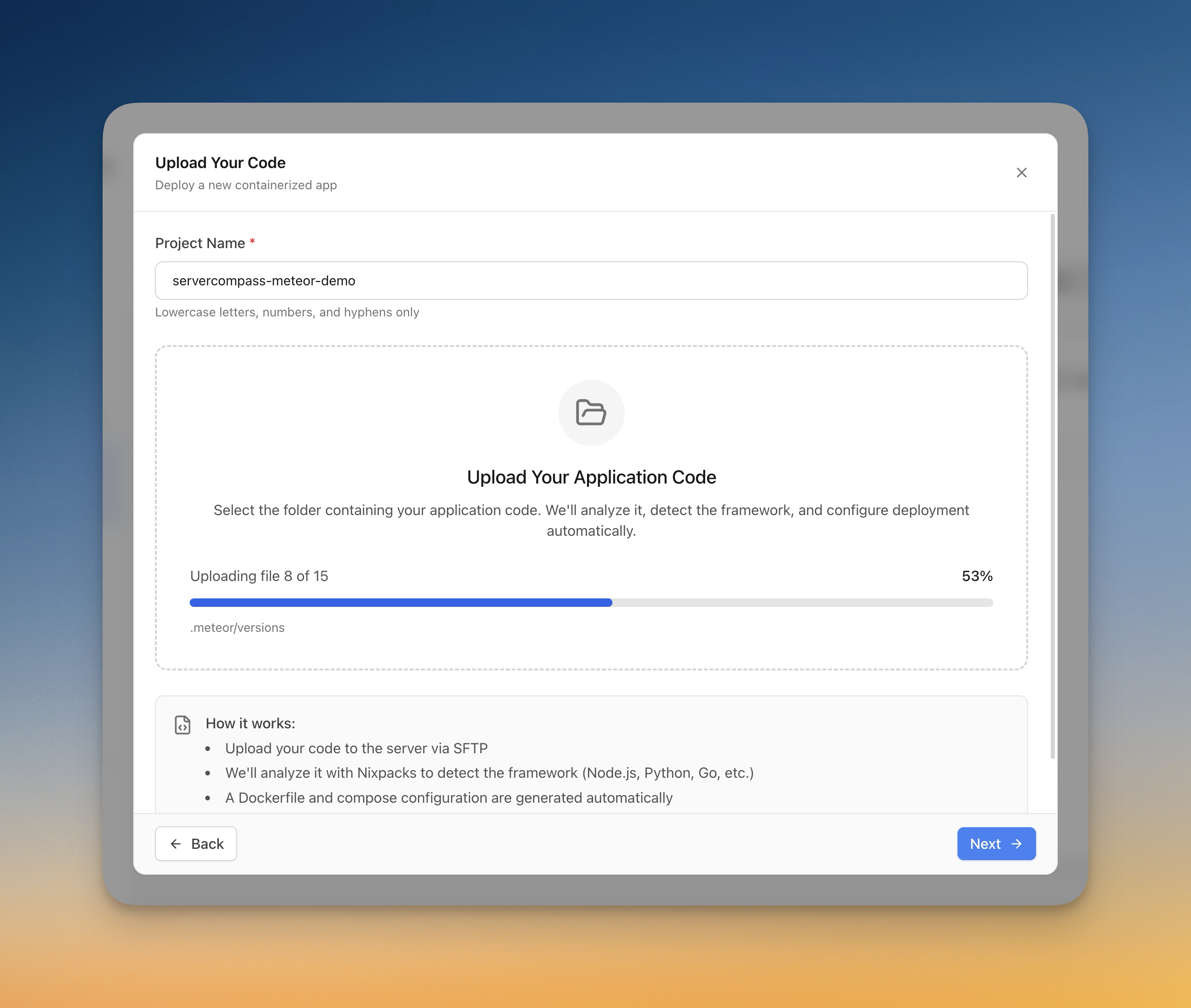
- Chọn Upload Code trong Stack Wizard
- Chọn thư mục từ máy tính
- Server Compass tự động phát hiện framework (Next.js, Django, Laravel, v.v.)
- Dockerfile được tạo tự động
- Tiến trình tải lên được theo dõi theo thời gian thực
- Ứng dụng được build và triển khai trên máy chủ
Screenshots
Video Tutorials
Related Features
Deploy with Local Build
Build Docker images on your local machine and deploy them directly to your server. No cloud CI/CD services or container registries required.
Upload Code to Deploy
Pick a folder from your computer and deploy it directly to your server. Automatic framework detection generates the right Dockerfile with upload progress tracking.
Ready to try Server Compass?
Download the app and deploy your first application in under 5 minutes.
Download Server Compass