返回文档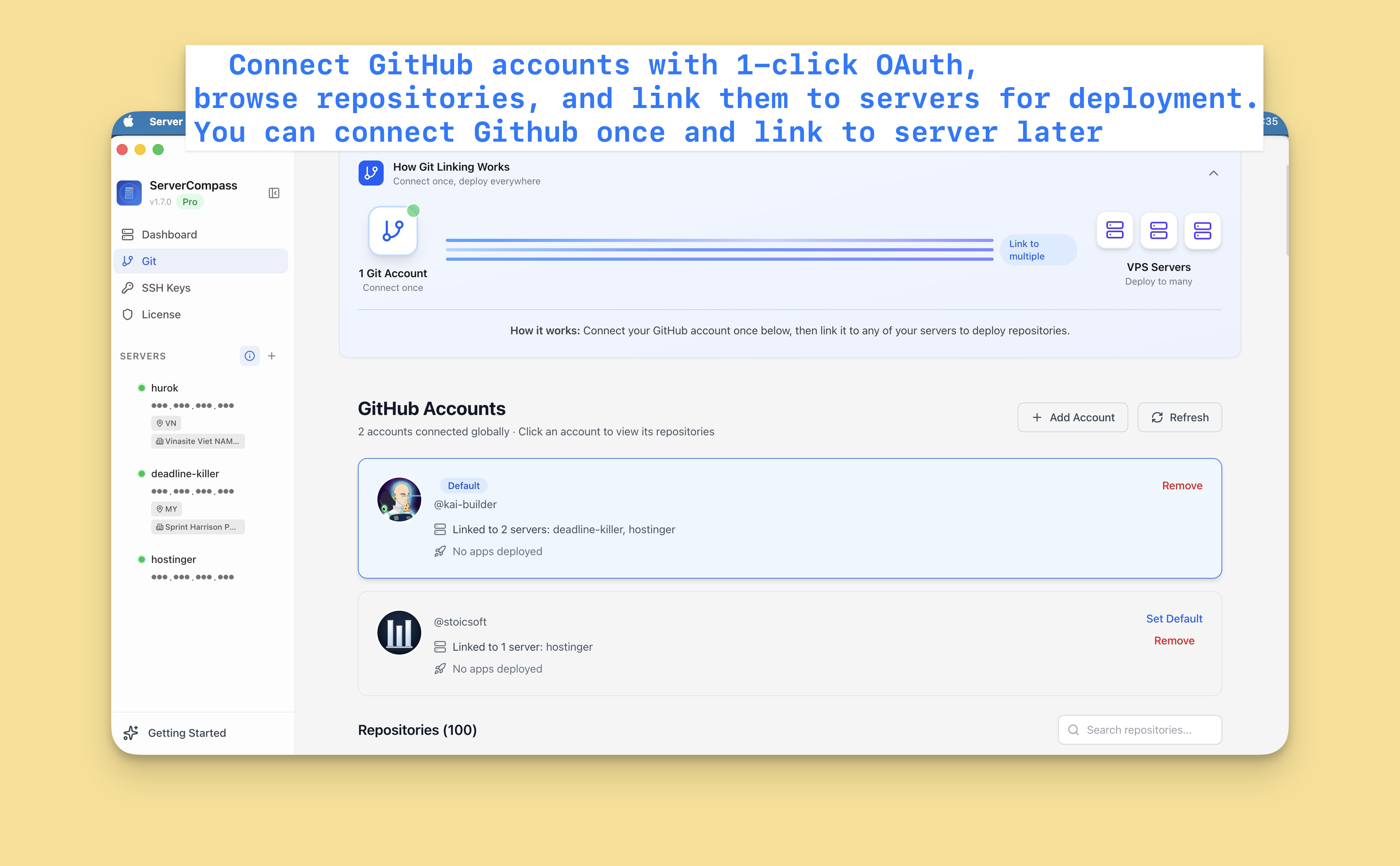

GitHub 集成
设置 GitHub 集成
连接 GitHub 账户以部署仓库并启用自动部署。
Beginner4 min readUpdated 2024-02-01
连接 GitHub 账户
- 前往设置 > GitHub
- 点击"连接 GitHub"
- 您将被重定向到 GitHub
- 授权 Server Compass
- 连接成功!
无需创建 GitHub 应用或个人访问令牌。
多个账户
连接多个 GitHub 账户:
- 个人账户用于您的项目
- 组织账户用于团队仓库
- 多个组织
每个账户显示在部署来源选择器中。
管理连接
管理 GitHub 连接:
- 前往设置 > GitHub
- 查看所有已连接的账户
- 删除不再需要的账户
- 根据需要添加新账户
Screenshots
Video Tutorials
Related Features
Ready to try Server Compass?
Download the app and deploy your first application in under 5 minutes.
Download Server Compass