Back to documentation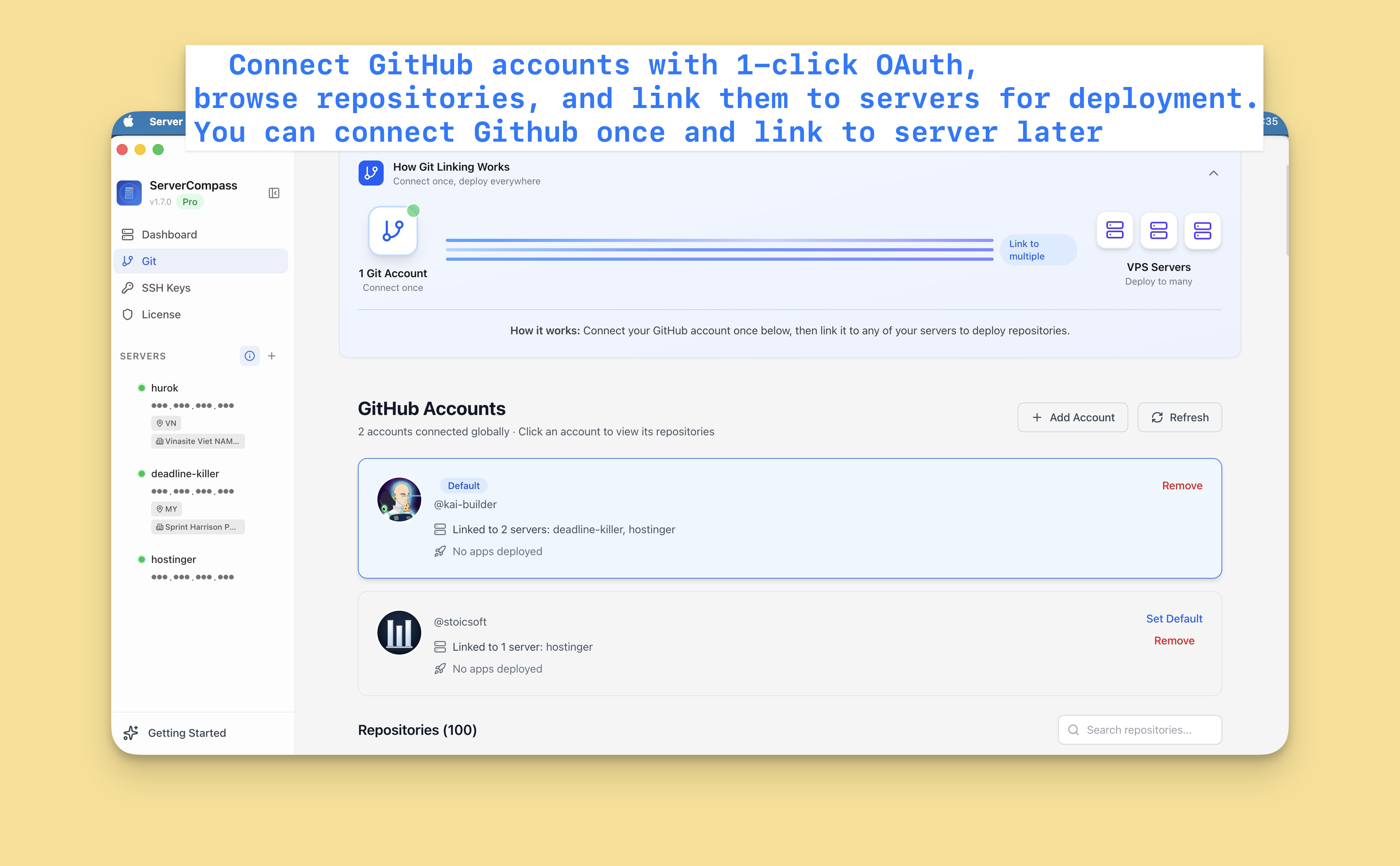

GitHub Integration
Setting Up GitHub Integration
Connect your GitHub account so Server Compass can access repositories for deployment.
Beginner4 min readUpdated 2024-02-01
Connect GitHub account
- Go to Settings > GitHub
- Click "Connect GitHub"
- You'll be redirected to GitHub
- Authorize Server Compass
- You're connected!
No need to create GitHub Apps or personal access tokens.
Multiple accounts
Connect multiple GitHub accounts:
- Personal account for your projects
- Organization accounts for team repos
- Multiple organizations
Each account appears in the deployment source selector.
Managing connections
To manage GitHub connections:
- Go to Settings > GitHub
- View all connected accounts
- Remove accounts you no longer need
- Add new accounts as needed
Screenshots
Video Tutorials
Related Features
Ready to try Server Compass?
Download the app and deploy your first application in under 5 minutes.
Download Server Compass