Kembali ke dokumentasi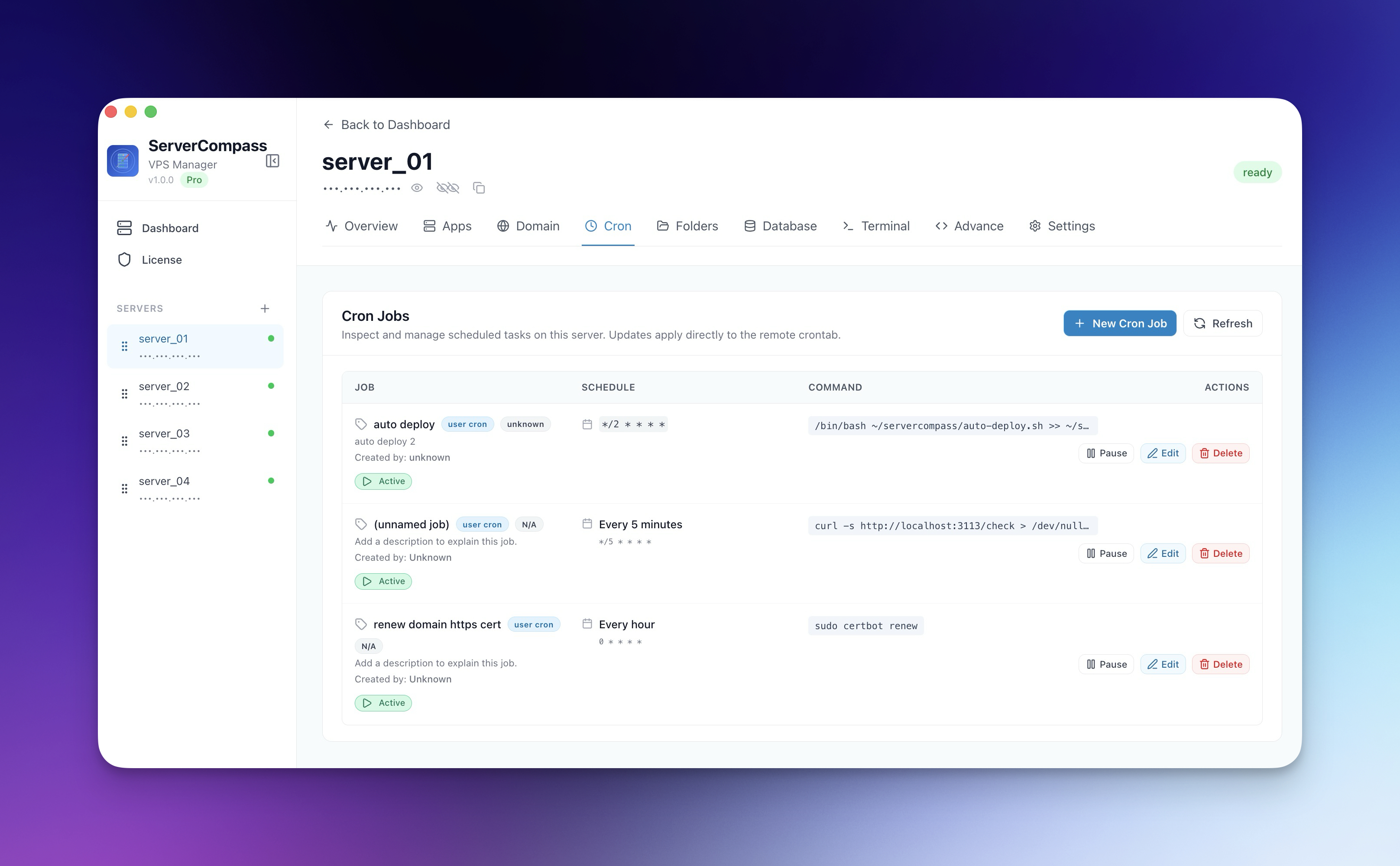


Cron Jobs
Menjadwalkan Cron Jobs
Buat dan kelola scheduled tasks di server tanpa cron syntax.
Intermediate6 min readUpdated 2024-02-01
Apa itu cron jobs?
Cron jobs adalah scheduled tasks yang berjalan otomatis. Penggunaan umum:
- Backup database
- Log rotation
- Cache clearing
- Health checks
- Sinkronisasi data
Membuat cron job
- Buka tab Cron Jobs
- Klik "Add Cron Job"
- Pilih dari template atau buat custom
- Atur jadwal menggunakan visual picker
- Masukkan command untuk dijalankan
- Klik "Save"
Visual schedule picker
Atur jadwal tanpa cron syntax:
- Frequency: Setiap menit, jam, hari, minggu, bulan
- Time: Pilih waktu spesifik
- Days: Pilih hari dalam minggu/bulan
- Preview: Lihat jadwal yang dapat dibaca manusia
Template cron job
Template pre-built untuk tugas umum:
- Backup database ke file
- Clear cache aplikasi
- Rotate file log
- Jalankan health checks
- Sinkronisasi data antar service
Melihat logs
Monitor eksekusi cron job:
- Klik cron job
- Lihat riwayat eksekusi
- Lihat output dan error
- Periksa status sukses/gagal
Screenshots
Video Tutorials
Related Features
Visual Cron Scheduler
Create and manage cron jobs with a visual interface. No need to memorize cron syntax ever again.
Cron Job Templates
Pre-built templates for common scheduled tasks like backups, cleanup, and health checks. Customize and deploy.
Cron Job Logs
View execution logs for each cron job. Track success, failure, and output of scheduled tasks.
Ready to try Server Compass?
Download the app and deploy your first application in under 5 minutes.
Download Server Compass