Kembali ke dokumentasi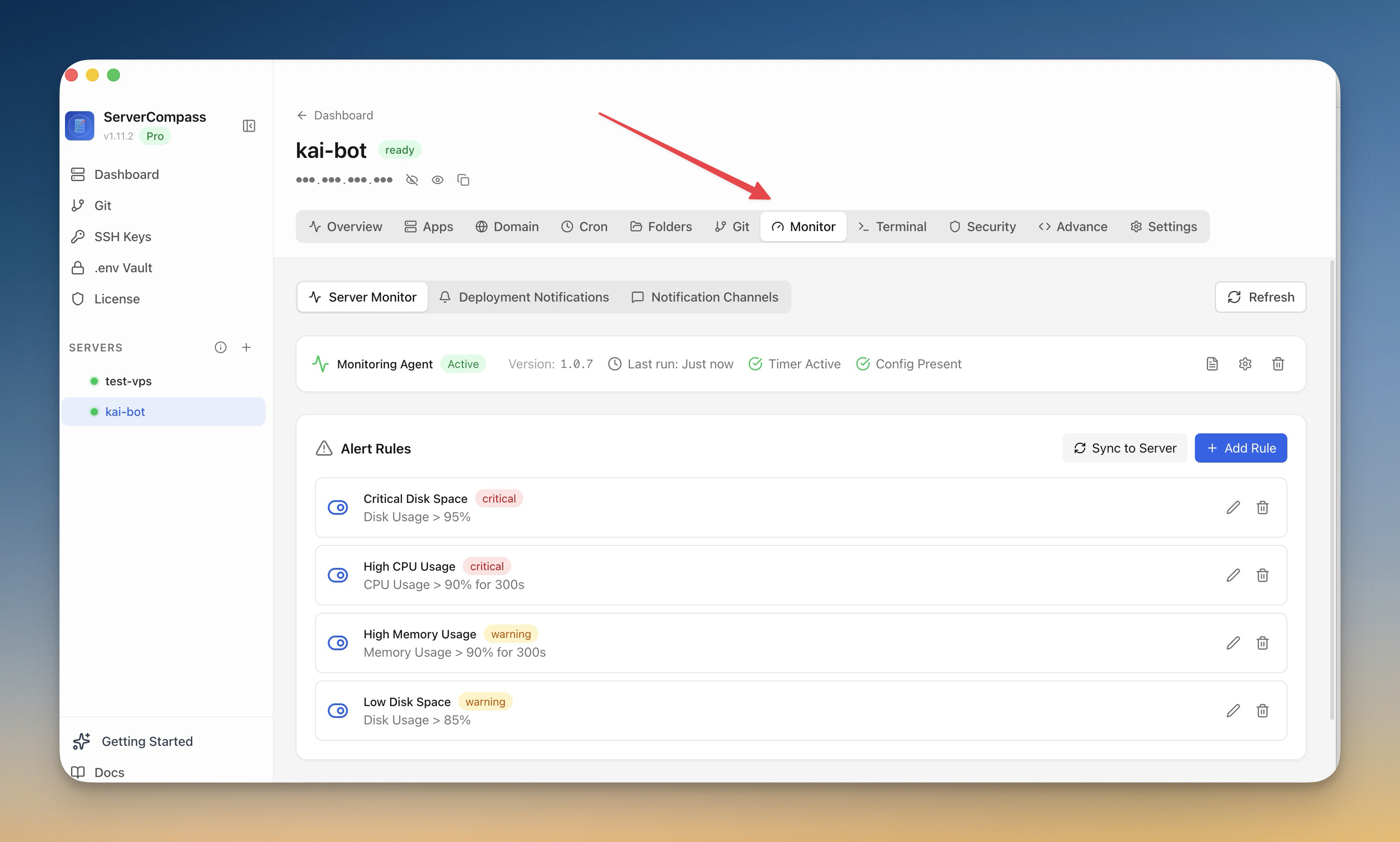
Monitoring & Alert
Setup Monitoring
Instal monitoring agent dan konfigurasi alert untuk server.
Intermediate6 min readUpdated 2026-09-09
Monitoring agent
Monitoring agent opsional menyediakan:
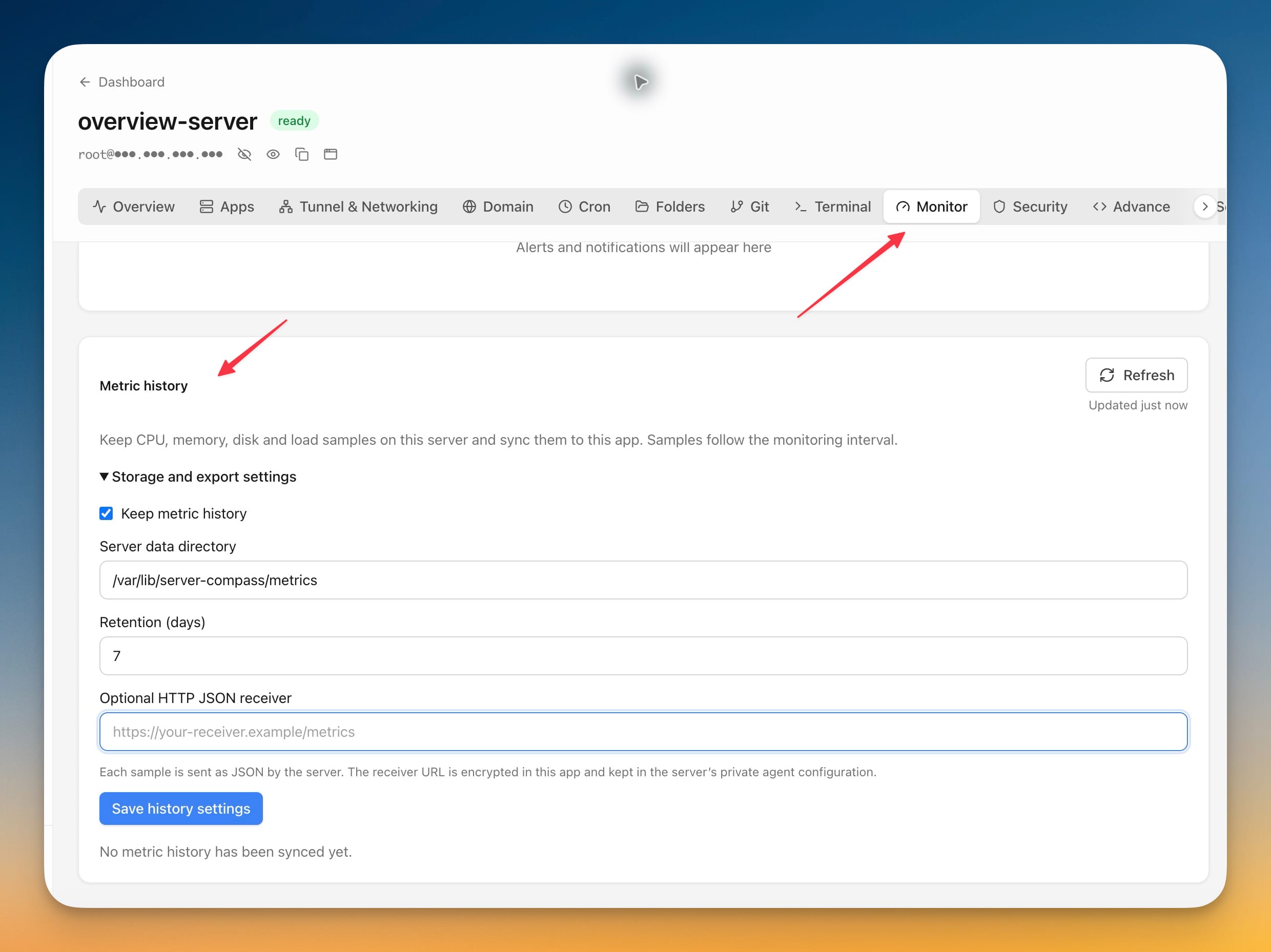
- Tracking resource berkelanjutan
- Metrik dan grafik historis
- Data performa detail
- Dasar untuk aturan alert
Menginstal agent
- Buka tab Monitoring
- Klik "Install Agent"
- Tunggu instalasi (1-2 menit)
- Agent mulai mengumpulkan metrik segera
Membuat aturan alert
Setup alert:
- Buka Monitoring > Alerts
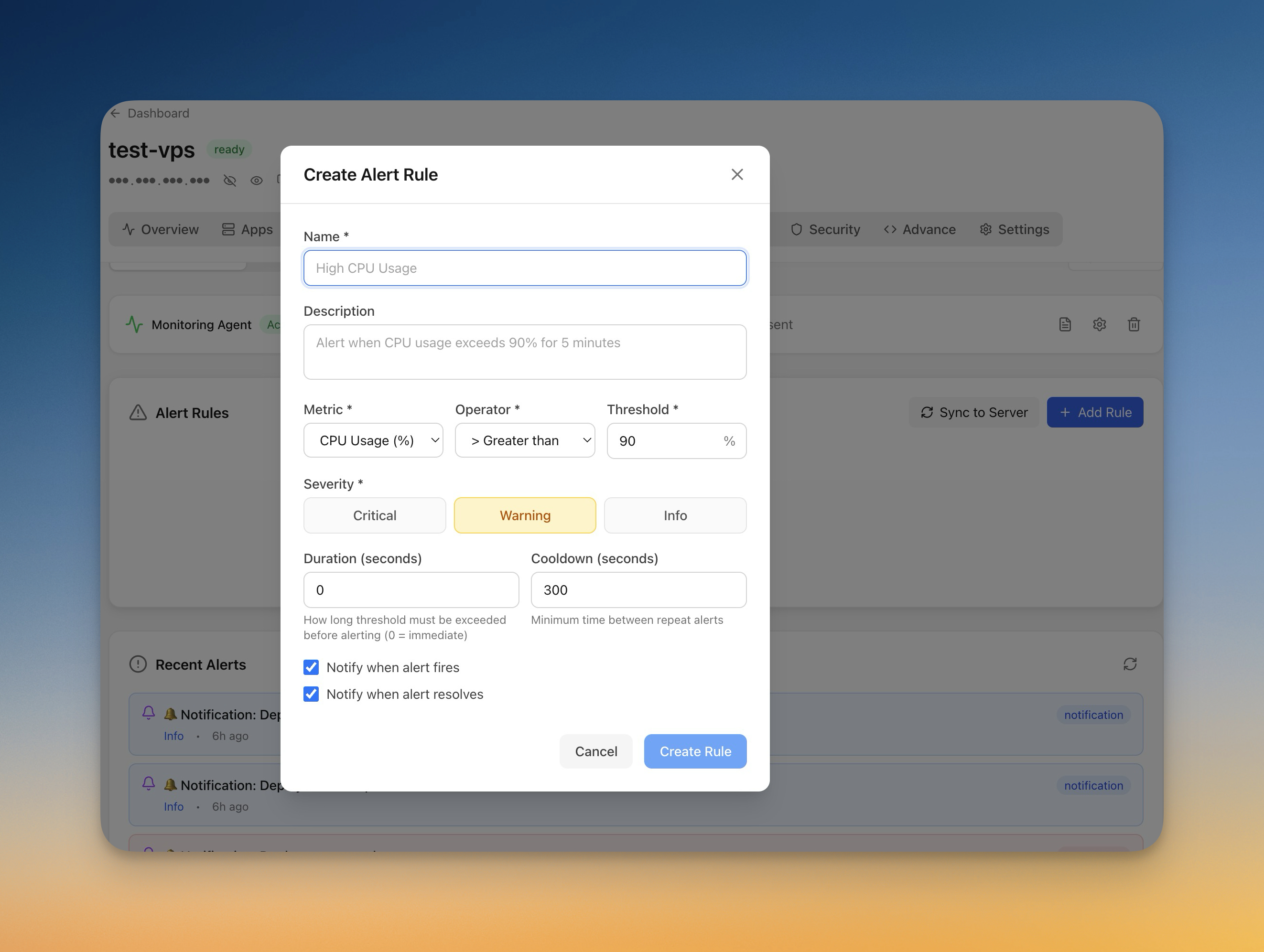
- Klik "Add Rule"
- Pilih metrik (CPU, memory, disk)
- Atur threshold dan durasi
- Pilih channel notifikasi
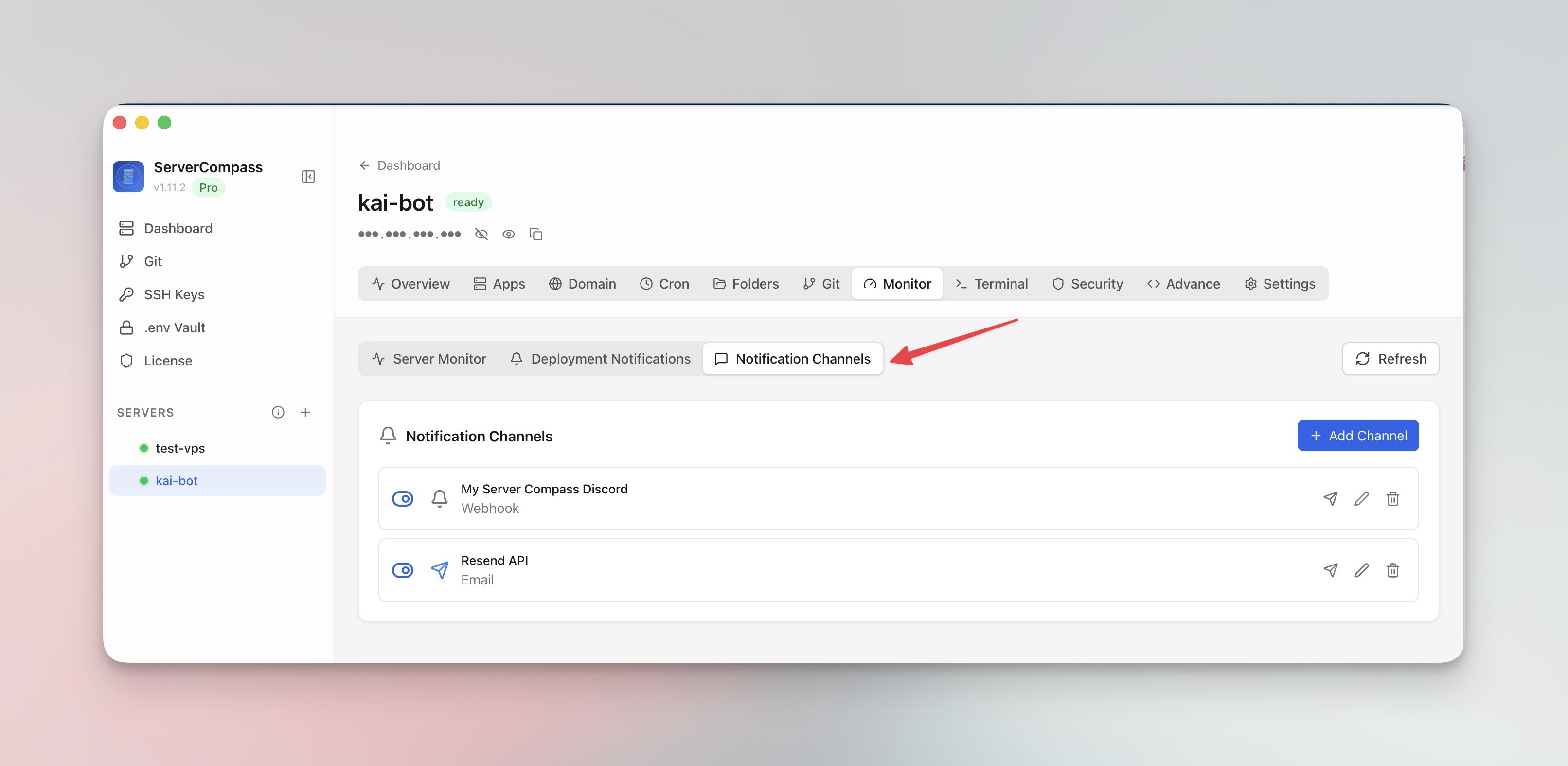
Channel notifikasi
Konfigurasi tempat menerima alert:
- Email: Notifikasi email langsung
- Webhook: POST ke URL
- Test channel sebelum mengandalkannya
Screenshots
Related Features
Monitoring Agent
Lightweight monitoring agent for continuous resource tracking. Install with one click and view metrics in your dashboard.
Custom Alert Rules
Create threshold-based alert rules for CPU, memory, disk, and custom metrics. Get notified before problems escalate.
Notification Channels
Configure email, webhook, and other notification channels. Test connectivity before relying on alerts in production.
Ready to try Server Compass?
Download the app and deploy your first application in under 5 minutes.
Download Server Compass