Server Backups & Snapshots
Buat snapshot server terenkripsi dan jadwalkan backup otomatis ke cloud storage.
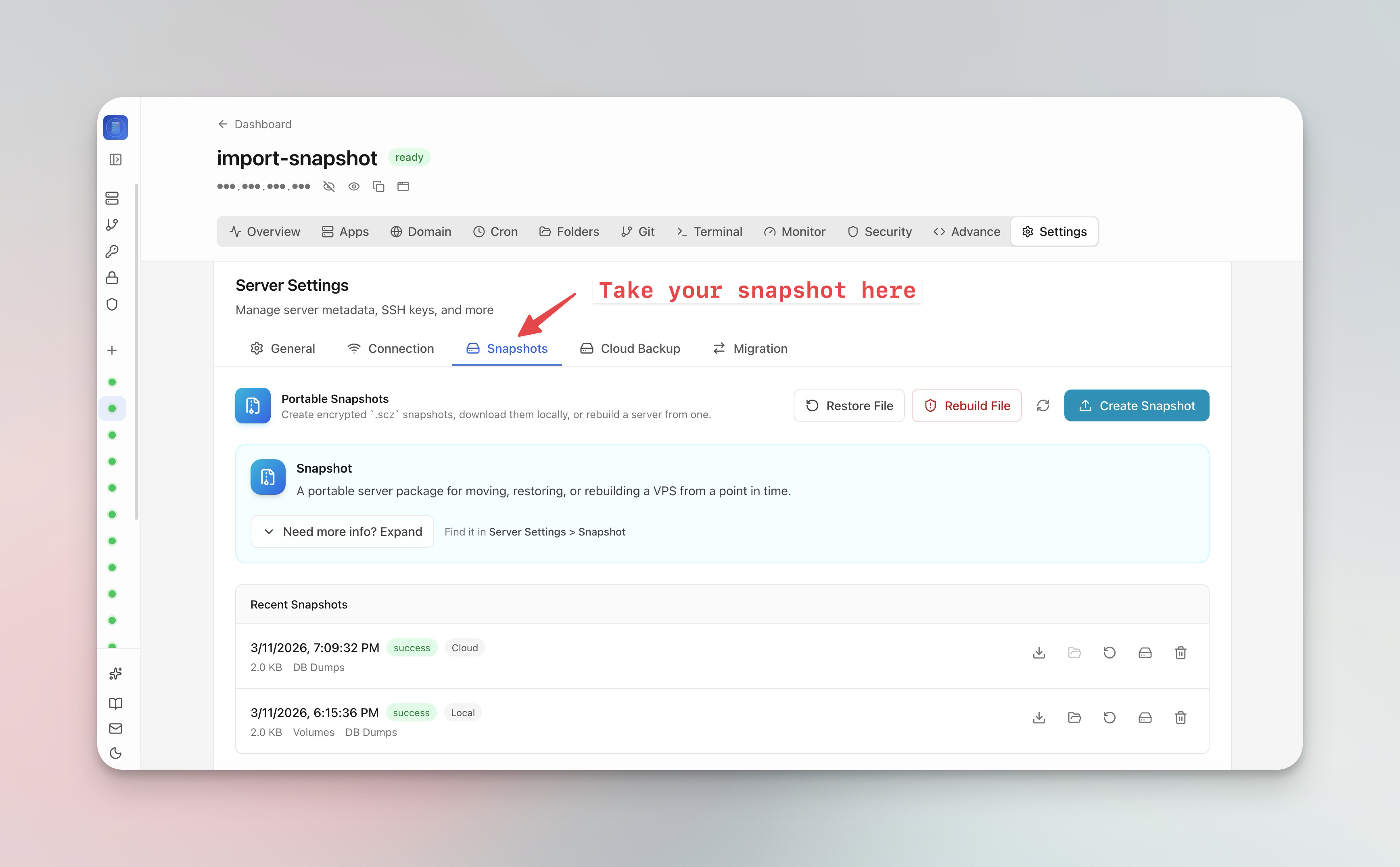
Membuat snapshot server
Snapshot server menangkap seluruh status server:
- Buka Server Settings > Snapshot tab
- Klik Create Snapshot
- Atur passphrase enkripsi opsional
- Snapshot diupload ke cloud storage
- Gunakan snapshot untuk migrate seluruh VPS ke server baru dengan satu klik
Menjadwalkan backup otomatis
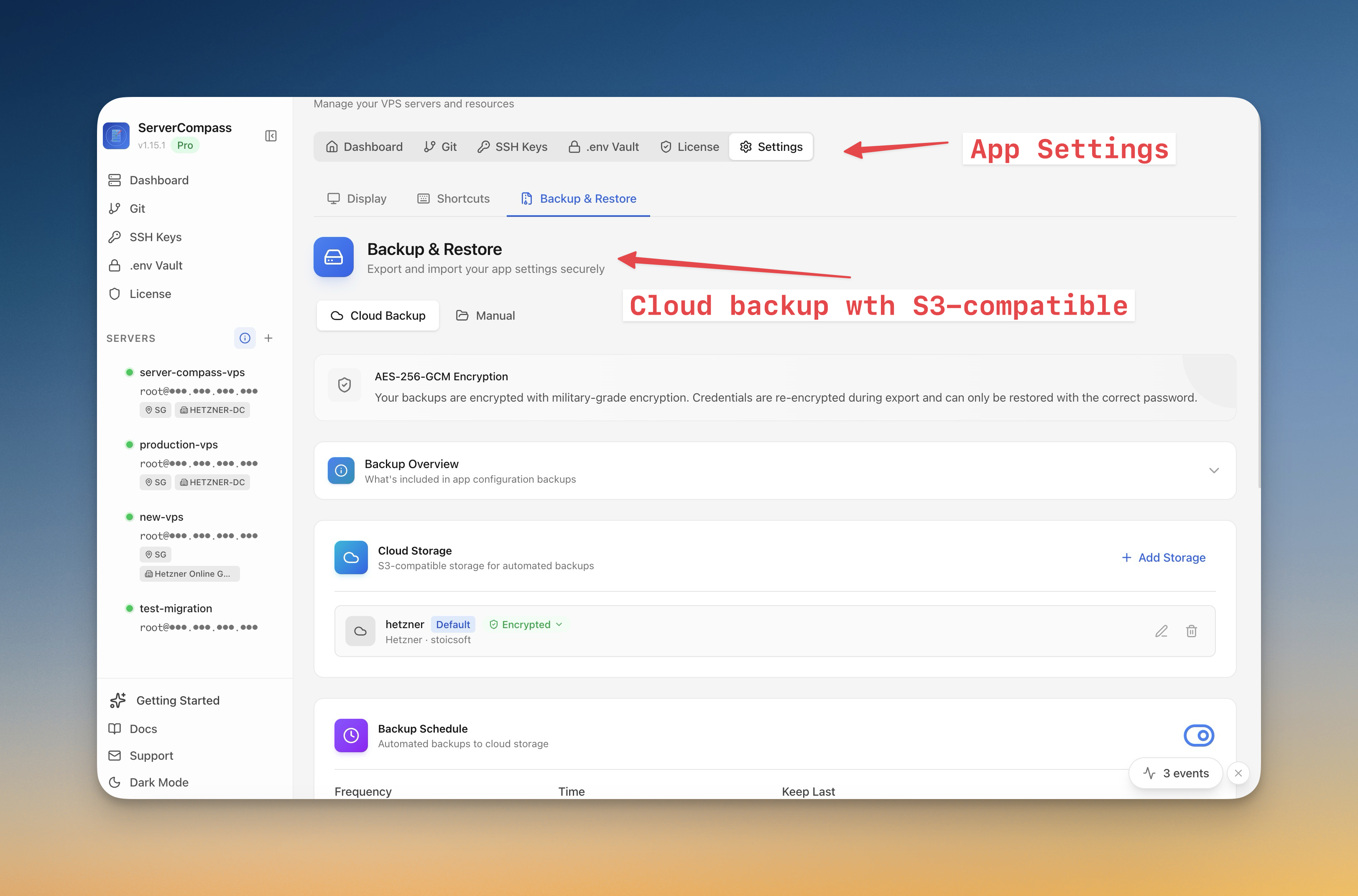
- Buka Server Settings > Backup tab
- Konfigurasi jadwal backup (harian, mingguan, atau custom)
- Pilih apa yang akan di-backup (database, volumes, configs)
- Connect cloud storage (kompatibel S3)
- Atur retention policy untuk membersihkan backup lama otomatis
Restore dari backup
- Buka overview Backup
- Browse snapshot yang tersedia berdasarkan tanggal
- Klik Restore untuk rebuild dari snapshot
- Untuk migrasi, pilih "Restore to new server" dan berikan koneksi server target
Screenshots
Video Tutorials
Related Features
Server Backups & Cloud Storage
Automated backups of stacks, volumes, databases, environment files, SSL certificates, and cron jobs. Store encrypted backups in S3-compatible cloud storage with flexible scheduling — hourly, daily, weekly, or monthly.
Server Snapshots
Export your entire server to a single AES-256 encrypted .scz file — Docker stacks, volumes, databases, domains, cron jobs, alerts, and notification channels. Save locally or upload to S3, then restore to the same server for disaster recovery or rebuild on a new VPS for migration. Domain remapping lets you switch domains during restore.
Ready to try Server Compass?
Download the app and deploy your first application in under 5 minutes.
Download Server Compass