Sao lưu và snapshot máy chủ
Tạo snapshot máy chủ được mã hóa và lên lịch sao lưu tự động lên bộ nhớ đám mây.
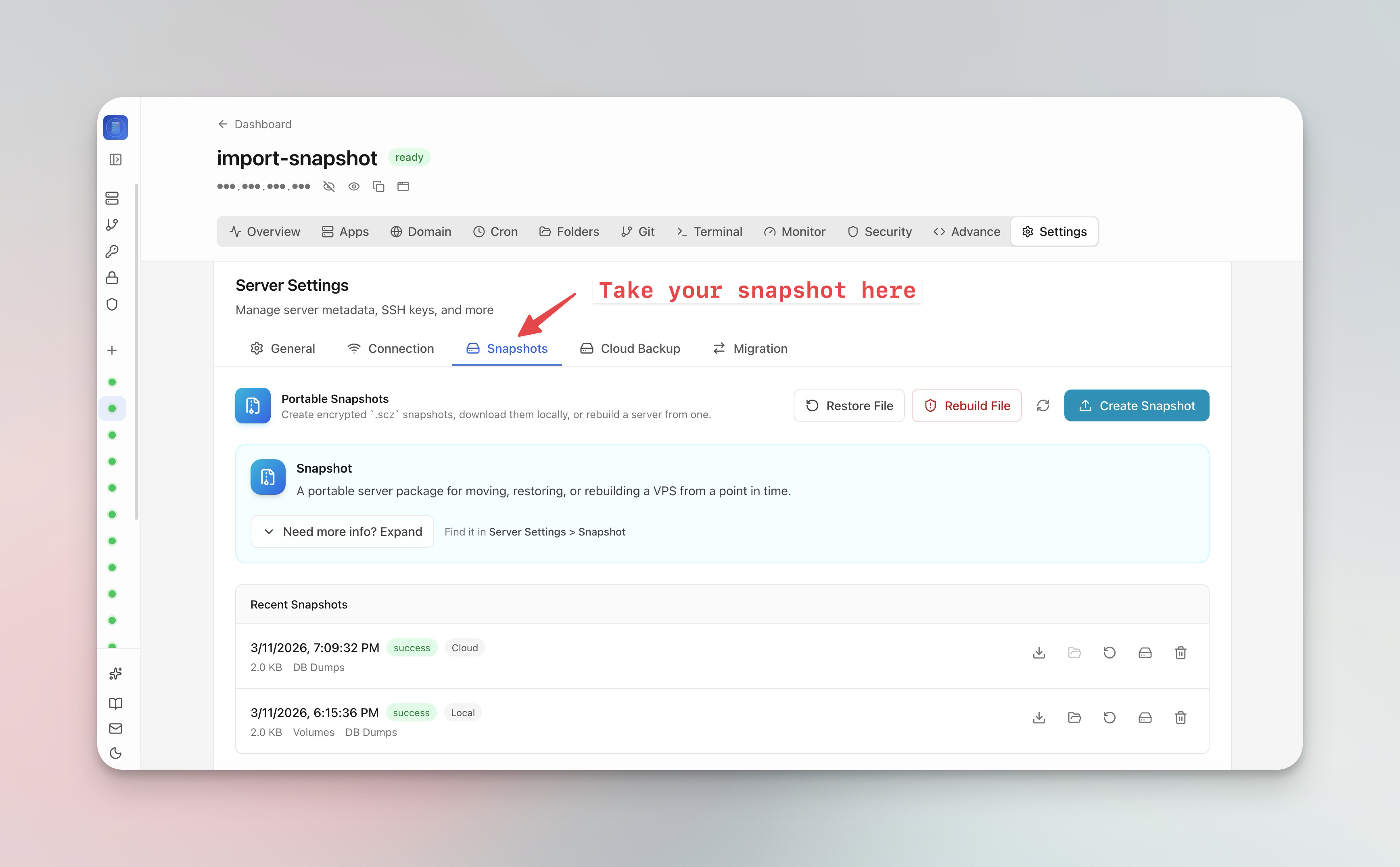
Tạo snapshot máy chủ
Snapshot máy chủ lưu trữ toàn bộ trạng thái máy chủ:
- Đi đến Server Settings > Snapshot tab
- Nhấp Create Snapshot
- Đặt cụm mật khẩu mã hóa tùy chọn
- Snapshot được tải lên bộ nhớ đám mây
- Dùng snapshot để di chuyển toàn bộ VPS sang máy chủ mới chỉ một lần nhấp
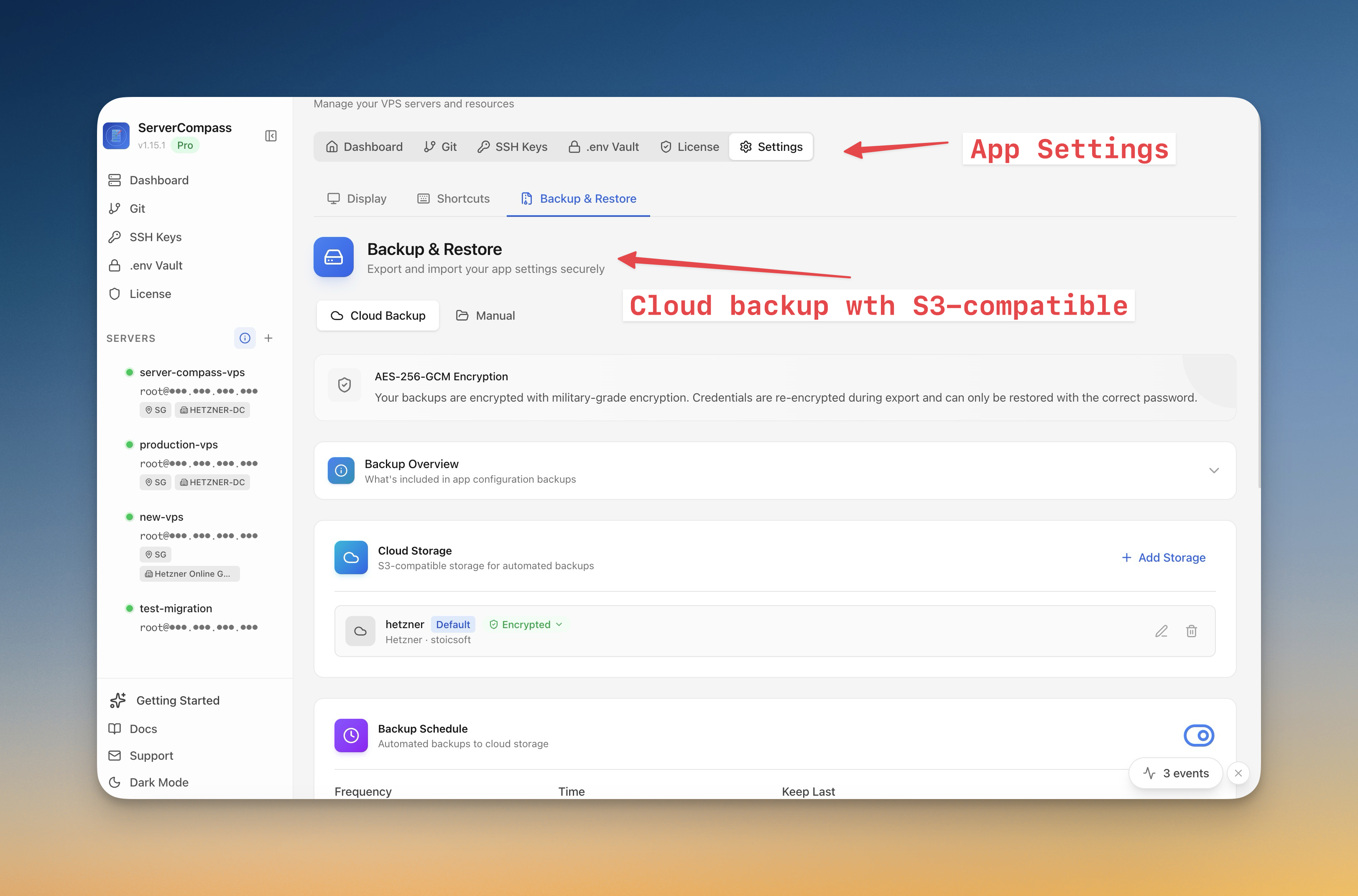
Lên lịch sao lưu tự động
- Đi đến Server Settings > Backup tab
- Cấu hình lịch sao lưu (hàng ngày, hàng tuần hoặc tùy chỉnh)
- Chọn nội dung sao lưu (cơ sở dữ liệu, volume, cấu hình)
- Kết nối bộ nhớ đám mây (tương thích S3)
- Đặt chính sách lưu giữ để tự động dọn sao lưu cũ
Khôi phục từ bản sao lưu
- Mở tổng quan Backup
- Duyệt snapshot theo ngày
- Nhấp Restore để xây dựng lại từ snapshot
- Để di chuyển, chọn "Restore to new server" và cung cấp kết nối máy chủ đích
Screenshots
Video Tutorials
Related Features
Server Backups & Cloud Storage
Automated backups of stacks, volumes, databases, environment files, SSL certificates, and cron jobs. Store encrypted backups in S3-compatible cloud storage with flexible scheduling — hourly, daily, weekly, or monthly.
Server Snapshots
Export your entire server to a single AES-256 encrypted .scz file — Docker stacks, volumes, databases, domains, cron jobs, alerts, and notification channels. Save locally or upload to S3, then restore to the same server for disaster recovery or rebuild on a new VPS for migration. Domain remapping lets you switch domains during restore.
Ready to try Server Compass?
Download the app and deploy your first application in under 5 minutes.
Download Server Compass