返回文档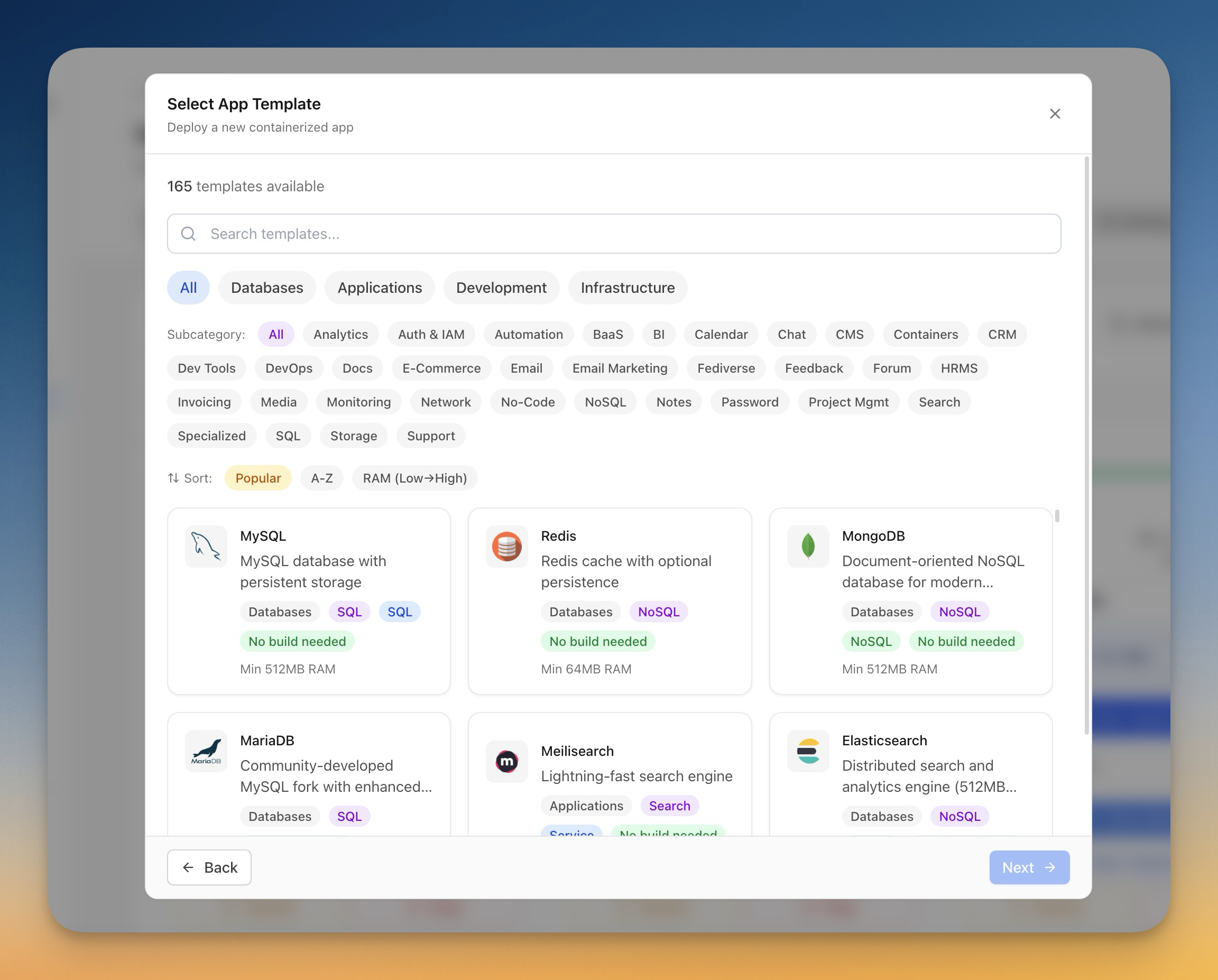
部署
使用模板部署应用
使用预构建模板一键部署数据库、CMS 平台和开发工具。
Beginner6 min readUpdated 2024-02-01
什么是模板?
模板是流行应用程序的预配置 Docker Compose 设置。每个模板包括:
- Docker 镜像配置
- 所需的环境变量
- 数据持久化的卷挂载
- 网络配置
- 推荐的资源限制
Server Compass 包含 100+ 个模板,用于数据库、CMS 平台、自动化工具等。
浏览模板
浏览模板:
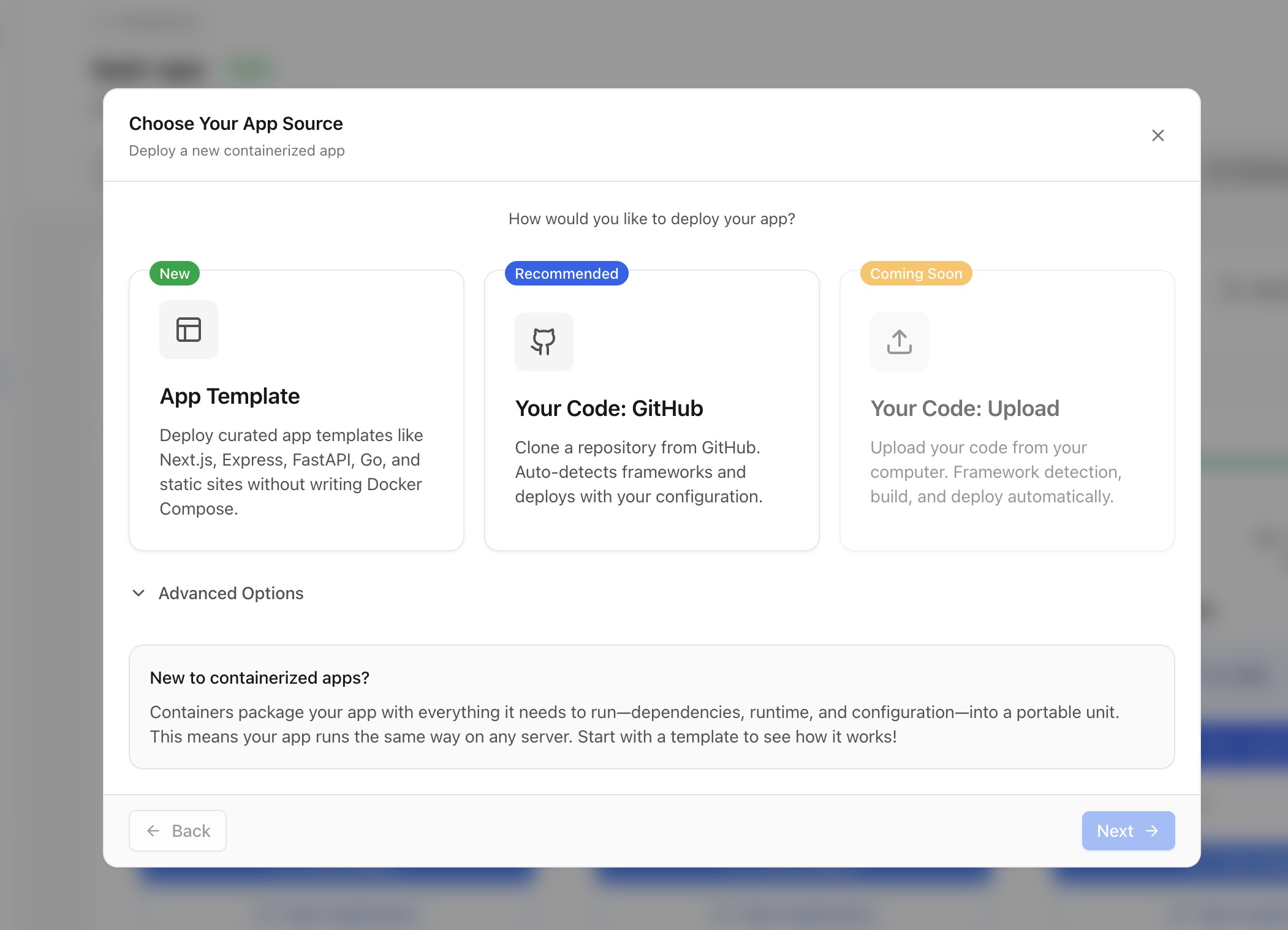
- 点击任何服务器上的"部署新应用"
- 选择"模板"作为来源
- 浏览类别或按名称搜索
- 查看模板详情,包括:
- 描述和功能
- 最低内存要求
- 相关教程
模板类别
模板按类别组织:
- 数据库:PostgreSQL、MySQL、MongoDB、Redis 等
- 应用:WordPress、Ghost、n8n、Supabase 等
- 开发:Gitea、GitLab、Jenkins 等
- 基础设施:Grafana、Prometheus、MinIO 等
自定义模板
部署前,您可以自定义:
- 应用名称和容器名称
- 环境变量(密码、设置)
- 端口映射(更改外部端口)
- 卷路径(数据存储位置)
- 资源限制(CPU、内存)
Screenshots
Video Tutorials
Deploy Ghost CMS to your own VPS in 1 Click
Learn how to deploy Ghost CMS to your VPS with just one click using Server Compass.
Watch tutorialHow to Deploy No‑Code Directus to Your Server with Server Compass
Learn how to deploy Directus, a no-code headless CMS, to your server using Server Compass.
Watch tutorialSelf-Host Supabase on Hetzner VPS in Minutes (No Terminal)
Deploy your own Supabase instance on a Hetzner VPS without touching the command line.
Watch tutorialRelated Features
Related Templates
Ready to try Server Compass?
Download the app and deploy your first application in under 5 minutes.
Download Server Compass