返回文档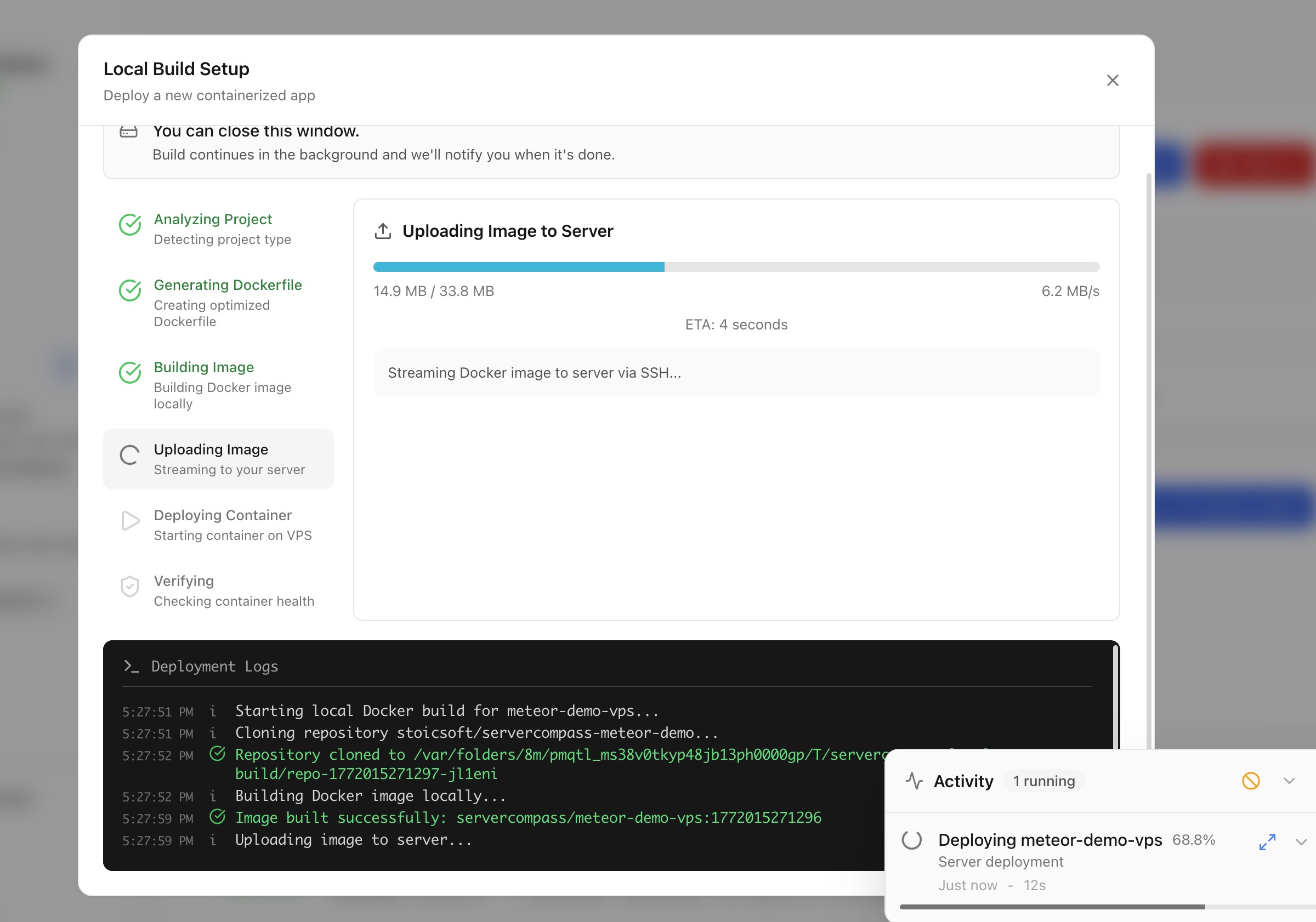
部署
使用本地构建部署
在您的机器上构建 Docker 镜像并直接部署到服务器,无需云 CI/CD。
Intermediate5 min readUpdated 2026-03-29
本地构建工作原理
本地构建让您使用机器的资源进行 Docker 构建:
- Server Compass 在本地机器上构建 Docker 镜像
- 构建的镜像通过 SSH 直接推送到服务器
- 容器在服务器上启动
无需云 CI/CD 服务、容器注册表或第三方账户。
开始本地构建部署
- 打开堆栈向导
- 选择 本地构建 作为构建位置
- 选择项目目录或 Dockerfile
- Server Compass 检测框架并在需要时生成 Dockerfile
- 配置环境变量和端口
- 点击 部署 — 镜像在本地构建并传输到服务器
上传代码部署
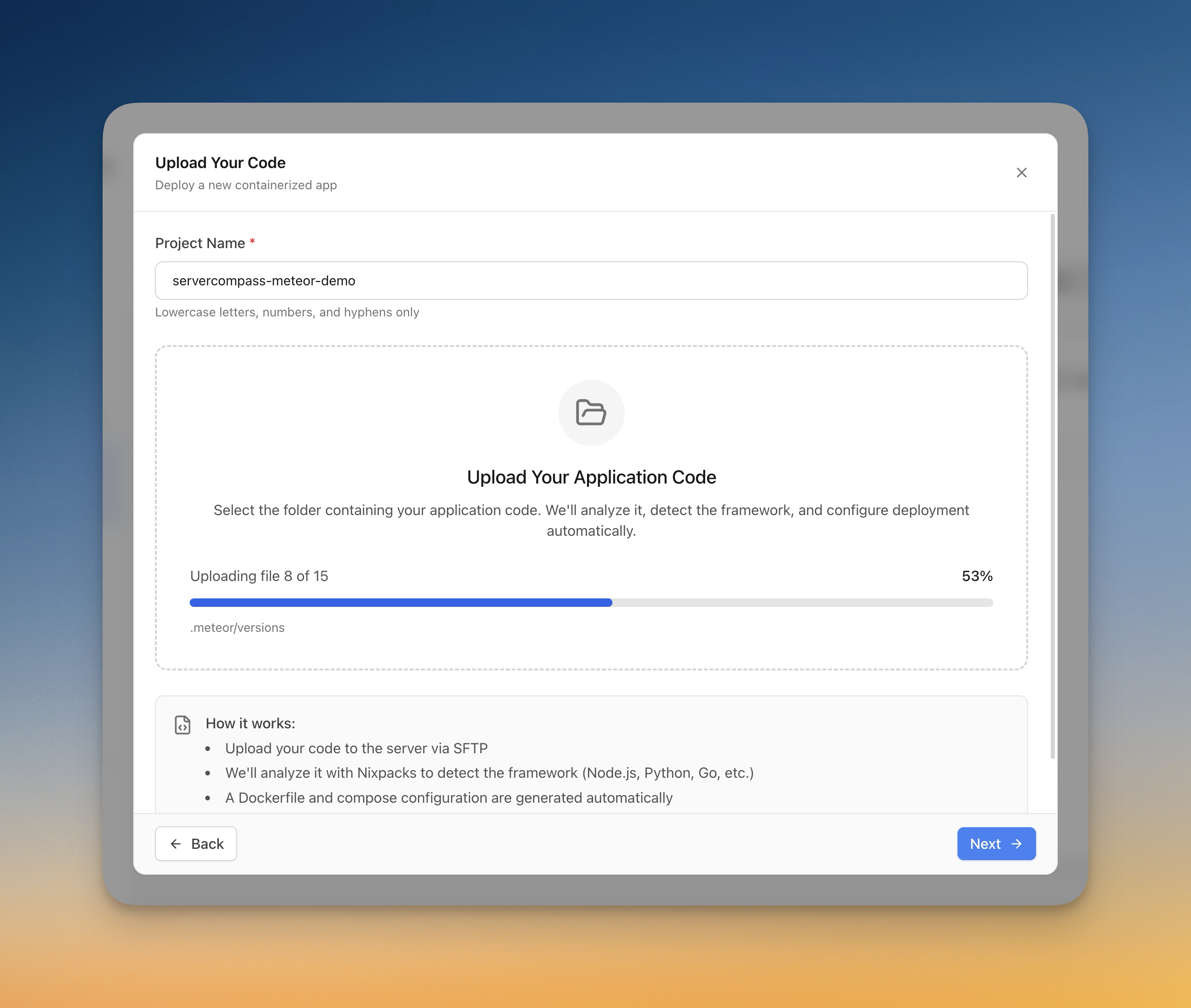
对于没有 Dockerfile 的项目:
- 在堆栈向导中选择 上传代码
- 从电脑选择文件夹
- Server Compass 自动检测框架(Next.js、Django、Laravel 等)
- 自动生成 Dockerfile
- 实时跟踪上传进度
- 应用在服务器上构建和部署
Screenshots
Video Tutorials
Related Features
Deploy with Local Build
Build Docker images on your local machine and deploy them directly to your server. No cloud CI/CD services or container registries required.
Upload Code to Deploy
Pick a folder from your computer and deploy it directly to your server. Automatic framework detection generates the right Dockerfile with upload progress tracking.
Ready to try Server Compass?
Download the app and deploy your first application in under 5 minutes.
Download Server Compass