April 5, 2026
How to Turn a VPS Into Your Own Vercel
Replicate Vercel's key features — git push deployments, auto-SSL, preview environments, and zero-downtime deploys — on a $5/month VPS. Compare tools like Coolify and see why Server Compass is the fastest path to a self-hosted Vercel experience.
Vercel is brilliant. You connect a GitHub repo, push code, and your app is live with SSL, preview URLs, and zero-downtime deploys. For solo developers on the free tier, it's hard to beat. But the moment your team grows or your traffic spikes, the bills start adding up fast — $20/seat/month on Pro, bandwidth overages, and serverless function limits that punish success.
The good news: every feature that makes Vercel feel magical can be replicated on a $5/month VPS. You keep full control, pay predictable costs, and never worry about vendor lock-in. This guide shows you exactly how to build a self-hosted Vercel experience on your own infrastructure.
What Makes Vercel Great (And What We Need to Replicate)
Before we start building, let's identify the four features that define the Vercel experience:
- Git push deployments — push to
mainand your app deploys automatically - Automatic SSL — every domain gets HTTPS with zero configuration
- Preview environments — every pull request gets its own URL for review
- Zero-downtime deploys — updates go live without dropping a single request
Each of these is achievable on a VPS. The question is whether you want to wire it all together yourself or use a tool that handles it for you.
The Cost Math: Vercel vs a VPS
Let's do the math before we get into implementation. This is where the vercel alternative vps argument becomes compelling.
Scenario
Vercel Pro
VPS + Server Compass
Solo developer
$20/month
$5/month VPS + $29 one-time
Team of 3
$60/month
$5/month VPS + $29 one-time
Team of 5
$100/month
$10/month VPS + $29 one-time
Annual cost (team of 3)
$720/year
$60/year + $29 once
That's not a typo. A team of three on Vercel Pro pays $720/year. The same team on a VPS pays $89 in year one and $60/year after that. And unlike Vercel, your VPS can host unlimited projects, databases, and services — not just frontend apps. For a deeper breakdown, see our Vercel pricing analysis.
Feature 1: Git Push Deployments
The cornerstone of the Vercel workflow is pushing code and having it deploy automatically. Here's how to get the same thing on your VPS.
The DIY Approach
You can set up git push deployments with a combination of GitHub Actions (or any CI) and SSH:
# .github/workflows/deploy.yml
name: Deploy to VPS
on:
  push:
    branches: [main]

jobs:
  deploy:
    runs-on: ubuntu-latest
    steps:
      - uses: actions/checkout@v4
      - name: Build Docker image
        run: docker build -t myapp .
      - name: Push to registry
        run: |
          echo $\{{ secrets.GHCR_TOKEN }} | docker login ghcr.io -u $\{{ github.actor }} --password-stdin
          docker tag myapp ghcr.io/$\{{ github.repository }}:latest
          docker push ghcr.io/$\{{ github.repository }}:latest
      - name: Deploy via SSH
        uses: appleboy/ssh-action@v1
        with:
          host: $\{{ secrets.VPS_HOST }}
          username: root
          key: $\{{ secrets.VPS_SSH_KEY }}
          script: |
            docker pull ghcr.io/$\{{ github.repository }}:latest
            docker compose up -d
This works, but there's a lot of boilerplate. You need to manage SSH keys as secrets, handle Docker registry authentication, and write the deployment logic yourself. Every new project needs a copy of this workflow file.
The Server Compass Approach
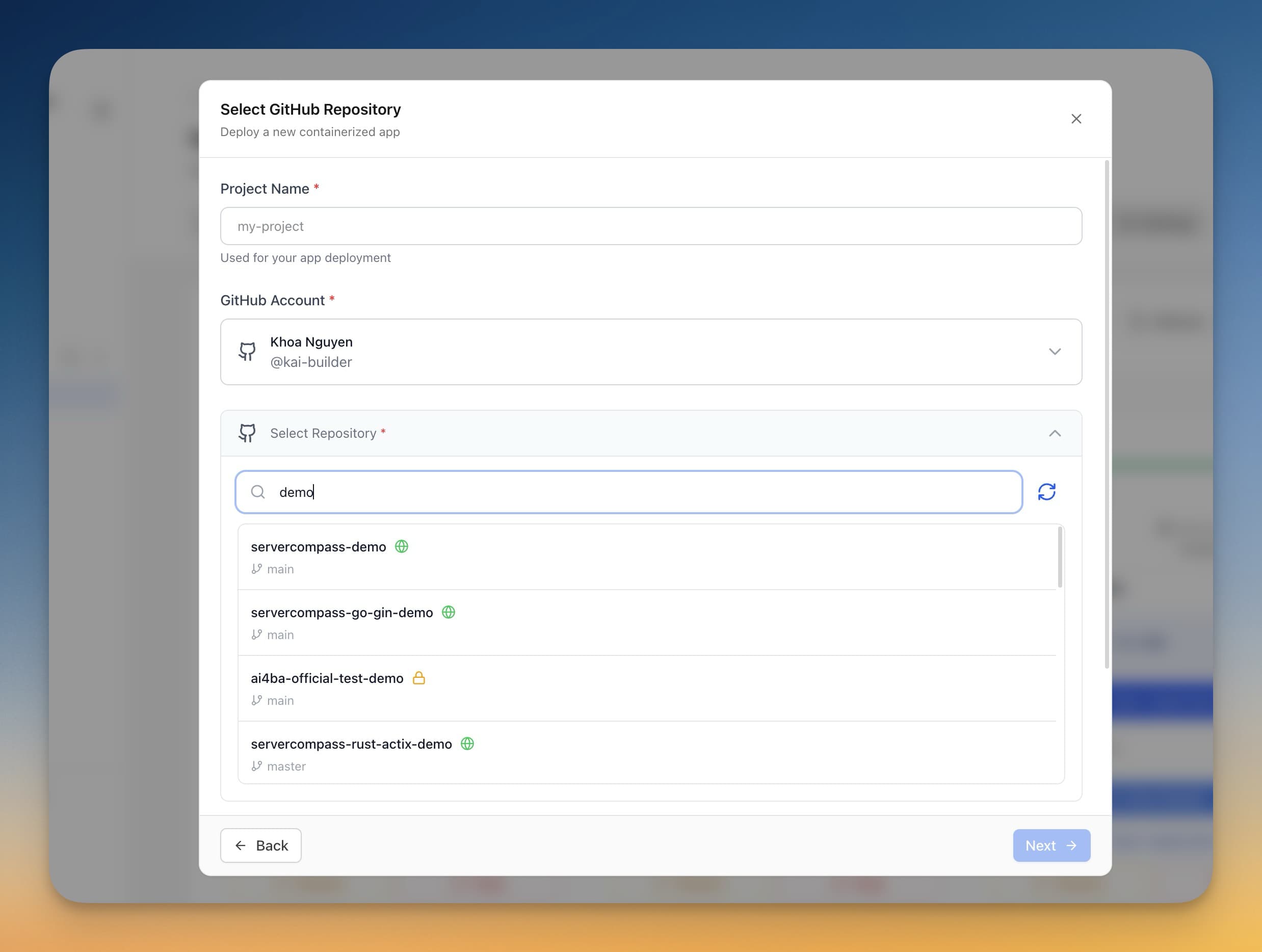
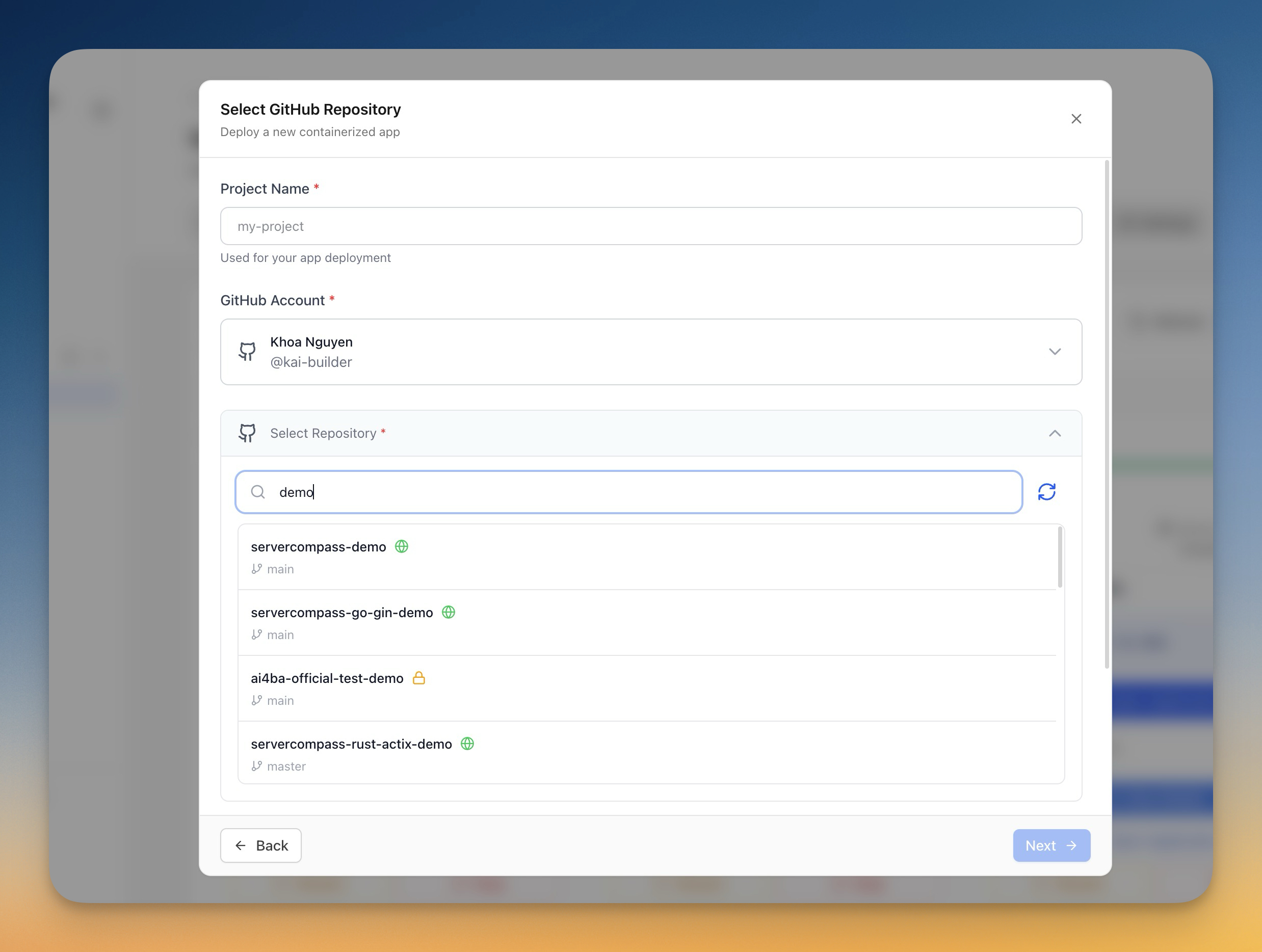
With Server Compass, you connect your GitHub account once and select a repository. Server Compass handles the rest — cloning, building, deploying, and switching traffic. Enable auto-deploy on push and every commit to your target branch triggers a new deployment automatically.
You can also use GitHub Actions integration to build on GitHub's free CI minutes and deploy the resulting image to your VPS, keeping your server resources free for running apps instead of building them.
Feature 2: Automatic SSL Certificates
Vercel gives every deployment HTTPS by default. On a VPS, you need a reverse proxy that handles TLS termination and certificate renewal.
The DIY Approach: Traefik or Caddy
Traefik is the standard choice for Docker-based deployments. It watches for new containers, reads labels for routing configuration, and automatically provisions Let's Encrypt certificates:
{`# docker-compose.yml (Traefik setup)
services:
  traefik:
    image: traefik:v3
    command:
      - "--providers.docker=true"
      - "--entrypoints.websecure.address=:443"
      - "--certificatesresolvers.le.acme.tlschallenge=true"
      - "[email protected]"
    ports:
      - "80:80"
      - "443:443"
    volumes:
      - /var/run/docker.sock:/var/run/docker.sock
      - letsencrypt:/letsencrypt

  myapp:
    image: myapp:latest
    labels:
      - "traefik.enable=true"
      - "traefik.http.routers.myapp.rule=Host(\`app.example.com\`)"
      - "traefik.http.routers.myapp.tls.certresolver=le"`}
Caddy is another option that handles HTTPS automatically with even less configuration. If you already run Nginx or Caddy, check our guide on using your existing reverse proxy with Server Compass.
The Server Compass Approach
Server Compass installs and configures Traefik automatically when you connect your first server. Add a domain to any app, and SSL certificates are provisioned within seconds. Renewal is automatic. You also get DNS verification, a certificate viewer, WWW redirect toggles, and per-domain security headers — all through a visual interface, not YAML files.
Feature 3: Preview Environments
Preview environments are one of Vercel's most loved features. Every pull request gets a unique URL where reviewers can see the changes live before merging.
The DIY Approach
Building preview environments yourself requires significant orchestration:
- Listen for GitHub PR webhooks
- Build a Docker image for the PR branch
- Deploy it on a unique subdomain (e.g.,
pr-42.preview.example.com) - Provision an SSL certificate for the subdomain
- Post the preview URL as a comment on the PR
- Clean up the container and domain when the PR is closed
This is doable with GitHub Actions plus some scripting, but it's a maintenance burden that grows with every project.
The Server Compass Approach
Server Compass has built-in staging and preview environments. Create a preview environment for any branch, and it gets its own domain, its own SSL certificate, and its own environment variables. Set an auto-delete timer so preview environments clean themselves up after a configurable number of days. When you're happy with the preview, promote it to production with one click. See our detailed walkthrough in the preview environments blog post.
Feature 4: Zero-Downtime Deployments
Vercel deploys are instant because they use an immutable deployment model — the new version is built and ready before traffic switches to it. Your VPS can do the same thing.
The DIY Approach
Zero-downtime deployments on a VPS require a blue-green or rolling update strategy:
# Basic blue-green deploy script
NEW_CONTAINER=$(docker run -d myapp:new)

# Wait for health check
until curl -sf http://localhost:NEW_PORT/health; do
  sleep 1
done

# Update Traefik routing labels
docker label $NEW_CONTAINER traefik.enable=true
docker stop $OLD_CONTAINER
docker rm $OLD_CONTAINER
In practice, this is more complex than it looks. You need health check logic, timeout handling, automatic rollback on failure, and coordination with Traefik's routing. Most teams end up writing 200+ lines of bash to handle edge cases.
The Server Compass Approach
Zero-downtime deployment is a toggle in Server Compass. Enable it globally or per-app. The new container builds in the background while the old one keeps serving traffic. Health checks verify the new version is ready. Traefik switches traffic atomically — not a single request is dropped. If the new container fails, the old one keeps running and you get a clear error message. Read the full breakdown in our zero-downtime deployment deep dive.

Bonus: What You Get on a VPS That Vercel Doesn't Give You
A self-hosted Vercel setup on your own VPS isn't just about replicating features — it's about gaining capabilities Vercel doesn't offer:
- Run any stack — not just Next.js and React. Deploy Laravel, Django, Rails, FastAPI, or any Docker container
- Host databases alongside your apps — PostgreSQL, MySQL, Redis, and MongoDB on the same server with no add-on fees
- Run background workers and cron jobs — no serverless function timeouts or edge runtime limitations
- Full SSH access — debug production issues directly instead of reading function logs
- One-click templates — deploy n8n, Ghost, Plausible Analytics, and 200+ other self-hosted tools alongside your main app
Tool Comparison: Coolify vs Server Compass
If you're searching for a self-hosted Vercel solution, two tools come up most often: Coolify and Server Compass. Both aim to give you PaaS-like convenience on your own VPS, but they take different approaches.
Feature
Coolify
Server Compass
Architecture
Self-hosted web panel (runs on your VPS)
Desktop app (connects via SSH)
Setup time
10-20 minutes (install script + configuration)
2 minutes (download + connect)
Server overhead
Uses 500MB-1GB RAM on your VPS
Zero overhead (runs on your computer)
Git push deploys
Yes (webhook-based)
Yes (GitHub integration + auto-deploy)
Auto-SSL
Yes (Traefik or Caddy)
Yes (Traefik)
Preview environments
Yes
Yes (with auto-delete timer)
Zero-downtime deploys
Yes
Yes (with health checks + automatic rollback)
One-click templates
60+ services
200+ templates
Pricing
Free (self-hosted) or $5/month (cloud)
$29 one-time license
Coolify is a solid open-source option, especially if you prefer a web-based interface. However, it requires installation on your VPS and consumes resources that could be running your apps. For a more detailed comparison, see our Coolify vs Server Compass analysis and our in-depth comparison blog post.
Server Compass takes a different approach — it's a desktop application that connects to your VPS over SSH. Nothing is installed on your server except Docker and Traefik (which you'd need anyway). This means zero RAM overhead, zero attack surface on the server, and you can manage multiple VPS instances from one place.
Getting Started: VPS to Vercel in 15 Minutes
Here's the fastest path to a self-hosted Vercel experience with Server Compass:
Step 1: Get a VPS ($5/month)
Any Linux VPS with 1GB+ RAM works. Popular choices: Hetzner (best value in Europe), DigitalOcean, Linode, or Vultr. Ubuntu 22.04 or 24.04 is recommended.
Step 2: Download Server Compass and Connect
Download Server Compass, enter your server IP and SSH credentials, and connect. Server Compass installs Docker and Traefik automatically on first connection. Our connection tutorial walks you through this in 30 seconds.
Step 3: Connect Your GitHub Account
Link your GitHub account in the settings. This gives Server Compass access to your repositories for one-click deployment. See the GitHub connection tutorial for a full walkthrough.
Step 4: Deploy Your First App
Select a repository, pick a branch, and hit deploy. Server Compass detects your framework — whether it's Next.js, Nuxt, SvelteKit, Remix, or any Dockerized app — and builds it with the right configuration. Add a domain, and SSL is provisioned automatically.
Step 5: Enable Auto-Deploy and Zero-Downtime
Toggle auto-deploy on push and enable zero-downtime deployment. Now every git push to your target branch triggers an automatic deployment with no downtime. You've just replicated Vercel's core workflow.
What About Edge Functions and CDN?
There are two Vercel features a single VPS can't replicate: edge functions running in 30+ regions and a global CDN. If your app needs sub-50ms response times worldwide, Vercel or Cloudflare Workers is the right choice.
But most apps don't need that. If your users are primarily in one region (which is true for the vast majority of SaaS products, internal tools, and side projects), a VPS in that region with a Cloudflare free-tier CDN in front of it gives you comparable performance at a fraction of the cost.
Who Should Make the Switch?
A vercel self hosted approach makes sense if you:
- Run a team and want to avoid per-seat pricing
- Need databases, cron jobs, or background workers alongside your frontend
- Want predictable costs that don't scale with traffic
- Prefer to own your infrastructure and avoid vendor lock-in
- Deploy apps in frameworks other than Next.js (Laravel, Django, Rails, Go, etc.)
- Run multiple projects and want them all on one server
Stick with Vercel if you're a solo developer on the free tier, need edge functions for a latency-sensitive consumer app, or simply don't want to manage a server at all.
From Platform to Infrastructure
Vercel popularized a workflow that developers love: push code, get a URL. That workflow doesn't require Vercel. With the right tools, a $5/month VPS gives you the same git push deployments, auto-SSL, preview environments, and zero-downtime deploys — plus the freedom to run anything Docker can run.
Server Compass is the fastest way to get there. One $29 license, no per-seat fees, no bandwidth limits. Connect your VPS, connect your GitHub, and deploy. It's everything Vercel does, on infrastructure you own.
Try Server Compass and turn your VPS into your own Vercel today. Or read our full Vercel comparison to see every feature side by side.
Related in the StoicSoft network
If you're self-hosting on a VPS or working through a deployment guide like the one above, DeployToVPS is the StoicSoft network's handbook for VPS deployment recipes — docker-compose, nginx, traefik, and common app self-hosts.
From across the StoicSoft network
Hand-curated reads on the same topic from sister sites in the StoicSoft family.