दस्तावेज़ पर वापस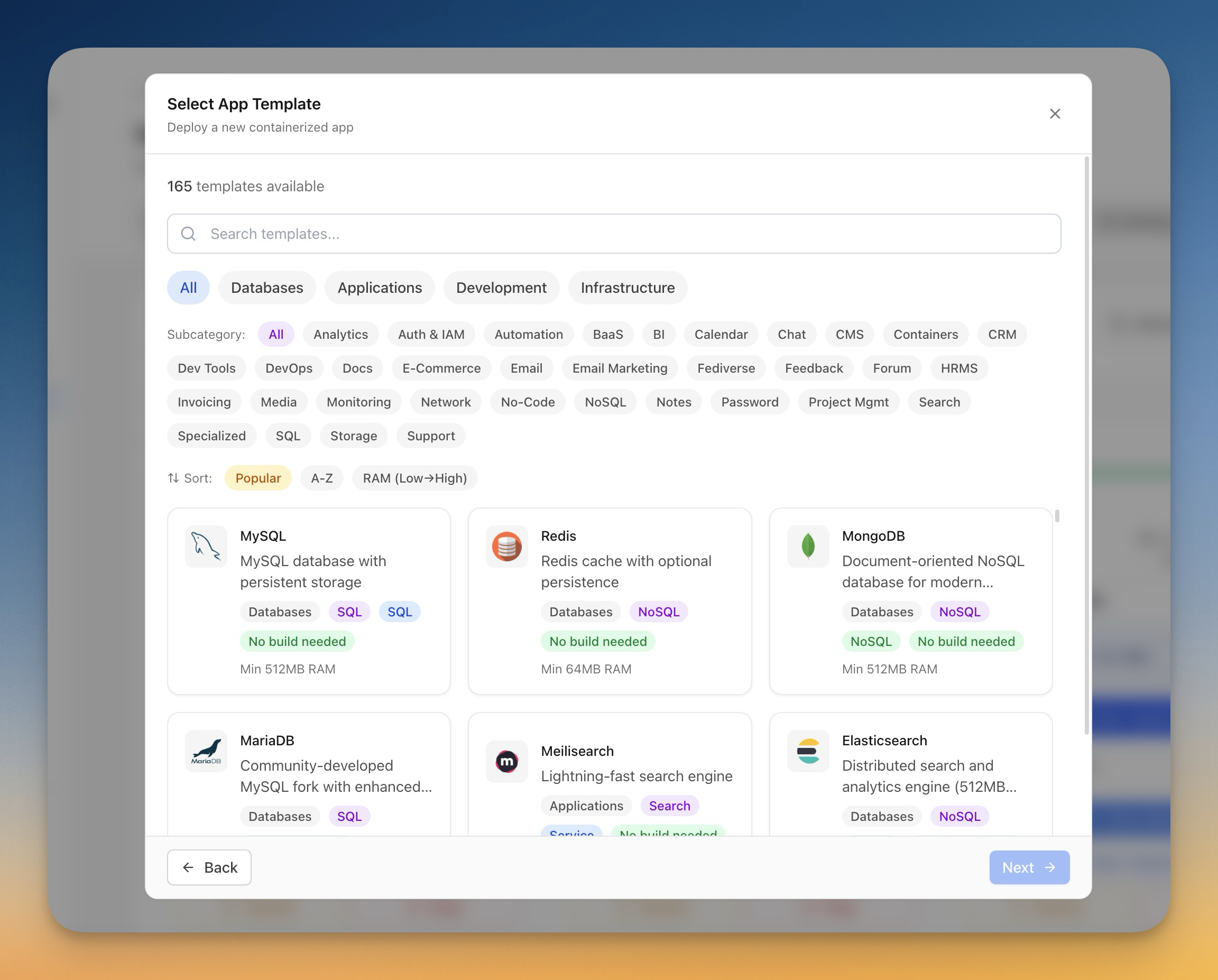
Deploy करें
Templates से Apps Deploy करें
Pre-built templates से एक क्लिक में databases, CMS platforms, और development tools deploy करें।
Beginner6 min readUpdated 2024-02-01
Templates क्या हैं?
Templates लोकप्रिय applications के लिए pre-configured Docker Compose setups हैं। हर template में शामिल है:
- Docker image configuration
- ज़रूरी environment variables
- Data persistence के लिए Volume mounts
- Network configuration
- Recommended resource limits
Server Compass में databases, CMS platforms, automation tools और अधिक के लिए 100+ templates हैं।
Templates Browse करें
Templates browse करने के लिए:
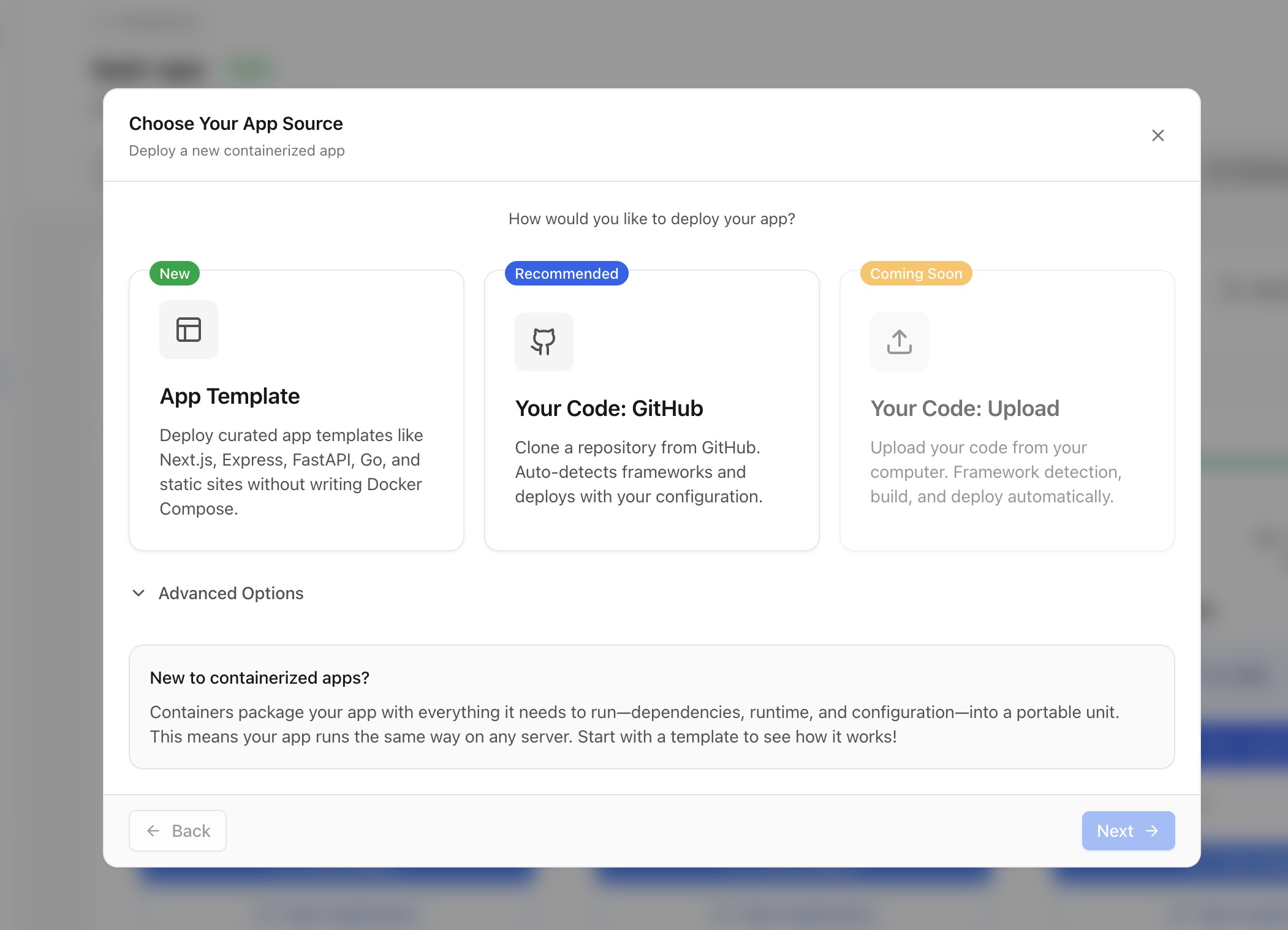
- किसी भी सर्वर पर "Deploy New App" पर क्लिक करें
- Source में "Template" चुनें
- Categories browse करें या नाम से search करें
- Template details देखें जिसमें:
- Description और features
- Minimum memory requirements
- Related tutorials
Template categories
Templates categories में organize हैं:
- Database: PostgreSQL, MySQL, MongoDB, Redis, आदि
- Application: WordPress, Ghost, n8n, Supabase, आदि
- Development: Gitea, GitLab, Jenkins, आदि
- Infrastructure: Grafana, Prometheus, MinIO, आदि
Templates customize करें
Deploy करने से पहले, आप customize कर सकते हैं:
- App name और container name
- Environment variables (passwords, settings)
- Port mappings (external ports बदलें)
- Volume paths (data storage locations)
- Resource limits (CPU, memory)
Screenshots
Video Tutorials
Deploy Ghost CMS to your own VPS in 1 Click
Learn how to deploy Ghost CMS to your VPS with just one click using Server Compass.
Watch tutorialHow to Deploy No‑Code Directus to Your Server with Server Compass
Learn how to deploy Directus, a no-code headless CMS, to your server using Server Compass.
Watch tutorialSelf-Host Supabase on Hetzner VPS in Minutes (No Terminal)
Deploy your own Supabase instance on a Hetzner VPS without touching the command line.
Watch tutorialRelated Features
Related Templates
Ready to try Server Compass?
Download the app and deploy your first application in under 5 minutes.
Download Server Compass