दस्तावेज़ पर वापस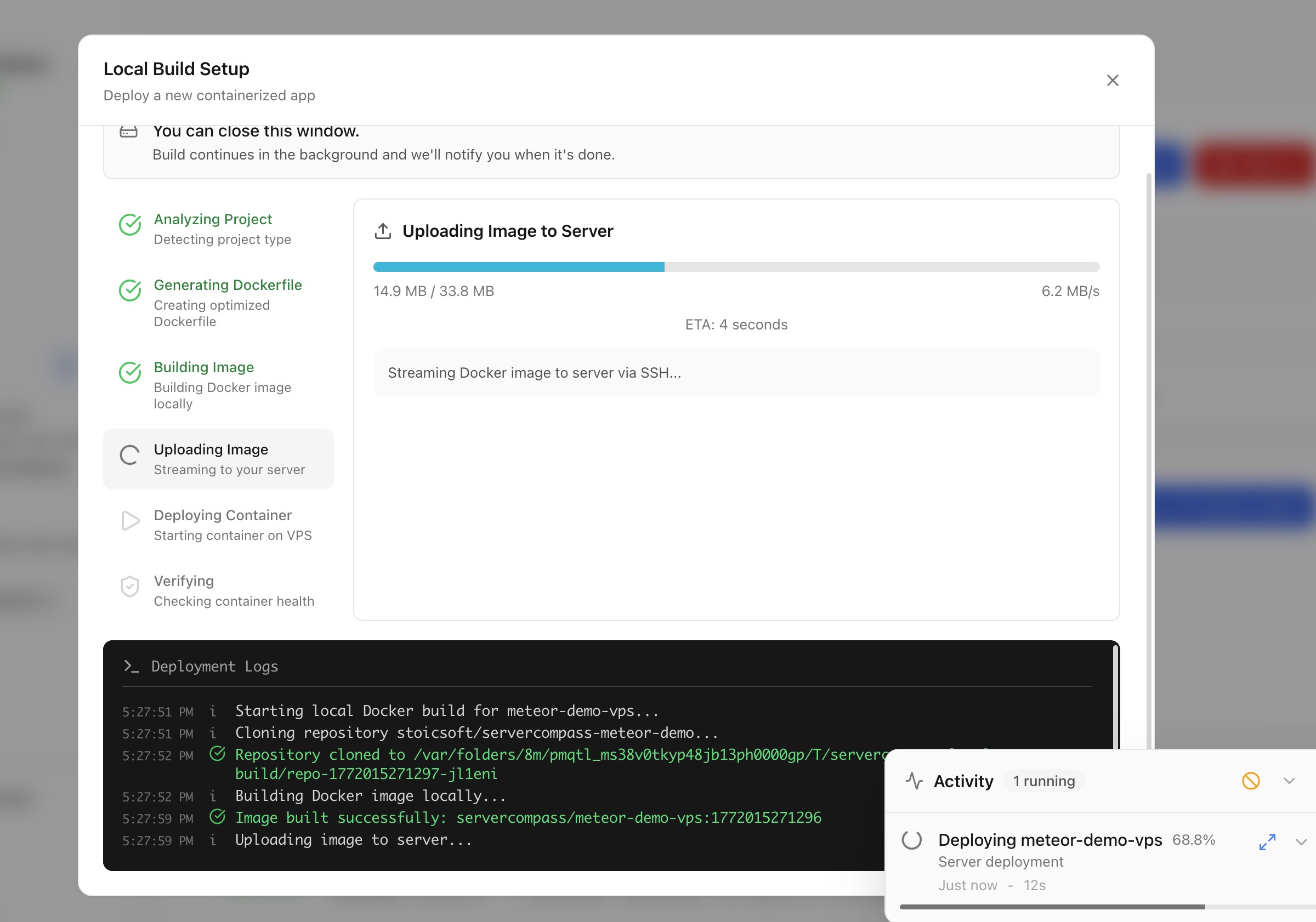
Deploy करें
Local Build से Deploy करें
Cloud CI/CD के बिना अपनी machine पर Docker images build करें और directly सर्वर पर deploy करें।
Intermediate5 min readUpdated 2026-03-29
Local build कैसे काम करता है?
Local build आपकी machine के resources को Docker builds के लिए use करने देता है:
- Server Compass आपकी local machine पर Docker image build करता है
- Built image SSH के ज़रिए directly सर्वर पर push होती है
- Container सर्वर पर start होता है
Cloud CI/CD services, container registries, या third-party accounts की ज़रूरत नहीं।
Local build deploy शुरू करें
- Stack Wizard खोलें
- Build location में Local Build चुनें
- अपनी project directory या Dockerfile चुनें
- Server Compass framework detect करता है और ज़रूरत हो तो Dockerfile generate करता है
- Environment variables और ports कॉन्फ़िगर करें
- Deploy पर क्लिक करें — image locally build होती है और आपके सर्वर पर transfer होती है
Code upload करके deploy करें
Dockerfile के बिना projects के लिए:
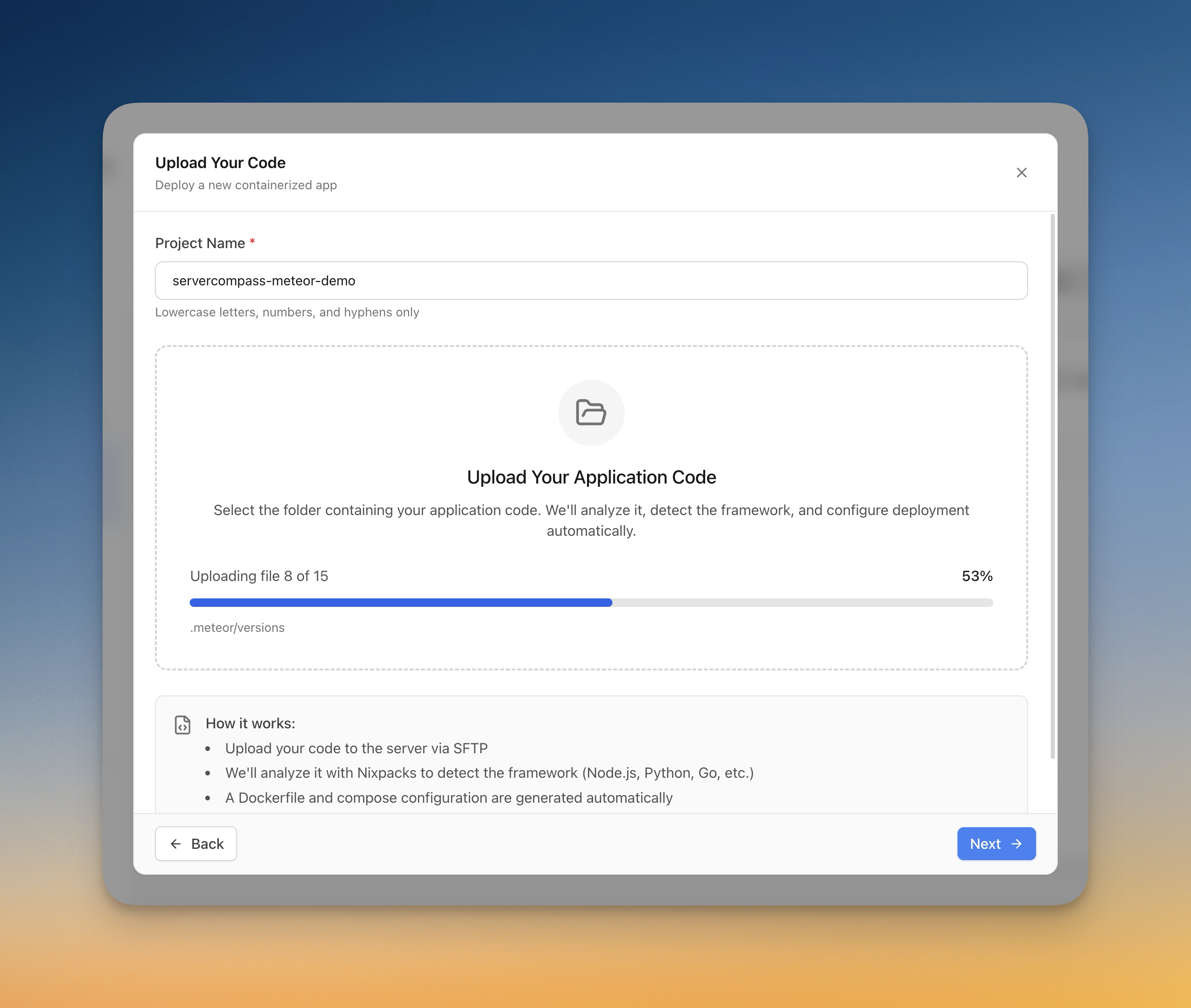
- Stack Wizard में Upload Code चुनें
- अपने computer से folder pick करें
- Server Compass framework auto-detect करता है (Next.js, Django, Laravel, आदि)
- Dockerfile automatically generate होती है
- Upload progress real-time में track होती है
- ऐप सर्वर पर build और deploy होता है
Screenshots
Video Tutorials
Related Features
Deploy with Local Build
Build Docker images on your local machine and deploy them directly to your server. No cloud CI/CD services or container registries required.
Upload Code to Deploy
Pick a folder from your computer and deploy it directly to your server. Automatic framework detection generates the right Dockerfile with upload progress tracking.
Ready to try Server Compass?
Download the app and deploy your first application in under 5 minutes.
Download Server Compass