กลับไปยังเอกสาร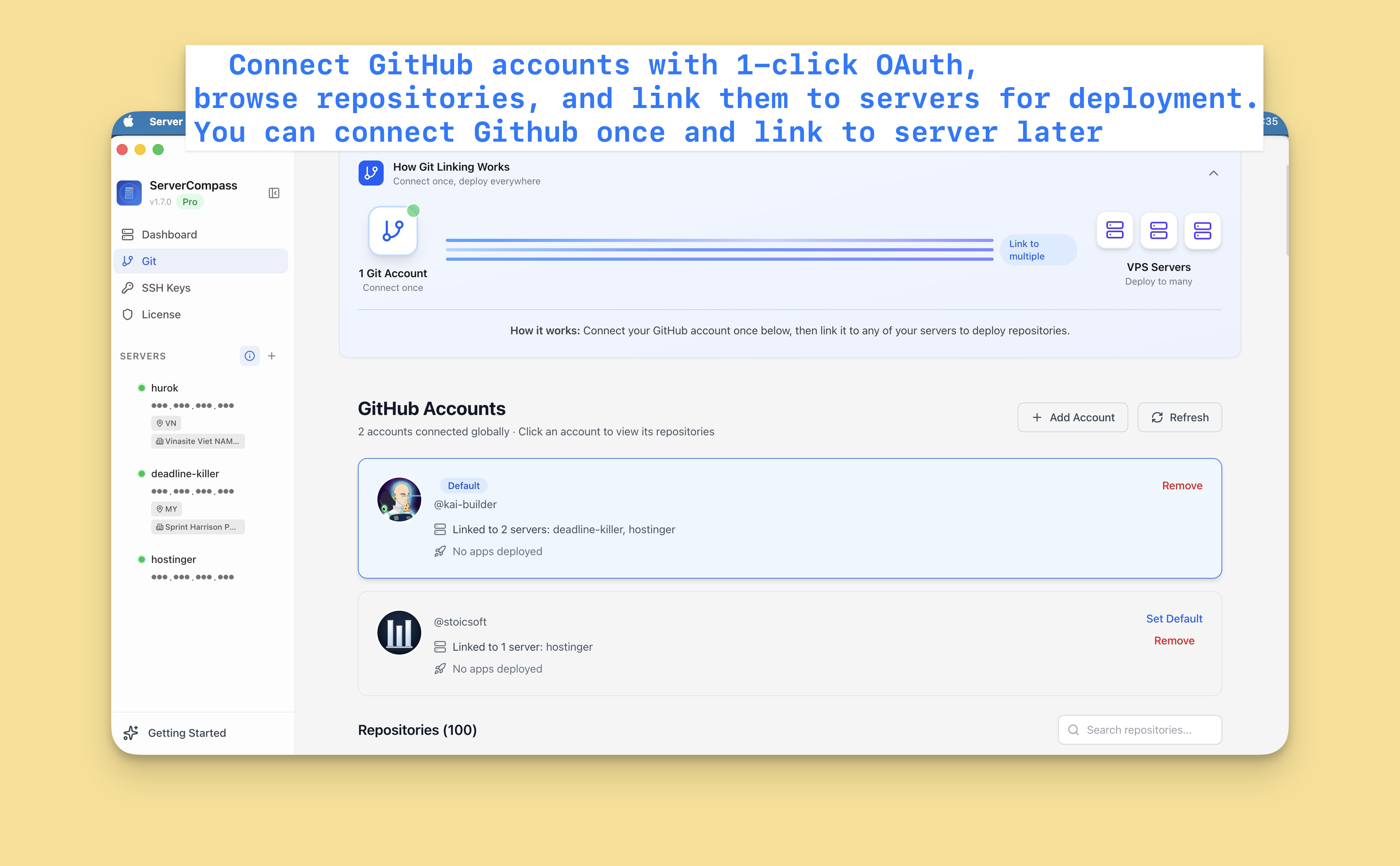

การผสาน GitHub
ตั้งค่า GitHub Integration
เชื่อมต่อบัญชี GitHub ของคุณเพื่อ deploy repositories และเปิดใช้งาน auto-deploy
Beginner4 min readUpdated 2024-02-01
เชื่อมต่อบัญชี GitHub
- ไปที่ Settings > GitHub
- คลิก "Connect GitHub"
- คุณจะถูกเปลี่ยนเส้นทางไปยัง GitHub
- อนุญาต Server Compass
- คุณเชื่อมต่อแล้ว!
ไม่จำเป็นต้องสร้าง GitHub Apps หรือ personal access tokens
Multiple accounts
เชื่อมต่อบัญชี GitHub หลายบัญชี:
- บัญชีส่วนตัวสำหรับโปรเจกต์ของคุณ
- บัญชี organization สำหรับ team repos
- หลาย organizations
แต่ละบัญชีปรากฏในตัวเลือกแหล่ง deployment
จัดการการเชื่อมต่อ
ในการจัดการการเชื่อมต่อ GitHub:
- ไปที่ Settings > GitHub
- ดูบัญชีที่เชื่อมต่อทั้งหมด
- ลบบัญชีที่คุณไม่ต้องการอีกต่อไป
- เพิ่มบัญชีใหม่ตามความจำเป็น
Screenshots
Video Tutorials
Related Features
Ready to try Server Compass?
Download the app and deploy your first application in under 5 minutes.
Download Server Compass