Server Backups & Snapshots
สร้าง server snapshots ที่เข้ารหัสลับและกำหนดการสำรองอัตโนมัติไปยัง cloud storage
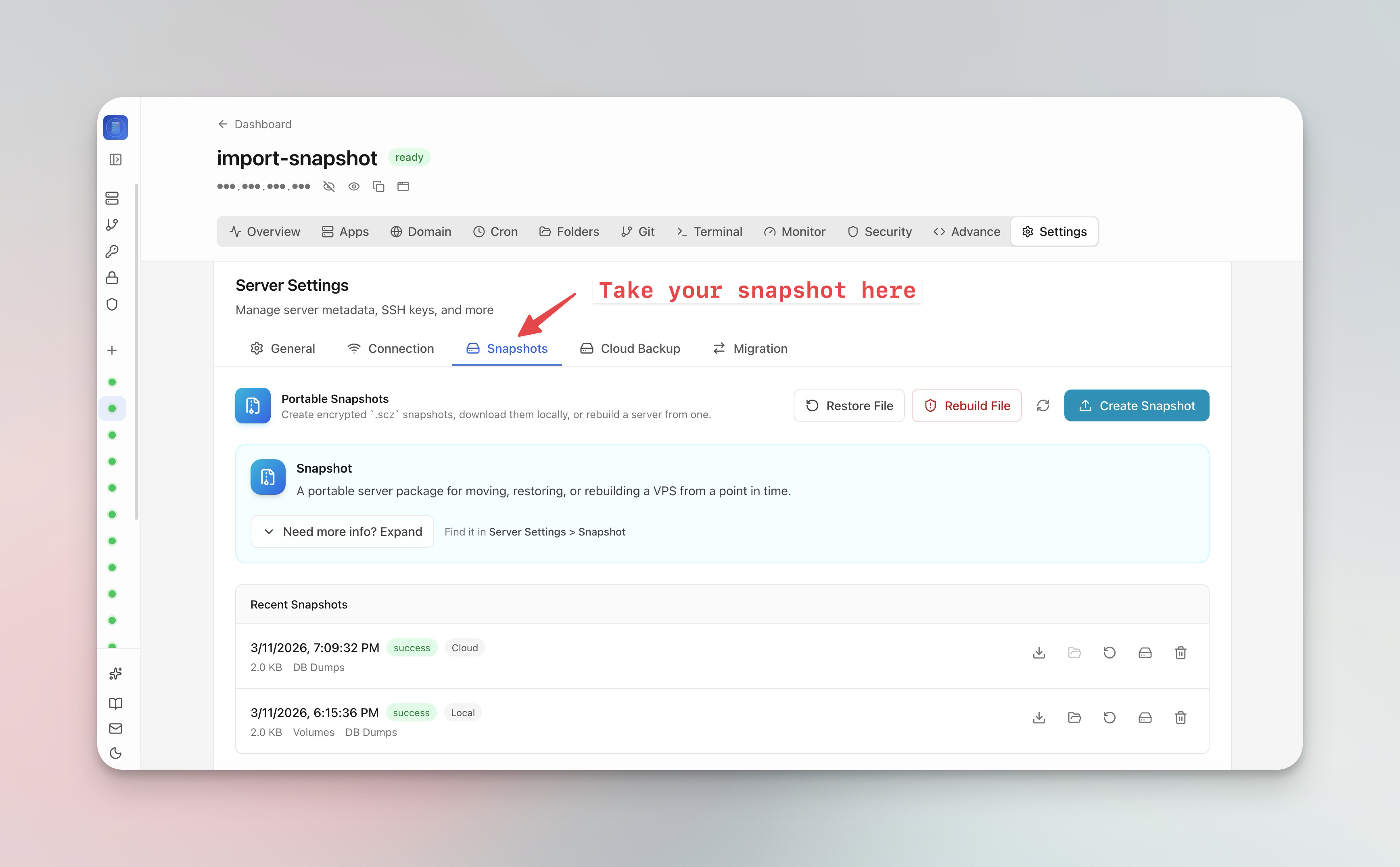
สร้าง server snapshot
Server snapshots จับภาพสถานะ server ทั้งหมดของคุณ:
- ไปที่ Server Settings > Snapshot แท็บ
- คลิก Create Snapshot
- ตั้งค่า passphrase การเข้ารหัสลับ (ไม่บังคับ)
- Snapshot ถูกอัปโหลดไปยัง cloud storage
- ใช้ snapshots เพื่อย้าย VPS ทั้งหมดของคุณไปยัง server ใหม่ด้วยคลิกเดียว
กำหนดการสำรองอัตโนมัติ
- ไปที่ Server Settings > Backup แท็บ
- กำหนดค่าตารางสำรองของคุณ (รายวัน, รายสัปดาห์ หรือกำหนดเอง)
- เลือกสิ่งที่ต้องการสำรอง (databases, volumes, configs)
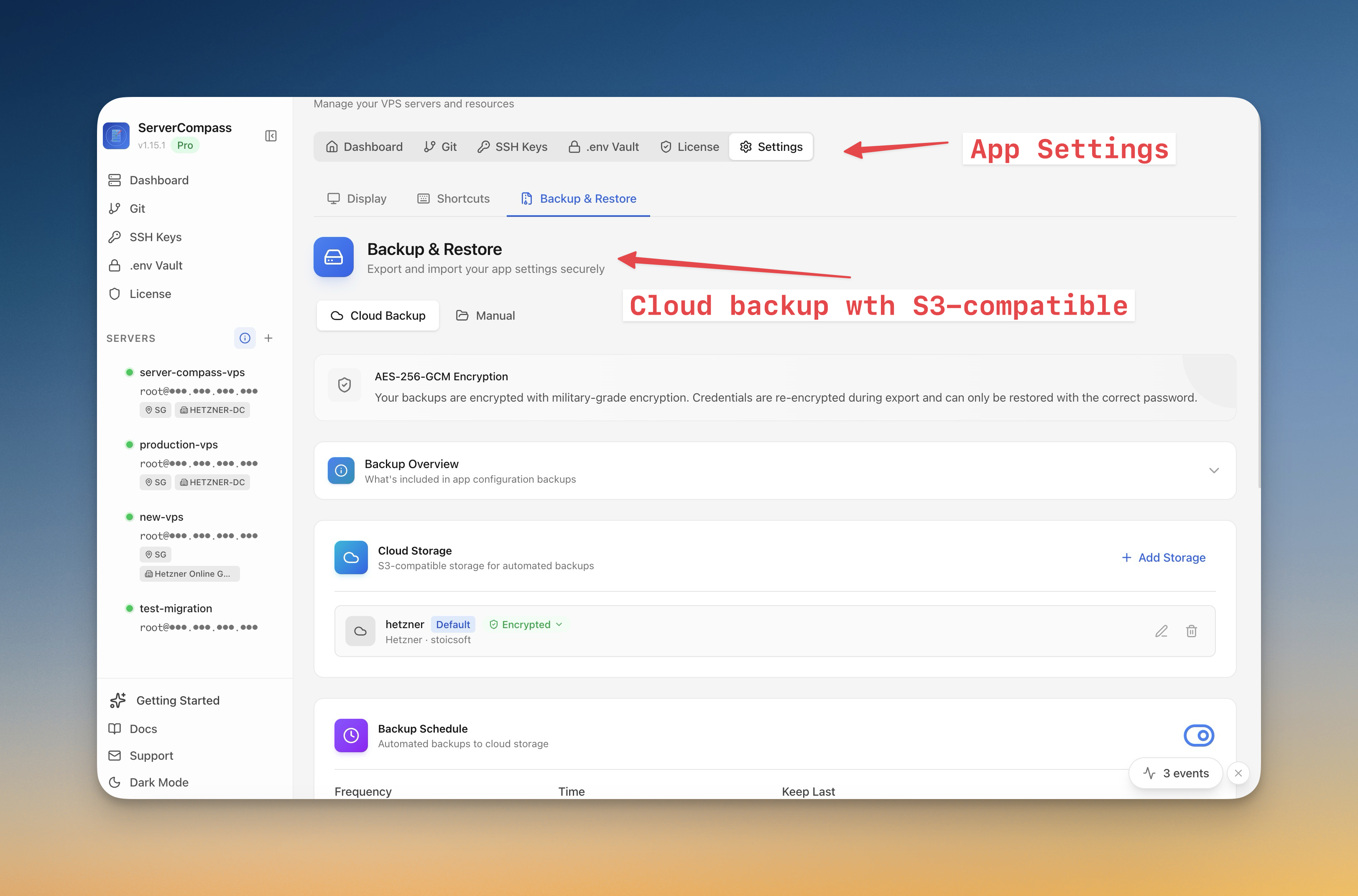
- เชื่อมต่อ cloud storage ของคุณ (รองรับ S3)
- ตั้งค่า retention policy เพื่อล้างข้อมูลสำรองเก่าอัตโนมัติ
กู้คืนจากสำรอง
- เปิดภาพรวม Backup
- เรียกดู snapshots ที่มีอยู่ตามวันที่
- คลิก Restore เพื่อสร้างใหม่จาก snapshot
- สำหรับการย้าย เลือก "Restore to new server" และระบุการเชื่อมต่อ server เป้าหมาย
Screenshots
Video Tutorials
Related Features
Server Backups & Cloud Storage
Automated backups of stacks, volumes, databases, environment files, SSL certificates, and cron jobs. Store encrypted backups in S3-compatible cloud storage with flexible scheduling — hourly, daily, weekly, or monthly.
Server Snapshots
Export your entire server to a single AES-256 encrypted .scz file — Docker stacks, volumes, databases, domains, cron jobs, alerts, and notification channels. Save locally or upload to S3, then restore to the same server for disaster recovery or rebuild on a new VPS for migration. Domain remapping lets you switch domains during restore.
Ready to try Server Compass?
Download the app and deploy your first application in under 5 minutes.
Download Server Compass