กลับไปยังเอกสาร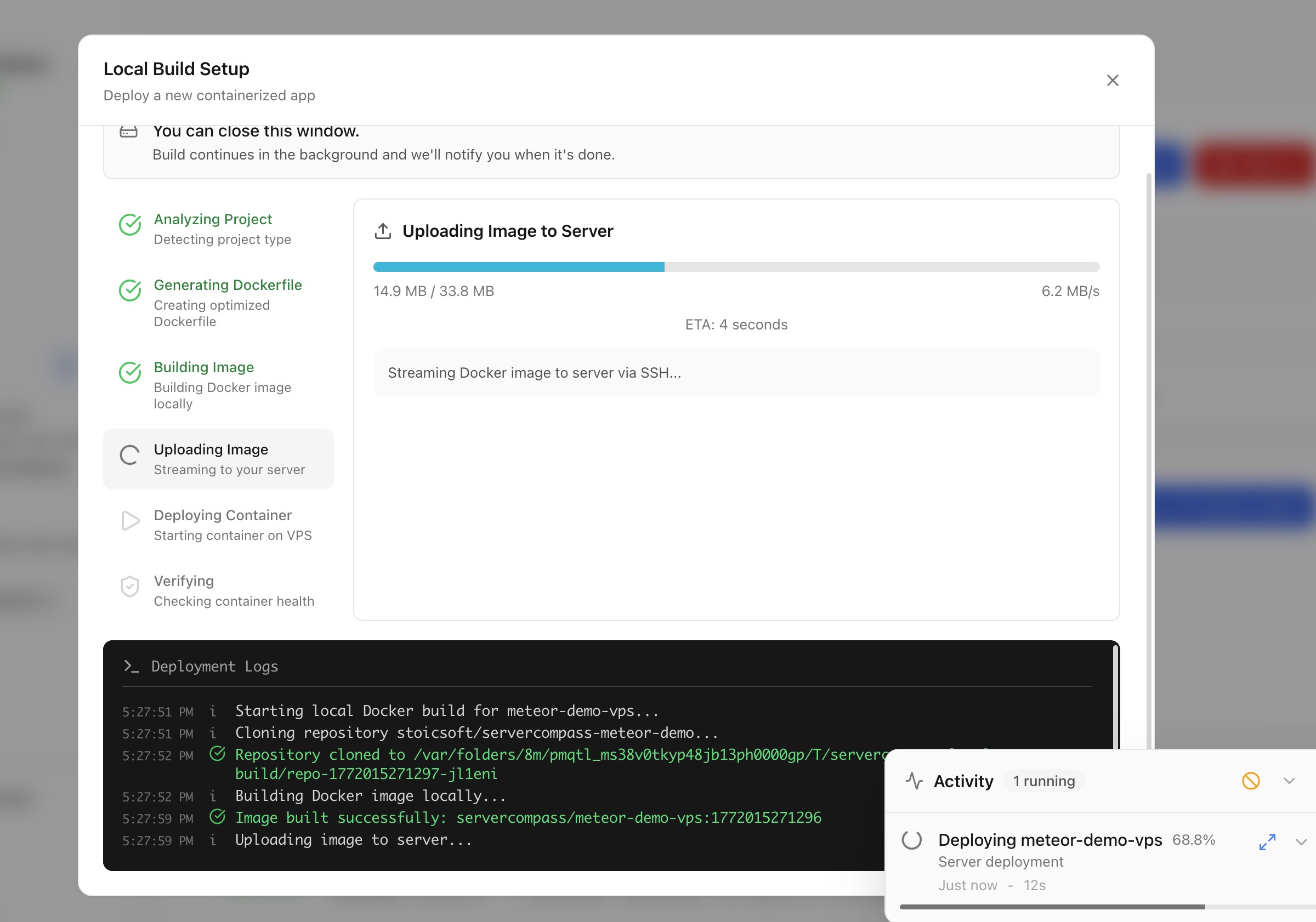
การปรับใช้
Deploy ด้วย Local Build
Build Docker images บนเครื่องของคุณและ deploy โดยตรงไปยัง server ของคุณโดยไม่ต้องใช้ cloud CI/CD
Intermediate5 min readUpdated 2026-03-29
Local build ทำงานอย่างไร
Local build ช่วยให้คุณใช้ resources ของเครื่องสำหรับการ build Docker:
- Server Compass build Docker image บนเครื่อง local ของคุณ
- Image ที่ build แล้วถูก push โดยตรงไปยัง server ของคุณผ่าน SSH
- Container ถูกเริ่มต้นบน server
ไม่ต้องใช้บริการ cloud CI/CD, container registries หรือบัญชี third-party
เริ่มต้น local build deploy
- เปิด Stack Wizard
- เลือก Local Build เป็นตำแหน่ง build
- เลือกไดเรกทอรีโปรเจกต์หรือ Dockerfile ของคุณ
- Server Compass ตรวจจับ framework และสร้าง Dockerfile หากจำเป็น
- กำหนดค่า environment variables และพอร์ต
- คลิก Deploy — image build ในท้องถิ่นและถูกโอนไปยัง server ของคุณ
อัปโหลด code เพื่อ deploy
สำหรับโปรเจกต์ที่ไม่มี Dockerfile:
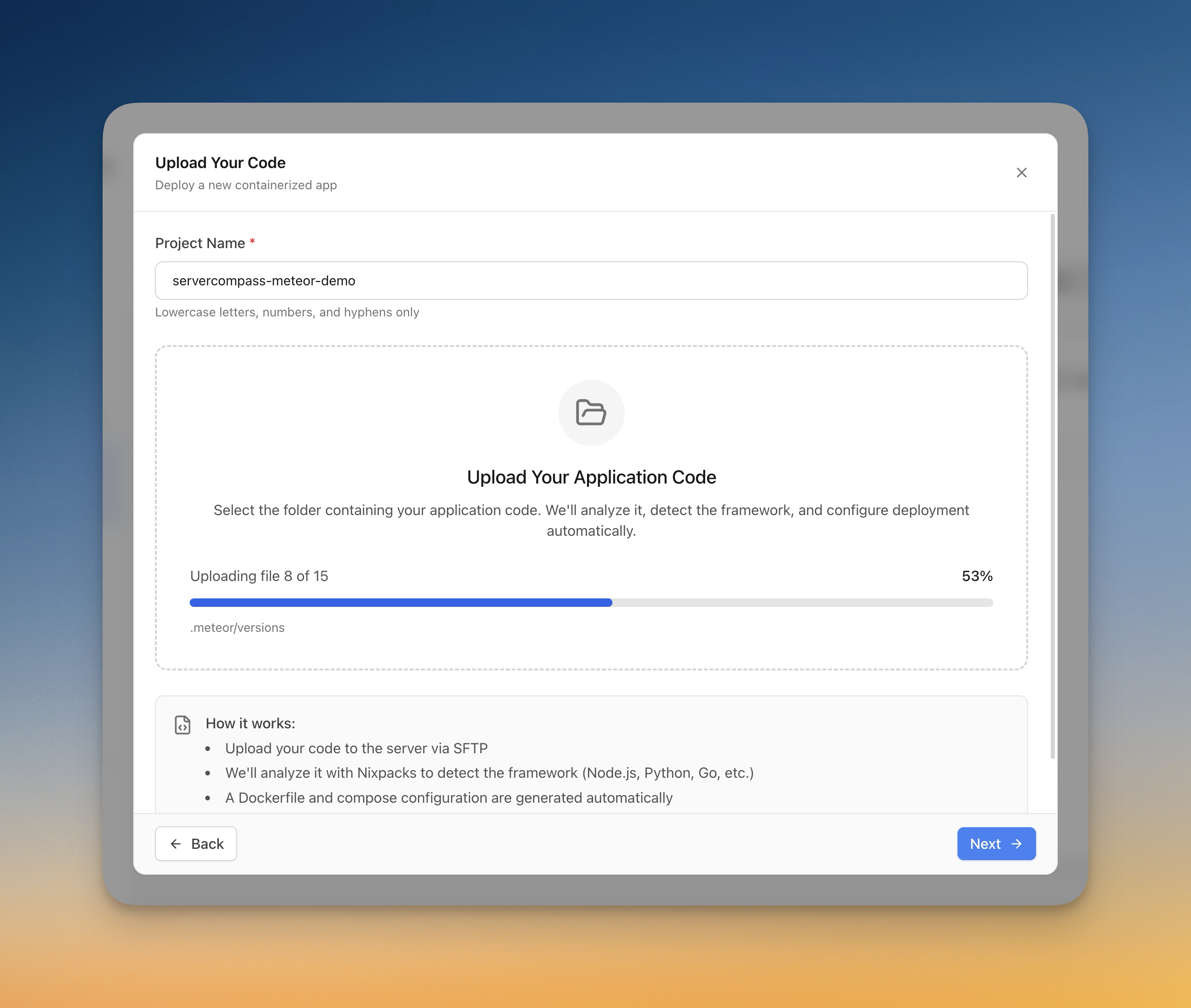
- เลือก Upload Code ใน Stack Wizard
- เลือกโฟลเดอร์จากคอมพิวเตอร์ของคุณ
- Server Compass ตรวจจับ framework โดยอัตโนมัติ (Next.js, Django, Laravel ฯลฯ)
- Dockerfile ถูกสร้างโดยอัตโนมัติ
- ความคืบหน้าการอัปโหลดถูกติดตามแบบ real-time
- แอปถูก build และ deploy บน server
Screenshots
Video Tutorials
Related Features
Deploy with Local Build
Build Docker images on your local machine and deploy them directly to your server. No cloud CI/CD services or container registries required.
Upload Code to Deploy
Pick a folder from your computer and deploy it directly to your server. Automatic framework detection generates the right Dockerfile with upload progress tracking.
Ready to try Server Compass?
Download the app and deploy your first application in under 5 minutes.
Download Server Compass