กลับไปยังเอกสาร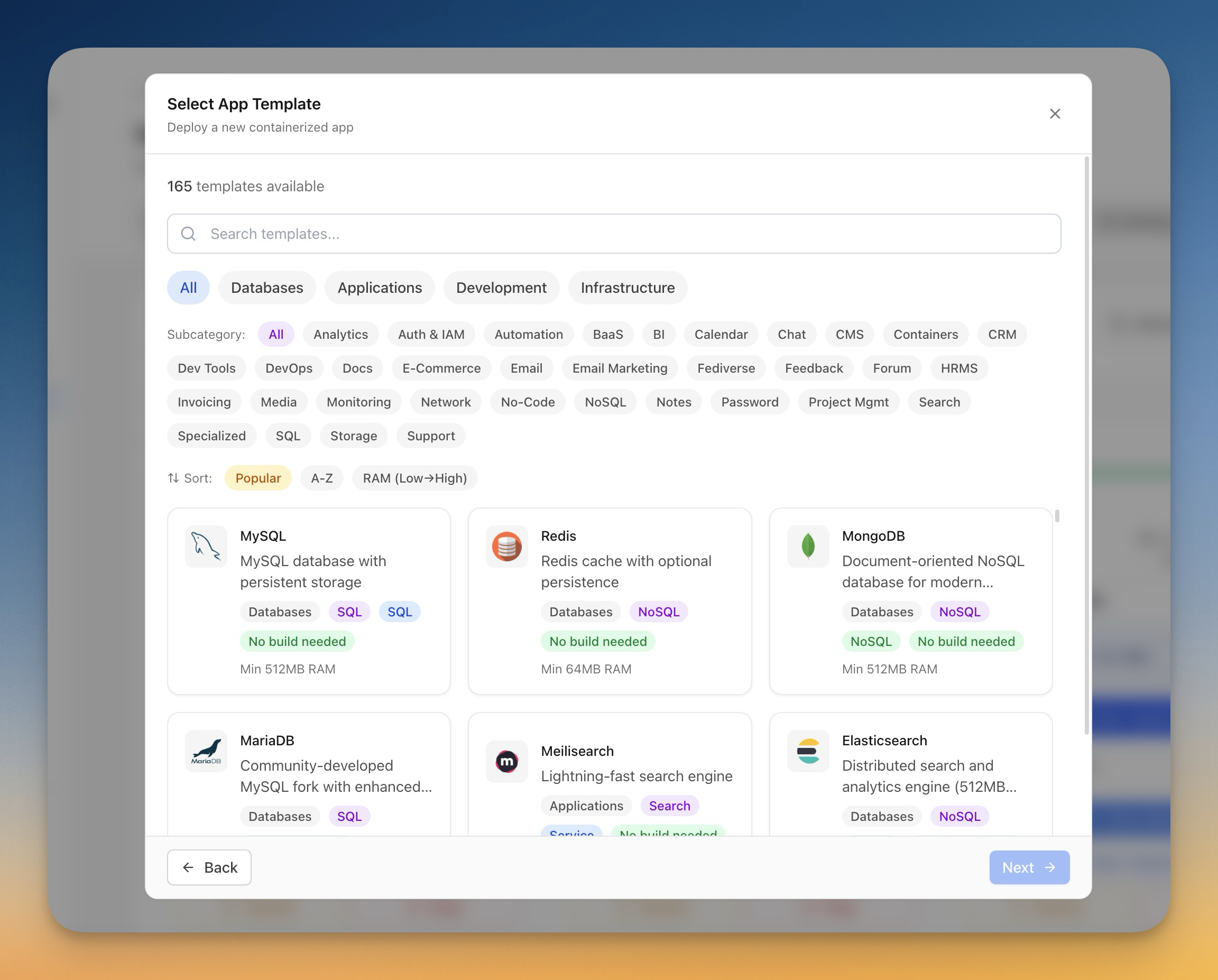
การปรับใช้
Deploy แอปพลิเคชันด้วยเทมเพลต
ใช้เทมเพลตที่สร้างไว้ล่วงหน้าเพื่อ deploy databases, CMS platforms และ development tools ในคลิกเดียว
Beginner6 min readUpdated 2024-02-01
เทมเพลตคืออะไร?
เทมเพลตคือการตั้งค่า Docker Compose ที่กำหนดค่าไว้ล่วงหน้าสำหรับแอปพลิเคชันยอดนิยม แต่ละเทมเพลตรวมถึง:
- การกำหนดค่า Docker image
- Environment variables ที่จำเป็น
- Volume mounts สำหรับความถาวรของข้อมูล
- การกำหนดค่า network
- ขีดจำกัด resources ที่แนะนำ
Server Compass มีเทมเพลต 100+ สำหรับ databases, CMS platforms, automation tools และอื่นๆ
เรียกดูเทมเพลต
ในการเรียกดูเทมเพลต:
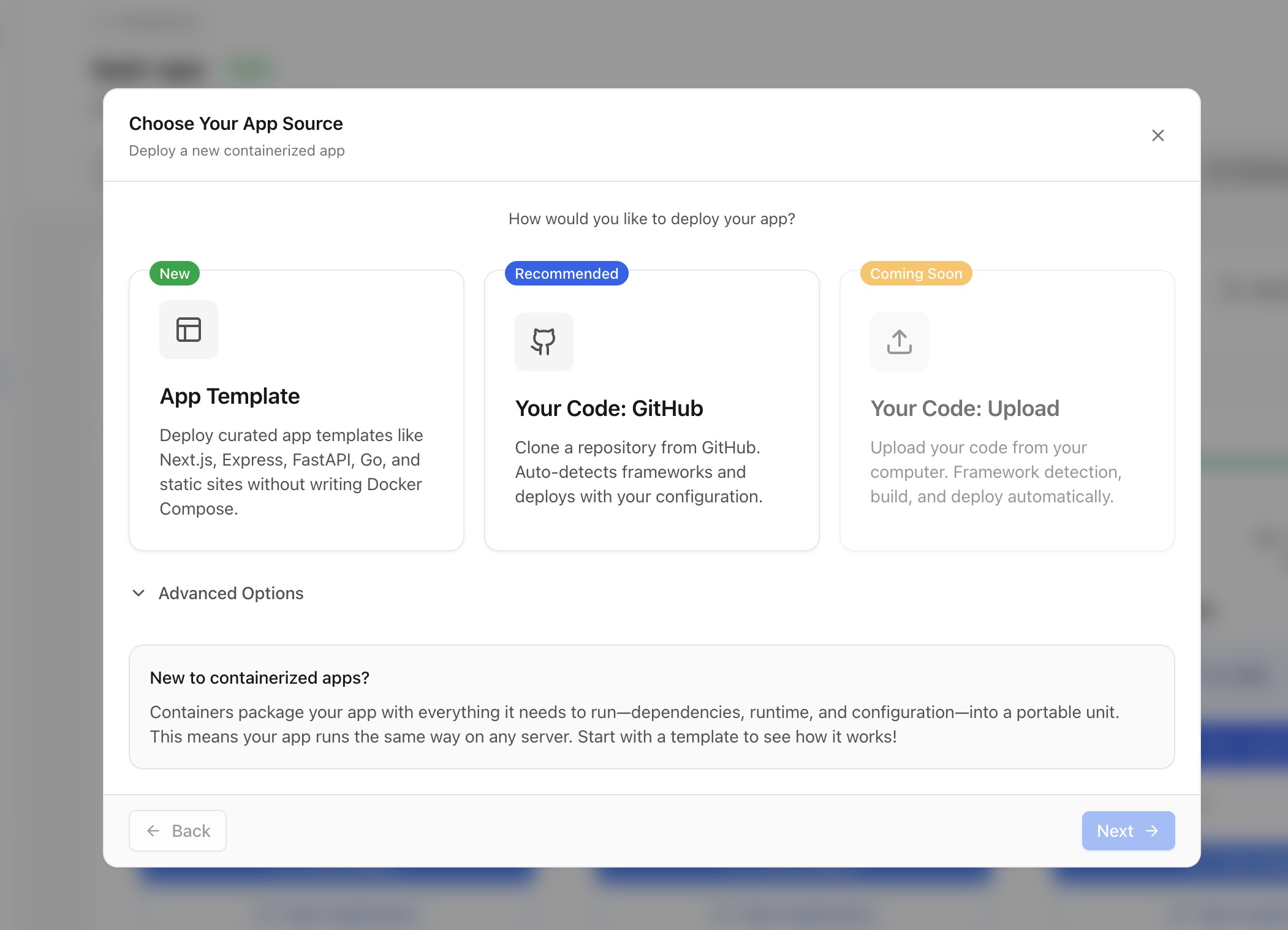
- คลิก "Deploy New App" บน server ใดๆ
- เลือก "Template" เป็นแหล่งที่มา
- เรียกดูหมวดหมู่หรือค้นหาตามชื่อ
- ดูรายละเอียดเทมเพลตรวมถึง:
- คำอธิบายและคุณสมบัติ
- ความต้องการ memory ขั้นต่ำ
- บทช่วยสอนที่เกี่ยวข้อง
หมวดหมู่เทมเพลต
เทมเพลตถูกจัดระเบียบเป็นหมวดหมู่:
- Database: PostgreSQL, MySQL, MongoDB, Redis ฯลฯ
- Application: WordPress, Ghost, n8n, Supabase ฯลฯ
- Development: Gitea, GitLab, Jenkins ฯลฯ
- Infrastructure: Grafana, Prometheus, MinIO ฯลฯ
ปรับแต่งเทมเพลต
ก่อน deploy คุณสามารถปรับแต่ง:
- ชื่อแอปและชื่อ container
- Environment variables (รหัสผ่าน, การตั้งค่า)
- การ mapping พอร์ต (เปลี่ยนพอร์ตภายนอก)
- เส้นทาง volume (ตำแหน่งเก็บข้อมูล)
- ขีดจำกัด resources (CPU, memory)
Screenshots
Video Tutorials
Deploy Ghost CMS to your own VPS in 1 Click
Learn how to deploy Ghost CMS to your VPS with just one click using Server Compass.
Watch tutorialHow to Deploy No‑Code Directus to Your Server with Server Compass
Learn how to deploy Directus, a no-code headless CMS, to your server using Server Compass.
Watch tutorialSelf-Host Supabase on Hetzner VPS in Minutes (No Terminal)
Deploy your own Supabase instance on a Hetzner VPS without touching the command line.
Watch tutorialRelated Features
Related Templates
Ready to try Server Compass?
Download the app and deploy your first application in under 5 minutes.
Download Server Compass