กลับไปยังเอกสาร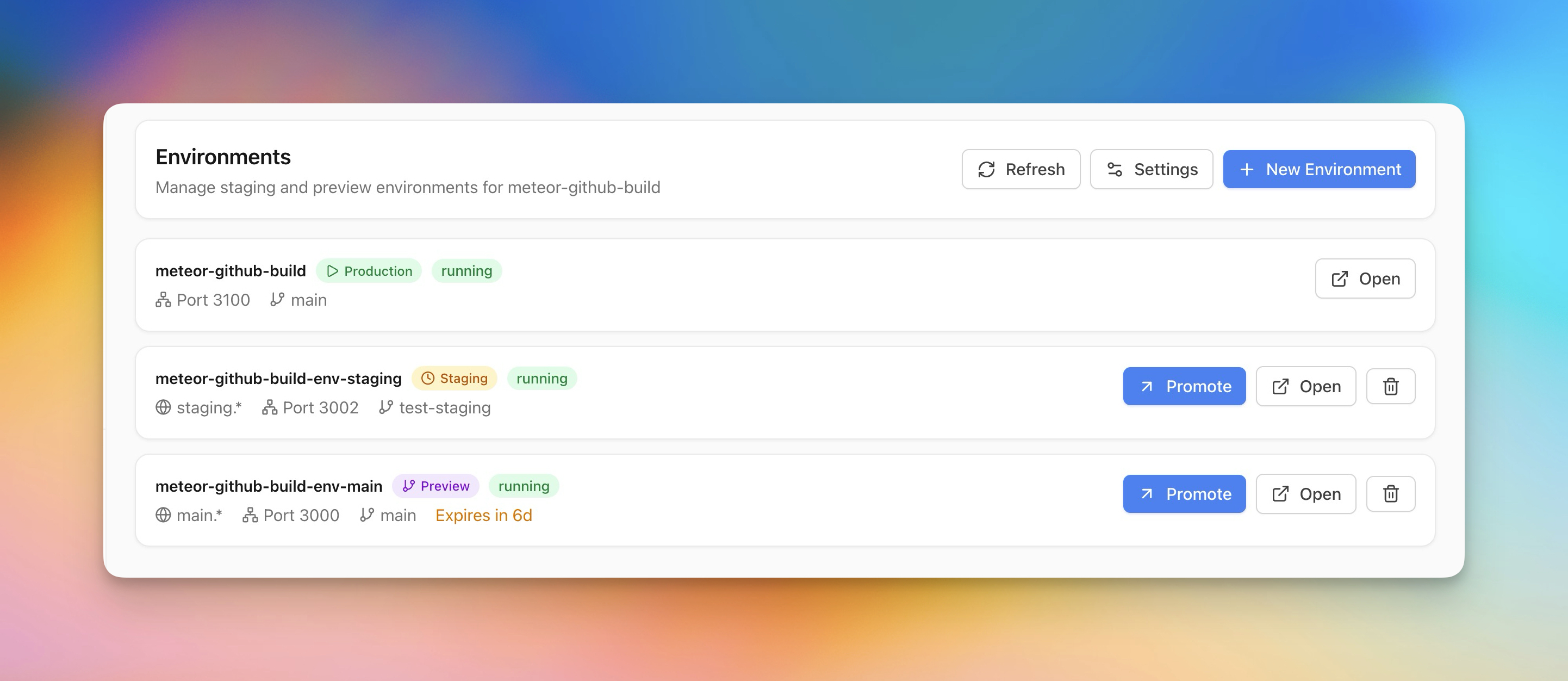
การปรับใช้
Staging & Preview Environments
สร้าง staging และ preview environments alongside production สำหรับการทดสอบที่ปลอดภัย
Intermediate5 min readUpdated 2026-03-29
สร้าง preview environment
Preview environments ช่วยให้คุณทดสอบการเปลี่ยนแปลงก่อน上线:
- เปิดแอปของคุณและไปที่ส่วน Environments
- คลิก Create Preview Environment
- เลือก branch ที่จะ deploy
- Server Compass สร้าง container ที่แยกจากกันพร้อม domain ของตัวเอง
- Preview branches ถูกลบอัตโนมัติตาม timer ที่กำหนดค่าได้
Staging vs preview
-
Staging — environment ที่ถาวรซึ่งสะท้อน production ใช้สำหรับ QA และ integration testing
- Preview — environment ชั่วคราวที่ผูกกับ branches สร้างอัตโนมัติเมื่อ push ลบอัตโนมัติหลัง timer
ทั้งคู่รันเป็น containers แยกจากกันพร้อม environment variables และ domains ของตัวเอง
Promote ไปยัง production
เมื่อ preview หรือ staging environment ถูกตรวจสอบ:
- คลิก Promote to Production
- Server Compass redeploy image/branch เดียวกันไปยัง production
- หากเปิดใช้งาน zero-downtime การสลับเกิดขึ้นโดยไม่มีการขัดจังหวะ
Screenshots
Related Features
Ready to try Server Compass?
Download the app and deploy your first application in under 5 minutes.
Download Server Compass