Kembali ke dokumentasi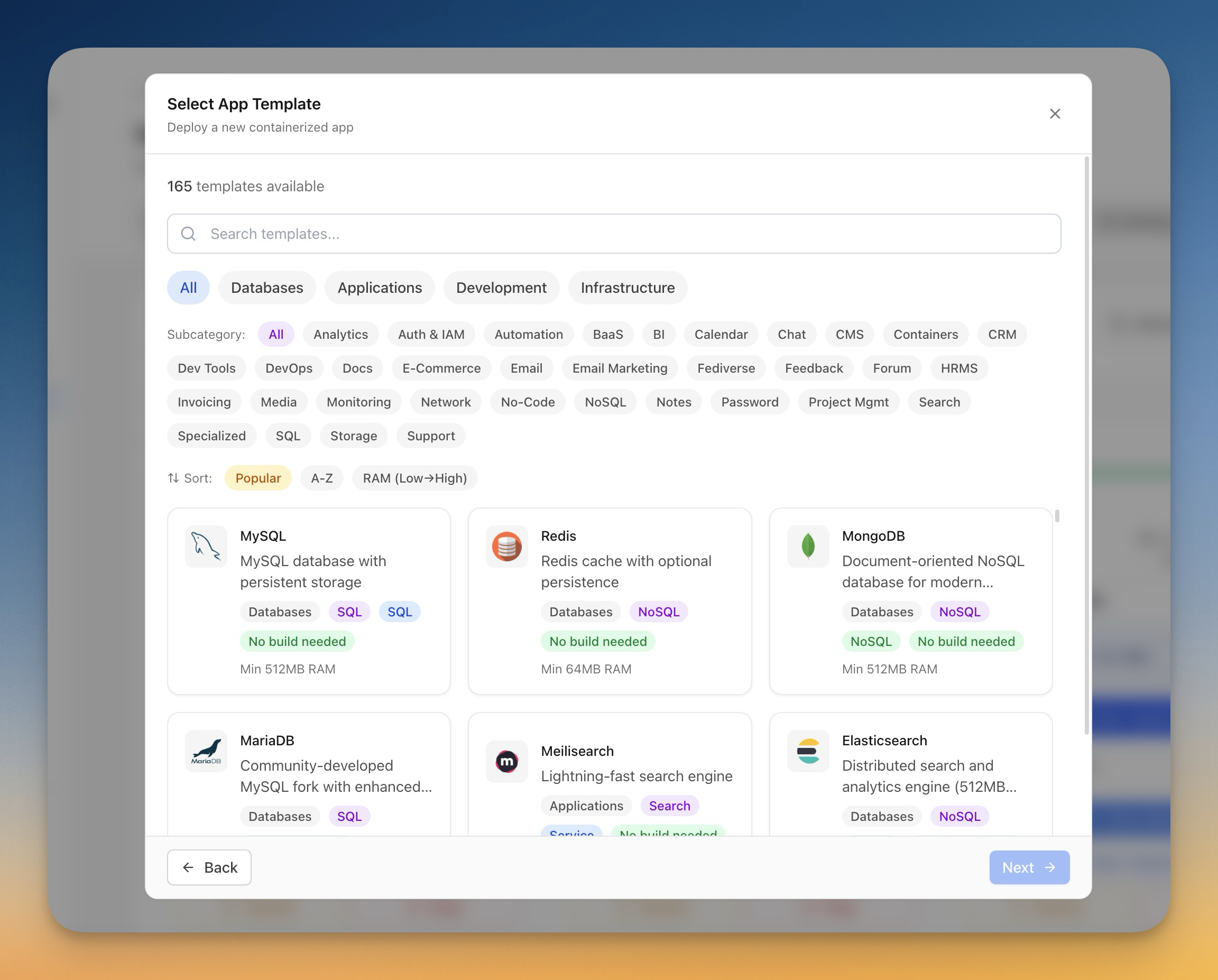
Deployment
Deploy Aplikasi dengan Template
Gunakan template pre-built untuk deploy database, platform CMS, dan tools development dalam satu klik.
Beginner6 min readUpdated 2024-02-01
Apa itu template?
Template adalah setup Docker Compose pre-configured untuk aplikasi populer. Setiap template mencakup:
- Konfigurasi Docker image
- Environment variables yang diperlukan
- Volume mounts untuk persistensi data
- Konfigurasi network
- Batas resource yang direkomendasikan
Server Compass mencakup 100+ template untuk database, platform CMS, tools otomatisasi, dan lainnya.
Browse template
Untuk browse template:
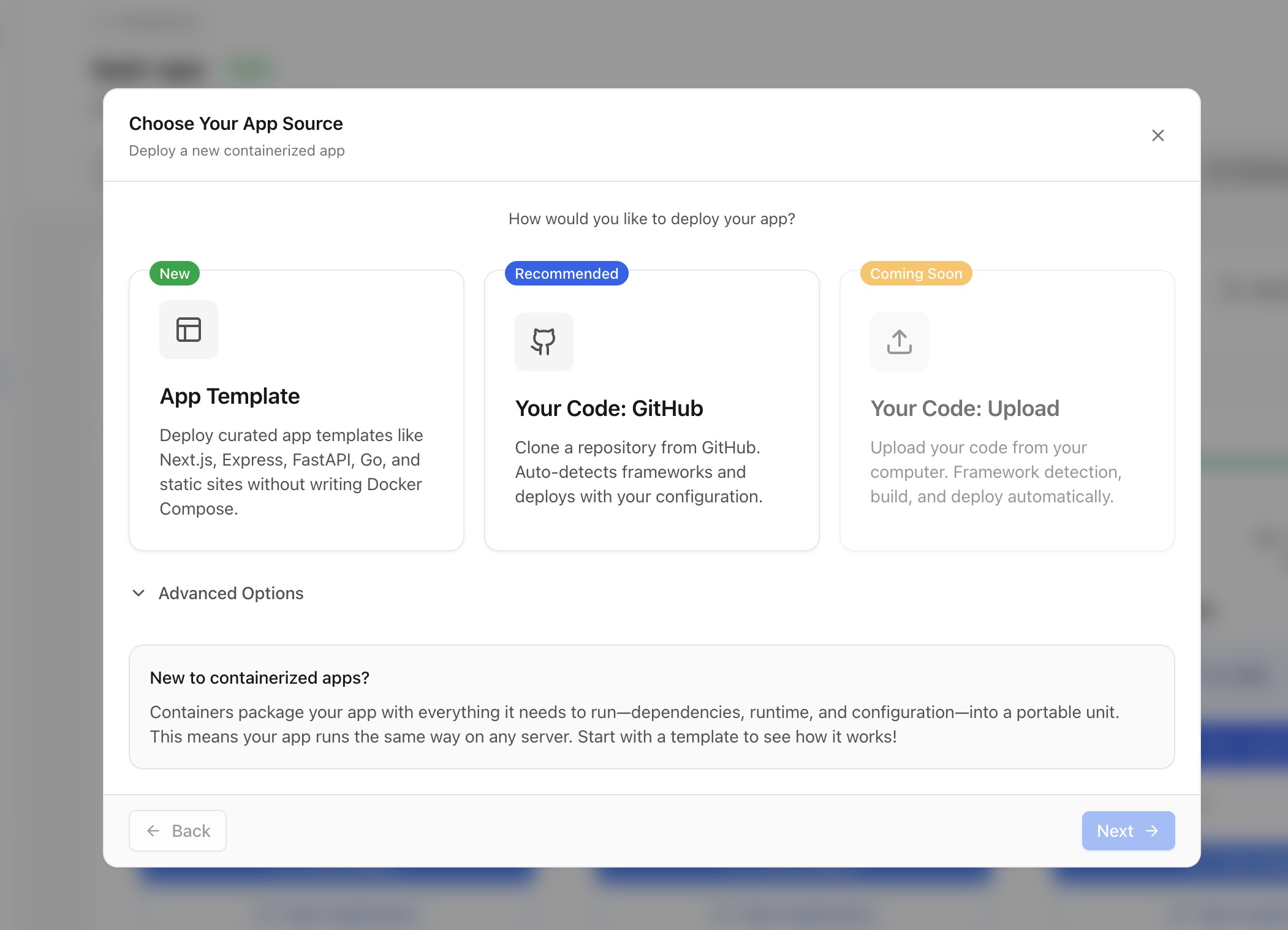
- Klik "Deploy New App" di server mana pun
- Pilih "Template" sebagai sumber
- Browse kategori atau cari berdasarkan nama
- Lihat detail template termasuk:
- Deskripsi dan fitur
- Persyaratan memory minimum
- Tutorial terkait
Kategori template
Template diorganisir dalam kategori:
- Database: PostgreSQL, MySQL, MongoDB, Redis, dll.
- Application: WordPress, Ghost, n8n, Supabase, dll.
- Development: Gitea, GitLab, Jenkins, dll.
- Infrastructure: Grafana, Prometheus, MinIO, dll.
Menyesuaikan template
Sebelum deploy, Anda bisa menyesuaikan:
- Nama aplikasi dan nama container
- Environment variables (password, pengaturan)
- Port mappings (ubah port eksternal)
- Volume paths (lokasi penyimpanan data)
- Resource limits (CPU, memory)
Screenshots
Video Tutorials
Deploy Ghost CMS to your own VPS in 1 Click
Learn how to deploy Ghost CMS to your VPS with just one click using Server Compass.
Watch tutorialHow to Deploy No‑Code Directus to Your Server with Server Compass
Learn how to deploy Directus, a no-code headless CMS, to your server using Server Compass.
Watch tutorialSelf-Host Supabase on Hetzner VPS in Minutes (No Terminal)
Deploy your own Supabase instance on a Hetzner VPS without touching the command line.
Watch tutorialRelated Features
Related Templates
Ready to try Server Compass?
Download the app and deploy your first application in under 5 minutes.
Download Server Compass