Kembali ke dokumentasi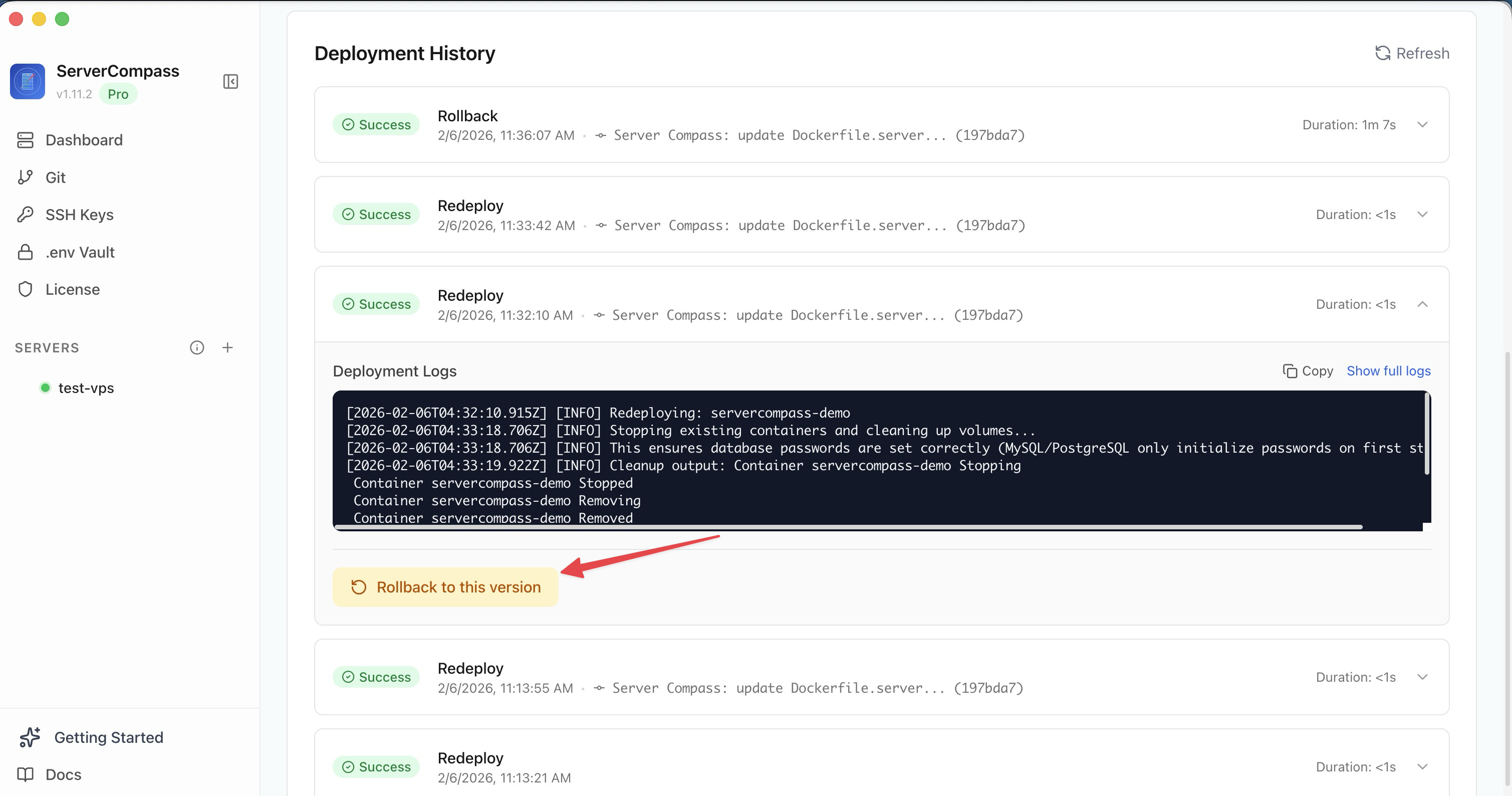
Deployment
Rolling Back Deployments
Instant rollback ke versi deployment sebelumnya dengan satu klik.
Beginner3 min readUpdated 2026-03-29
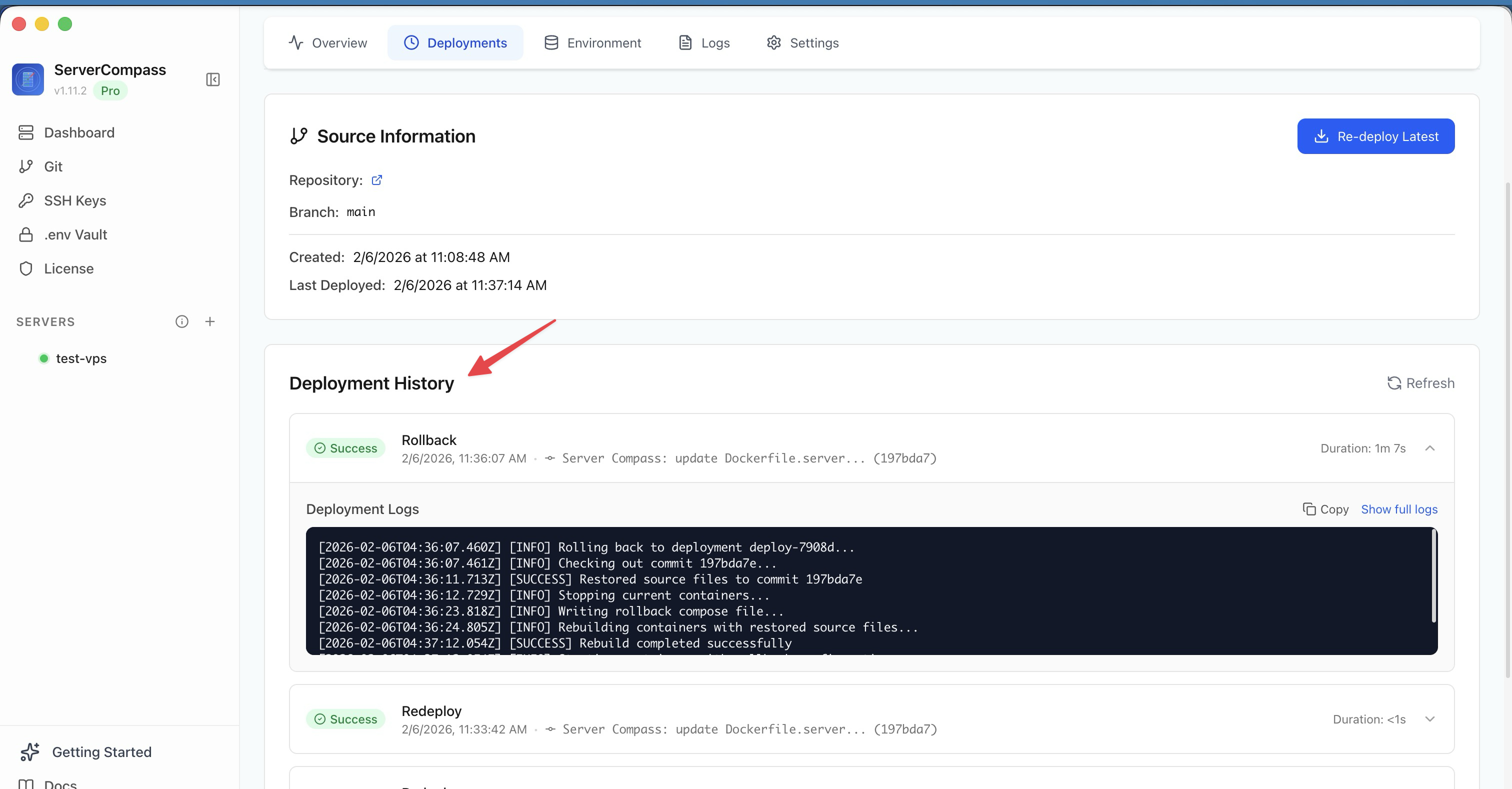
Melihat deployment history
Setiap deployment dilacak di tab Deployments:
- Status deployment (sukses, gagal, rolled back)
- Durasi dan timestamp
- Commit hash dan branch (untuk GitHub deploys)
- Image tag (untuk registry deploys)
Klik deployment apa pun untuk melihat build logs lengkap.
Rolling back
- Buka tab Deployments aplikasi
- Temukan deployment yang ingin dipulihkan
- Klik Rollback pada entri tersebut
- Server Compass redeploy container image sebelumnya
- Rollback muncul sebagai entri baru di deployment history
Screenshots
Related Features
Ready to try Server Compass?
Download the app and deploy your first application in under 5 minutes.
Download Server Compass