Kembali ke dokumentasi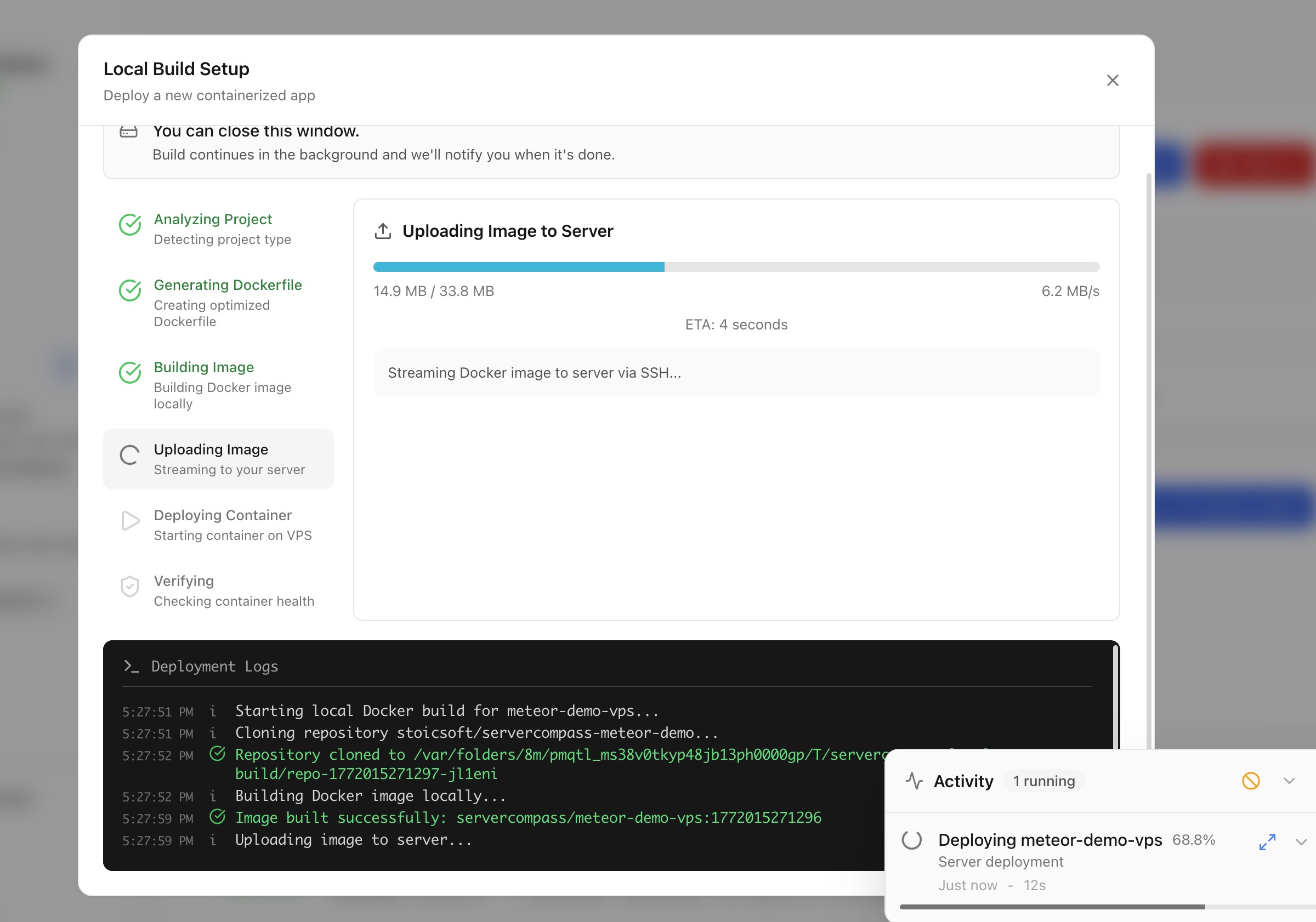
Deployment
Deploy dengan Local Build
Build Docker image di mesin dan deploy langsung ke server tanpa cloud CI/CD.
Intermediate5 min readUpdated 2026-03-29
Cara kerja local build
Local build memungkinkan menggunakan resource mesin untuk Docker builds:
- Server Compass build Docker image di mesin lokal
- Image yang di-build di-push langsung ke server via SSH
- Container dimulai di server
Tidak perlu service cloud CI/CD, container registries, atau akun pihak ketiga.
Memulai local build deploy
- Buka Stack Wizard
- Pilih Local Build sebagai lokasi build
- Pilih direktori proyek atau Dockerfile
- Server Compass mendeteksi framework dan menghasilkan Dockerfile jika diperlukan
- Konfigurasi environment variables dan port
- Klik Deploy — image build lokal dan ditransfer ke server
Upload code untuk deploy
Untuk proyek tanpa Dockerfile:
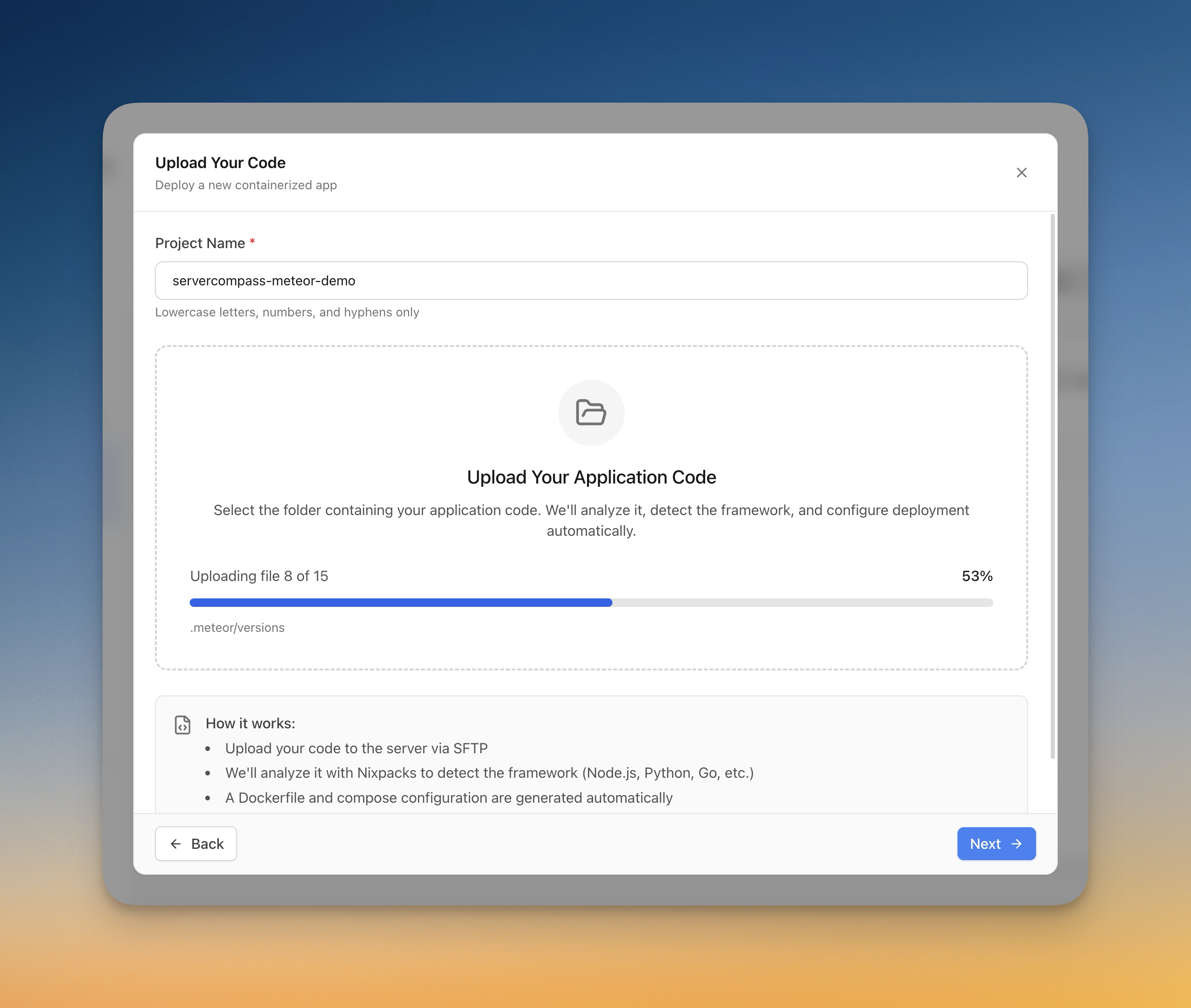
- Pilih Upload Code di Stack Wizard
- Pilih folder dari komputer
- Server Compass auto-deteksi framework (Next.js, Django, Laravel, dll.)
- Dockerfile di-generate otomatis
- Progres upload dilacak real-time
- Aplikasi di-build dan di-deploy di server
Screenshots
Video Tutorials
Related Features
Deploy with Local Build
Build Docker images on your local machine and deploy them directly to your server. No cloud CI/CD services or container registries required.
Upload Code to Deploy
Pick a folder from your computer and deploy it directly to your server. Automatic framework detection generates the right Dockerfile with upload progress tracking.
Ready to try Server Compass?
Download the app and deploy your first application in under 5 minutes.
Download Server Compass