ドキュメントに戻る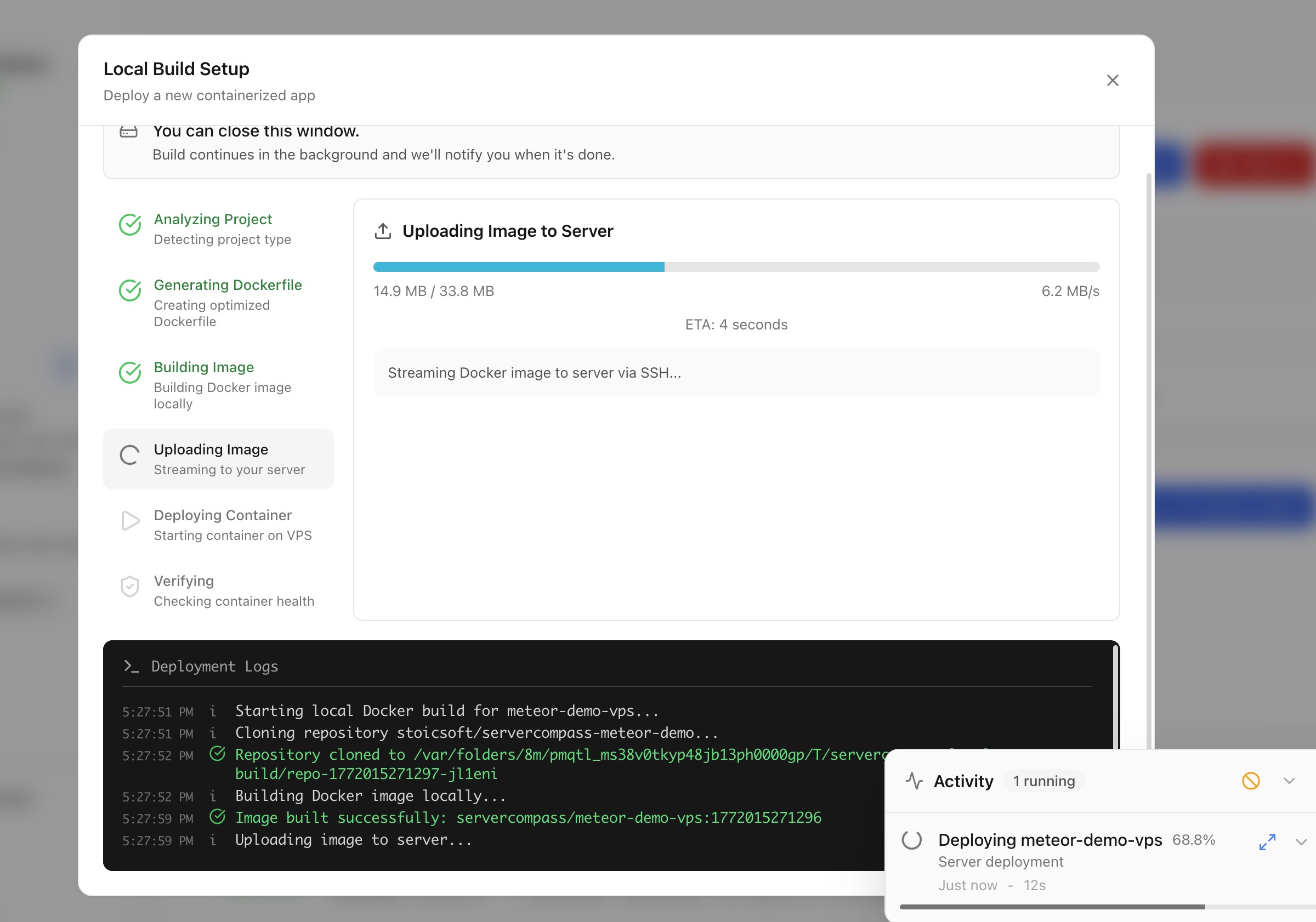
デプロイ
ローカルビルドでデプロイ
マシン上で Docker イメージをビルドし、クラウド CI/CD なしでサーバーに直接デプロイします。
Intermediate5 min readUpdated 2026-03-29
ローカルビルドの仕組み
ローカルビルドは、Docker ビルドにマシンのリソースを使用できます:
- Server Compass がローカルマシンで Docker イメージをビルド
- ビルドされたイメージが SSH を介してサーバーに直接プッシュ
- コンテナがサーバー上で起動
クラウド CI/CD サービス、コンテナレジストリ、サードパーティアカウントは不要です。
ローカルビルドデプロイを開始
- スタックウィザードを開く
- ビルド場所として ローカルビルド を選択
- プロジェクトディレクトリまたは Dockerfile を選択
- Server Compass がフレームワークを検出し、必要に応じて Dockerfile を生成
- 環境変数とポートを設定
- デプロイ をクリック — イメージがローカルでビルドされ、サーバーに転送
コードをアップロードしてデプロイ
Dockerfile がないプロジェクトの場合:
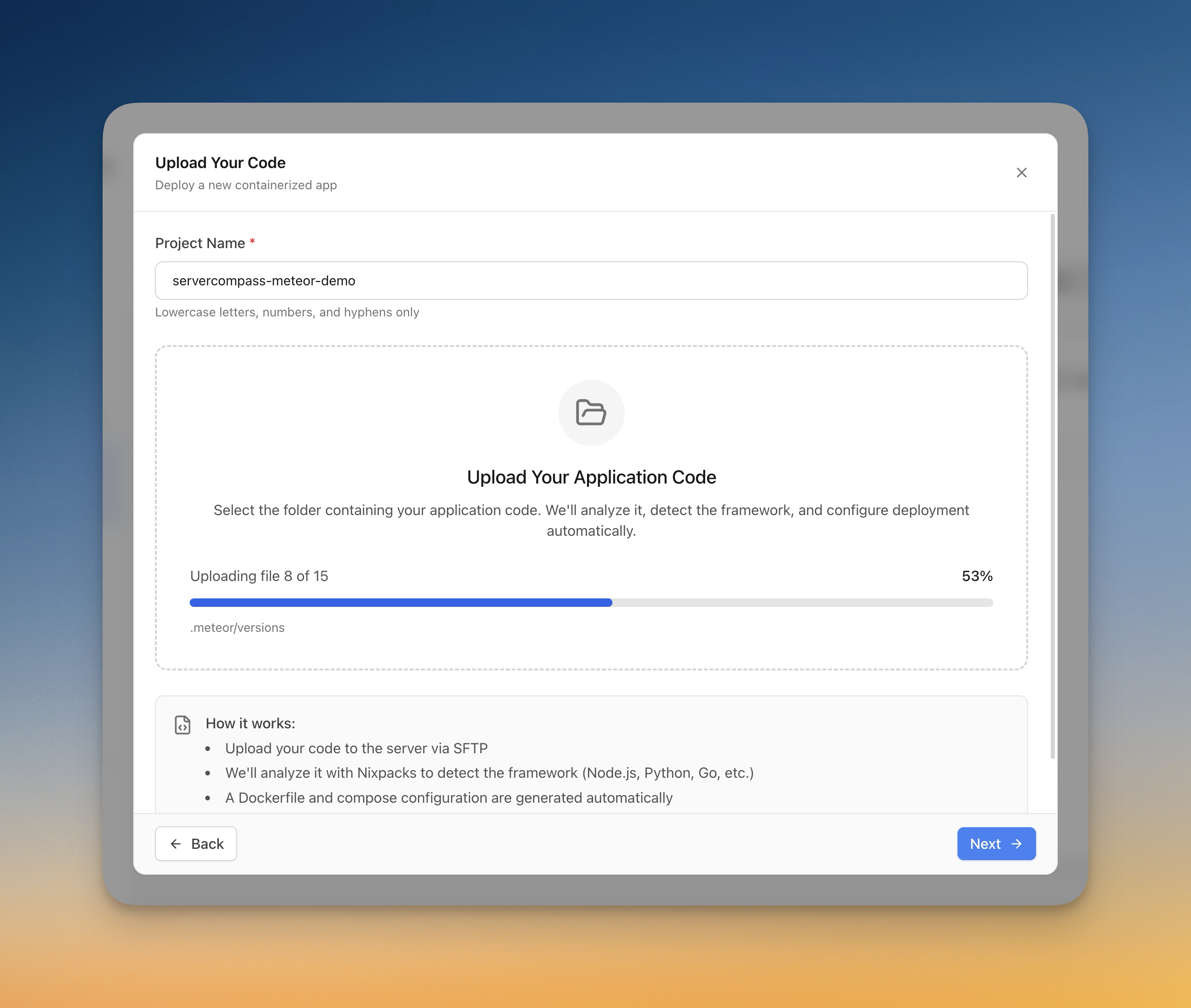
- スタックウィザードで コードをアップロード を選択
- コンピューターからフォルダーを選択
- Server Compass がフレームワークを自動検出(Next.js、Django、Laravel など)
- Dockerfile が自動生成
- アップロード進行状況をリアルタイムで追跡
- アプリがサーバー上でビルドおよびデプロイ
Screenshots
Video Tutorials
Related Features
Deploy with Local Build
Build Docker images on your local machine and deploy them directly to your server. No cloud CI/CD services or container registries required.
Upload Code to Deploy
Pick a folder from your computer and deploy it directly to your server. Automatic framework detection generates the right Dockerfile with upload progress tracking.
Ready to try Server Compass?
Download the app and deploy your first application in under 5 minutes.
Download Server Compass