Static and PHP Sites Without Git
Deploy a static site on Nginx or a PHP 8.3 site on Apache with no repository and no build step, then edit the files in place.
When to use these templates
A landing page, a brochure site, or a small legacy PHP script does not need a Git repository, a deploy key and a Dockerfile. The Static Site and PHP Site templates put the files on the server and let you edit them in place.
- Static Site — HTML, CSS and JavaScript served by Nginx
- PHP Site — PHP 8.3 running on Apache
Both give you an editable document root, and neither requires a build step.
Deploy the site
- Open the server's Apps tab and start the Stack Wizard
- Choose Static Site or PHP Site from the templates
- Name the app and set the host port
- Deploy
Server Compass writes a compose file — nginx:alpine or php:8.3-apache — and mounts a local public directory as the container's document root.
Confirm it is running
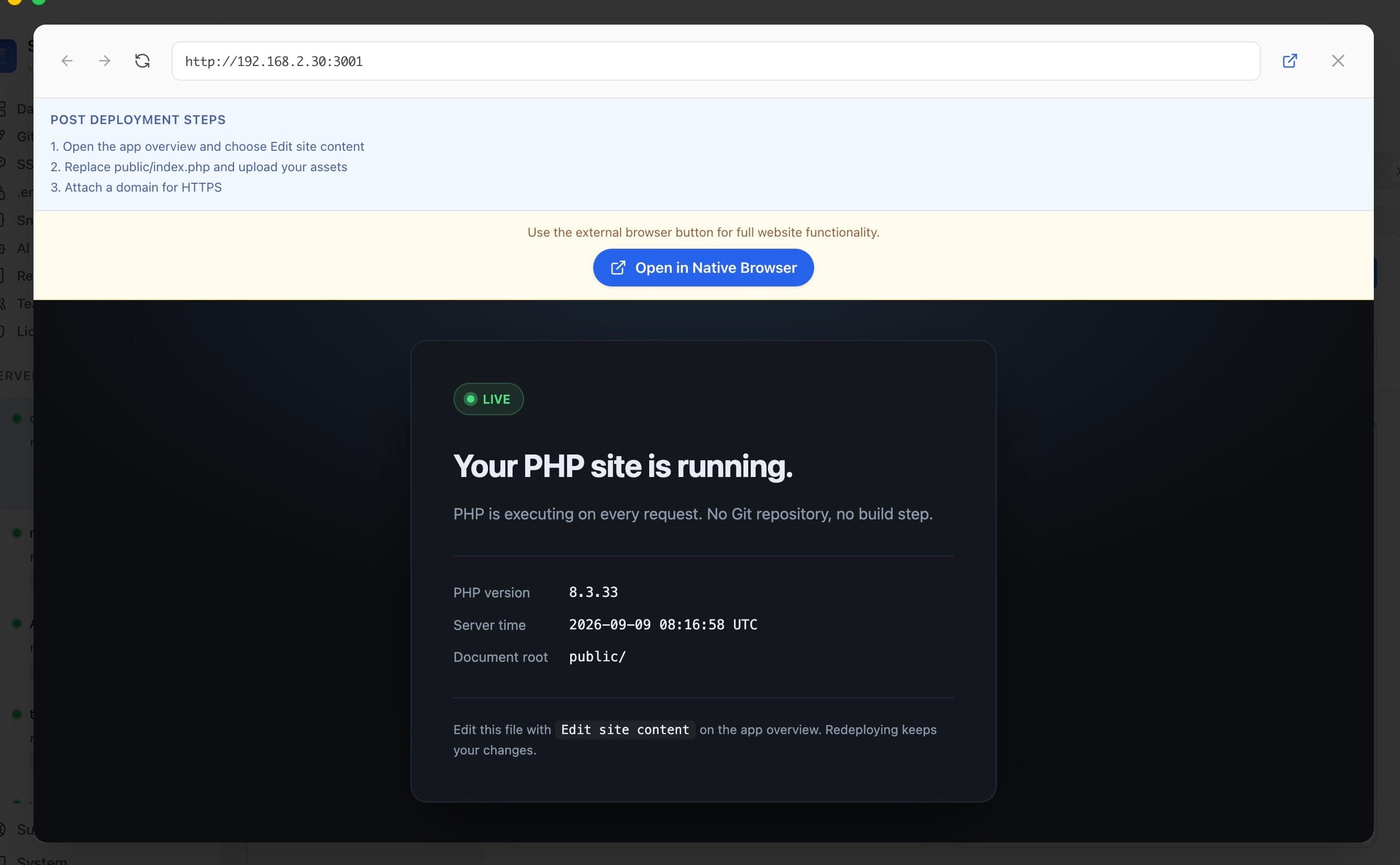
The deploy leaves a starter page rather than an empty 403. Open the app URL and you will see the live PHP version and the resolved document root, which confirms the stack is working before you upload anything on top of it.
Replace the starter page
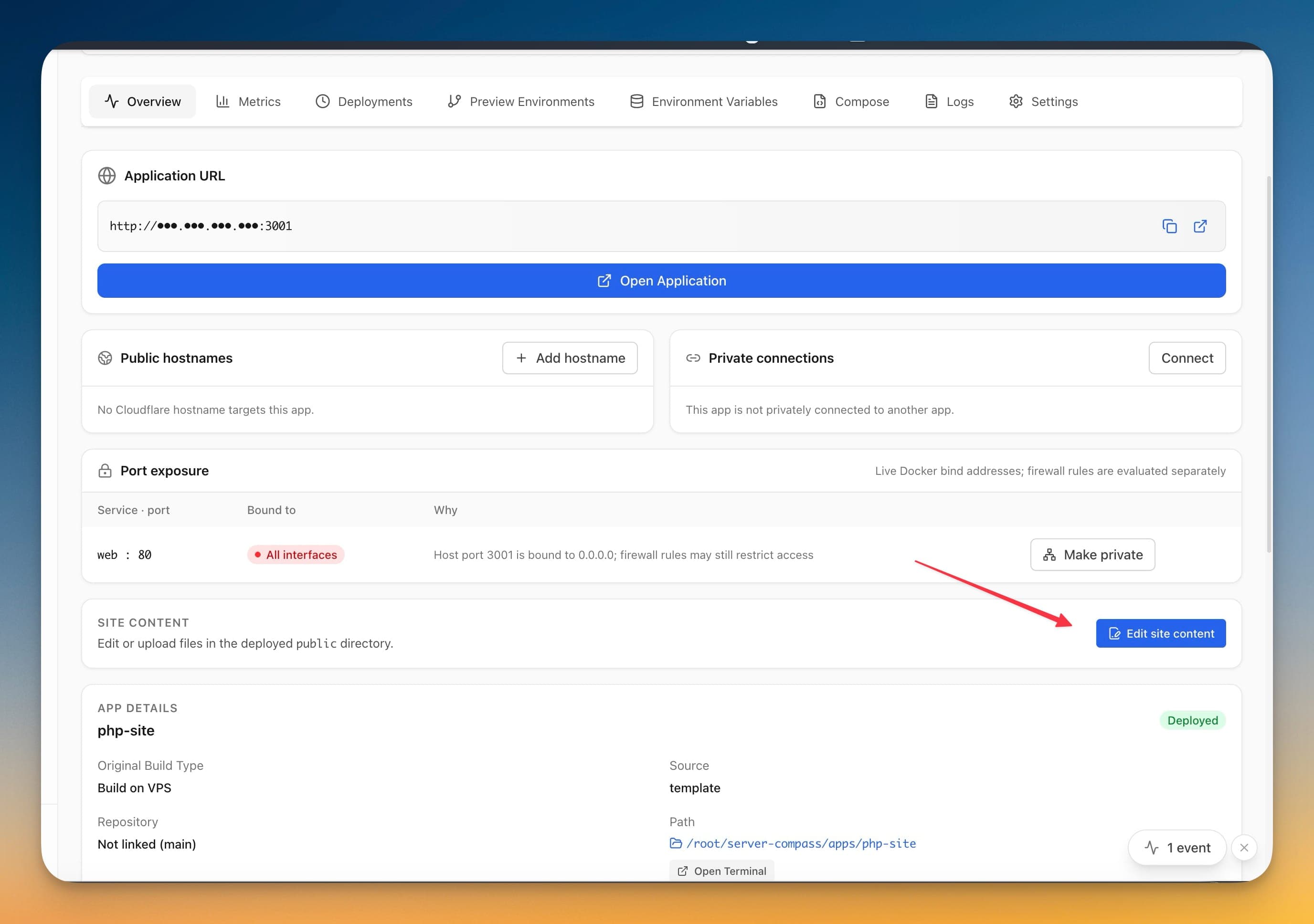
- Open the app's Overview tab
- Find the Site content card — Edit or upload files in the deployed
publicdirectory - Choose Edit site content
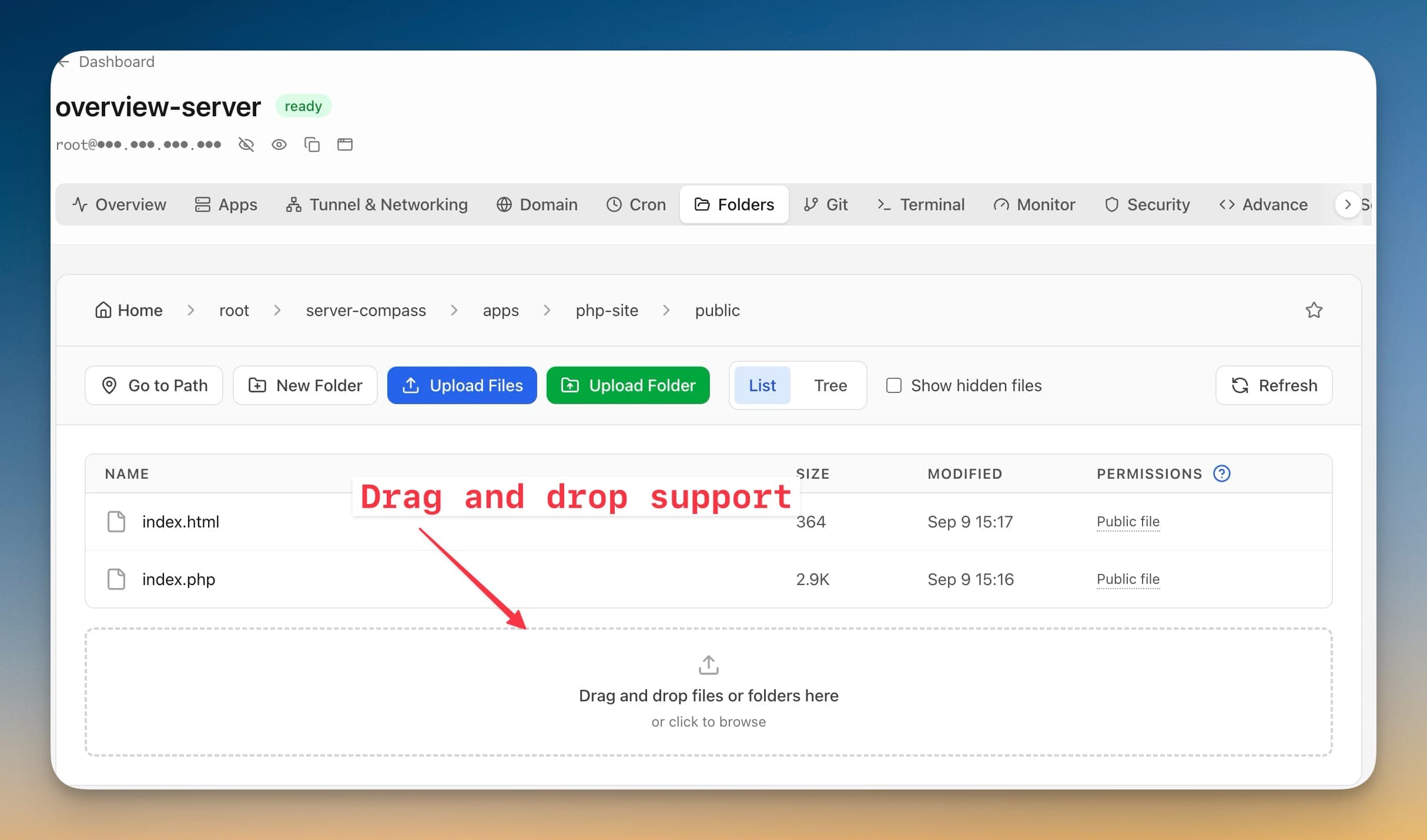
That opens the file manager already scoped to the document root. From there you can edit index.php or index.html in place, use Upload Files or Upload Folder, or drag a local build output onto the drop target.
Redeploys keep your files
The starter page is written only when the document root is empty. Once your own files are in place, a redeploy brings the container back up around them and leaves the contents alone.
You can restart the app, change its port, or move it between groups without your site being overwritten.
Add a domain and HTTPS
Attach a domain to the app exactly as you would for any other Server Compass app — see Adding a Domain and SSL Certificates. The certificate is issued and renewed for you.
Screenshots
Frequently Asked Questions
Will a redeploy overwrite my site?
No. The starter page is only written when the document root is empty, so once your own files are there a redeploy leaves them alone.
Which PHP version runs?
PHP 8.3 on Apache, from the official php:8.3-apache image. The starter page prints the exact patch version.
Can I use a static site generator?
Yes. Build locally, then drag the output folder onto the file manager drop target. No CI step is involved.
Related Features
Static and PHP Sites
Deploy a static site on Nginx or a PHP 8.3 site on Apache from the Stack Wizard with no Git repository and no build step. Both give you an editable document root, and a redeploy keeps the files you put there.
Docker Stack Wizard
Multi-step wizard walks you through deploying containerized applications. Choose source, configure settings, and deploy in minutes.
Template-Based Deployment
Choose from 100+ pre-built templates for databases, services, and development tools. Deploy popular stacks with one click.
Ready to try Server Compass?
Download the app and deploy your first application in under 5 minutes.
Download Server Compass