返回文档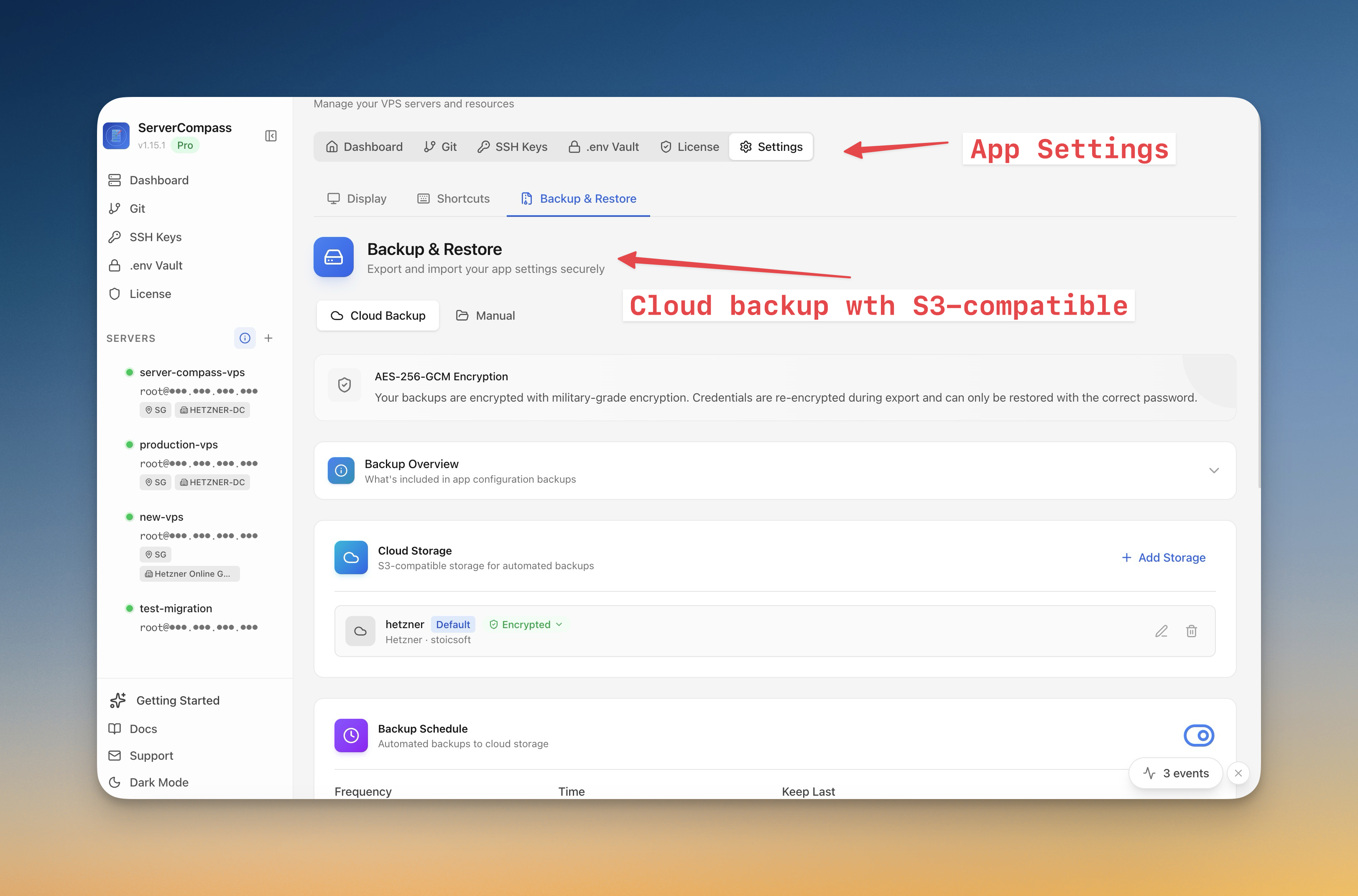
服务器管理
服务器备份和快照
创建加密服务器快照并调度自动备份到云存储。
Intermediate6 min readUpdated 2026-03-29
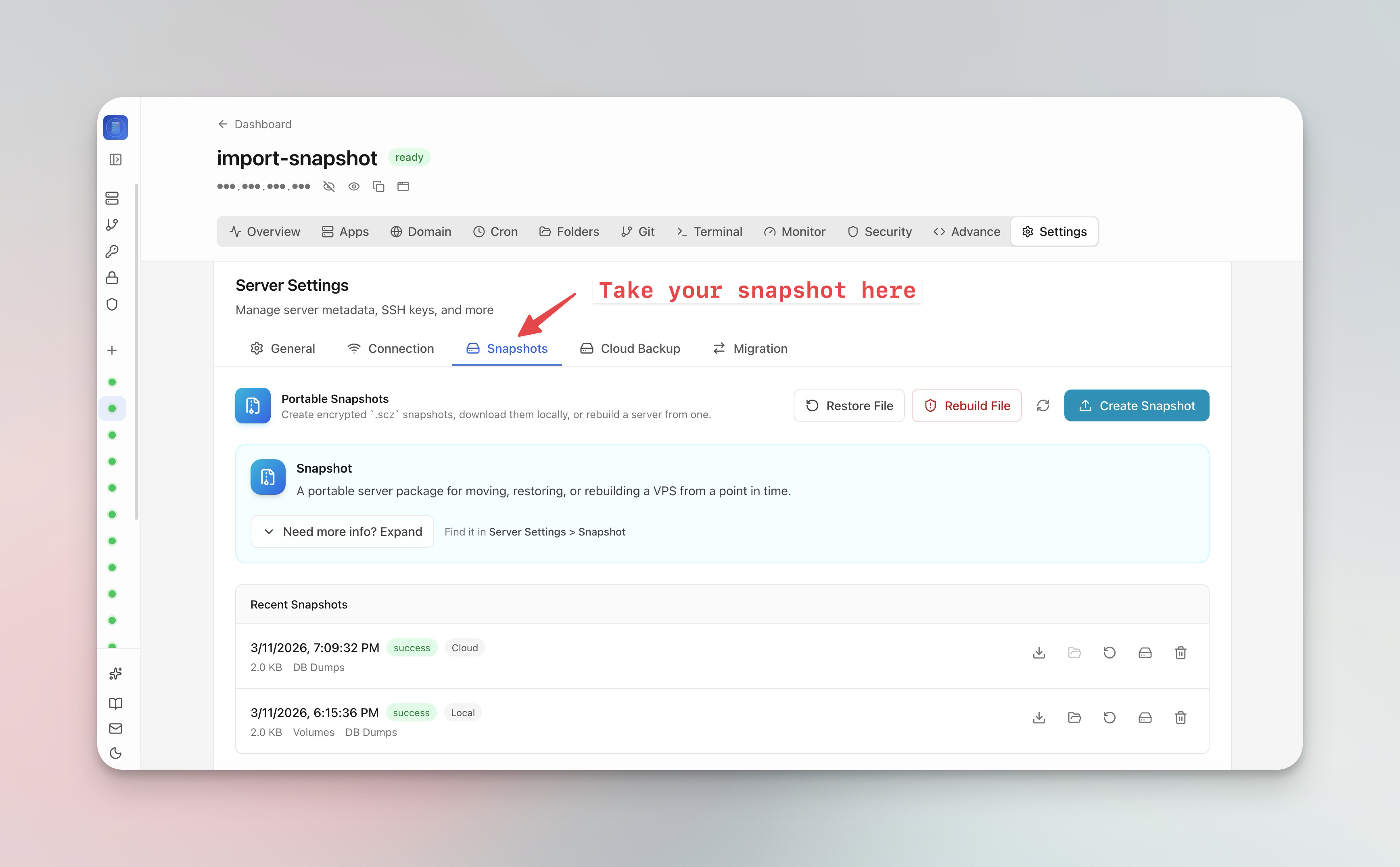
创建服务器快照
服务器快照捕获整个服务器状态:
- 前往 服务器设置 > 快照 标签页
- 点击 创建快照
- 设置可选的加密密码
- 快照上传到云存储
- 使用快照一键将整个 VPS 迁移到新服务器
调度自动备份
- 前往 服务器设置 > 备份 标签页
- 配置备份计划(每日、每周或自定义)
- 选择备份内容(数据库、卷、配置)
- 连接云存储(兼容 S3)
- 设置保留策略以自动清理旧备份
从备份恢复
- 打开备份概览
- 按日期浏览可用快照
- 点击 恢复 从快照重建
- 对于迁移,选择"恢复到新服务器"并提供目标服务器连接
Screenshots
Video Tutorials
Related Features
Server Backups & Cloud Storage
Automated backups of stacks, volumes, databases, environment files, SSL certificates, and cron jobs. Store encrypted backups in S3-compatible cloud storage with flexible scheduling — hourly, daily, weekly, or monthly.
Server Snapshots
Export your entire server to a single AES-256 encrypted .scz file — Docker stacks, volumes, databases, domains, cron jobs, alerts, and notification channels. Save locally or upload to S3, then restore to the same server for disaster recovery or rebuild on a new VPS for migration. Domain remapping lets you switch domains during restore.
Ready to try Server Compass?
Download the app and deploy your first application in under 5 minutes.
Download Server Compass