April 5, 2026
Best Self-Hosted PaaS Platforms in 2026: Coolify, CapRover, Dokploy, and Server Compass Compared
Compare the best self-hosted PaaS platforms in 2026. An in-depth look at Coolify, CapRover, Dokploy, and Server Compass covering features, pricing, templates, and ease of use to help you pick the right open-source PaaS for your VPS.
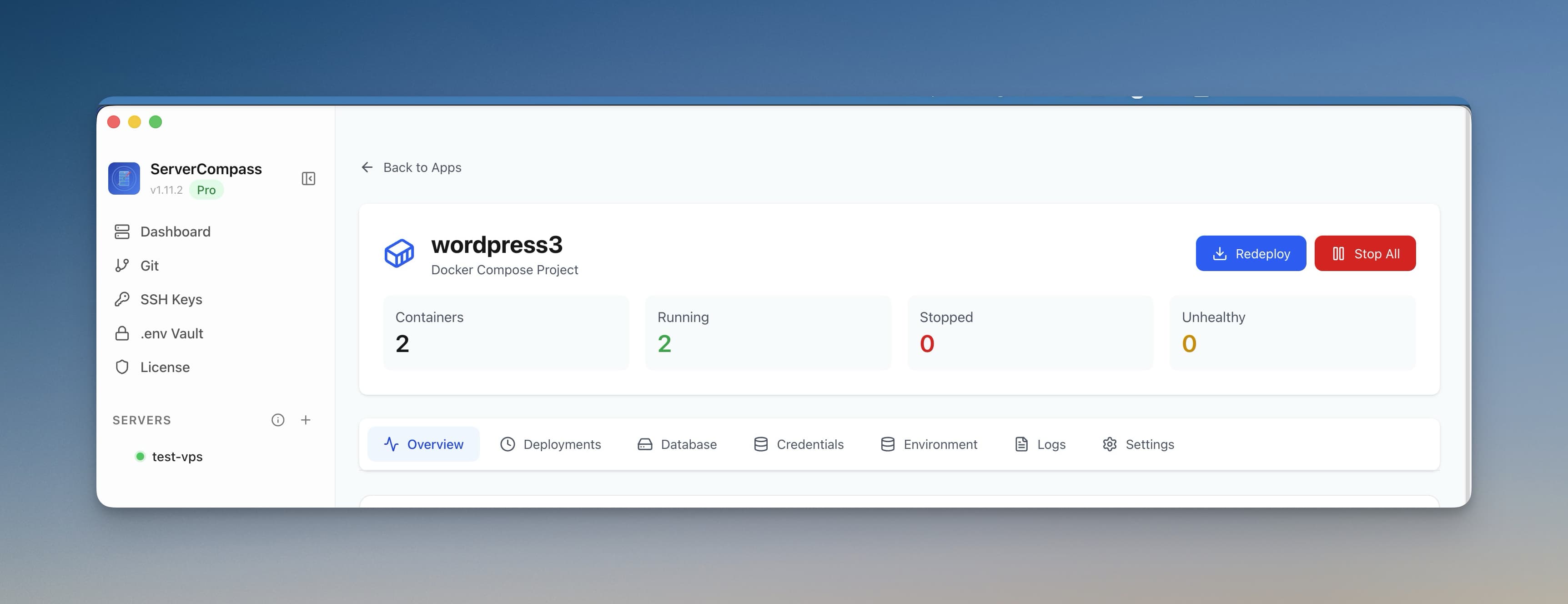
Running your own self-hosted PaaS has become one of the smartest moves a developer or team can make in 2026. Cloud PaaS providers like Vercel, Railway, and Render keep raising prices, adding per-seat fees, and charging for bandwidth that used to be free. The open-source PaaS ecosystem has responded with tools that give you the same push-to-deploy experience on a $6/month VPS.
But which self-hosted PaaS should you actually use? In this guide, we compare four of the most popular options — Coolify, CapRover, Dokploy, and Server Compass — across the dimensions that matter: features, ease of setup, template libraries, pricing, and day-to-day developer experience. If you've been searching for a Vercel alternative you can self-host, this comparison will help you decide.
What Is a Self-Hosted PaaS?
A Platform as a Service (PaaS) abstracts away the infrastructure layer so you can focus on deploying and running applications. Traditional PaaS platforms like Heroku, Vercel, and Railway host everything for you — but charge accordingly.
A self-hosted PaaS gives you the same convenience — git-push deployments, automatic SSL, container orchestration, reverse proxies — but runs on infrastructure you own. You bring a VPS (from Hetzner, DigitalOcean, Linode, or any provider), install the platform, and deploy apps just like you would on Vercel. The difference is that you pay for the VPS and nothing else. No per-seat charges, no bandwidth bills, no build-minute limits.
If you're new to the idea, our guide on why self-hosting saves developers money covers the cost math in detail.
The Four Platforms at a Glance
Feature
Coolify
CapRover
Dokploy
Server Compass
Type
Web-based (self-hosted)
Web-based (self-hosted)
Web-based (self-hosted)
Desktop app (Mac, Windows, Linux)
License
Open source (Apache 2.0)
Open source (Apache 2.0)
Open source (Apache 2.0 with caveats)
Proprietary (one-time purchase)
Pricing
Free self-hosted / $5/mo cloud
Free
Free
$29 one-time
Templates
~30 one-click services
~50 one-click apps
~20 templates
247+ one-click templates
Docker support
Docker Compose, Dockerfiles
Dockerfiles, captain-definition
Docker Compose, Dockerfiles
Docker Compose, Dockerfiles, registries
Reverse proxy
Traefik (built-in)
Nginx (built-in)
Traefik (built-in)
Traefik + Nginx/Caddy support
SSL certificates
Auto (Let's Encrypt)
Auto (Let's Encrypt)
Auto (Let's Encrypt)
Auto (Let's Encrypt)
Database management
Basic (deploy only)
None built-in
Basic (deploy + backups)
Full admin panel (browse, query, backup)
GitHub integration
Yes (webhooks)
Yes (webhooks)
Yes (webhooks)
Yes (OAuth + GitHub Actions)
Multi-server
Yes
Yes (cluster mode)
Yes
Yes (unlimited servers)
Monitoring
Basic resource stats
Basic
Basic
Agent-based + alerting + notifications
Now let's dig deeper into each platform.
Coolify: The Popular Open-Source PaaS
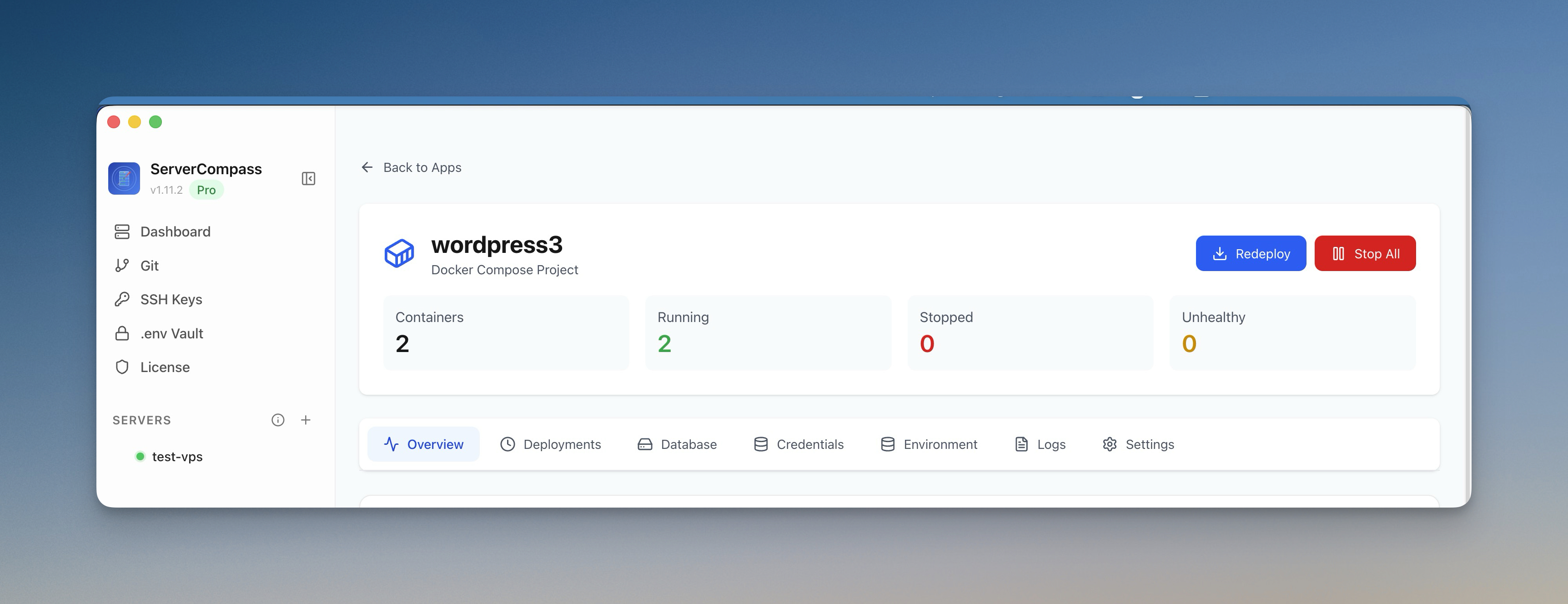
Coolify is probably the most well-known open-source PaaS in 2026. Built by Andras Bacsai, it positions itself as a self-hosted alternative to Heroku and Netlify. Coolify runs as a web application on your server, providing a dashboard where you can connect GitHub repos, deploy containers, and manage databases.
Coolify Strengths
- Active community — large GitHub following and active Discord with quick support
- Multi-server support — manage multiple VPS instances from one dashboard
- Built-in database provisioning — deploy PostgreSQL, MySQL, Redis, and MongoDB alongside your apps
- Docker Compose support — paste your existing compose file and deploy
- Free and open source — Apache 2.0 license, completely free to self-host
Coolify Limitations
- Runs on your server — the Coolify dashboard itself consumes RAM and CPU on your VPS, reducing resources available for your apps
- Setup complexity — requires installing and maintaining the platform on your server, including updates and security patches
- Limited template library — around 30 one-click services, so many popular self-hosted apps require manual Docker configuration
- No built-in SSH terminal — you still need a separate SSH client for server debugging
- Database management is basic — can deploy databases but offers no query editor, table browser, or visual admin panel
Coolify is a solid choice if you want a fully open-source, web-based PaaS and you're comfortable with the overhead of running the platform on your server. For a deeper comparison, see our Server Compass vs Coolify breakdown.
CapRover: The Veteran Self-Hosted PaaS
CapRover has been around longer than most of its competitors. It uses Nginx as its reverse proxy (rather than Traefik) and has a distinctive approach to deployments through its captain-definition file format. CapRover also supports Docker Swarm clustering out of the box, making it appealing for teams that need multi-node setups.
CapRover Strengths
- Battle-tested — one of the oldest self-hosted PaaS tools, with a mature and stable codebase
- Docker Swarm support — native clustering for horizontal scaling across multiple servers
- One-click apps marketplace — approximately 50 pre-built applications available
- Simple CLI — deploy from your terminal with
caprover deploy - Completely free — open source with no paid tier at all
CapRover Limitations
- Dated UI — the web interface feels functional but outdated compared to newer platforms
- Slower development pace — updates and new features are less frequent than Coolify or Dokploy
- No Docker Compose support — relies on its own
captain-definitionformat, which means you often need to rewrite your deployment configs - No database tooling — no built-in database admin, query editor, or backup management
- Limited monitoring — basic resource usage only, no alerting or notification integrations
- Runs on your server — like Coolify, the dashboard consumes server resources
CapRover is a dependable option if you need Docker Swarm clustering and prefer a simpler, no-frills tool. See our full Server Compass vs CapRover comparison for the detailed breakdown.
Dokploy: The Modern Newcomer
Dokploy is one of the newer entrants in the self-hosted PaaS space. It aims to be a lightweight, modern alternative with a clean UI and straightforward setup. Built with a focus on simplicity, Dokploy targets developers who want the fastest path from git push to a running app.
Dokploy Strengths
- Modern, clean UI — the newest interface design of the four platforms
- Lightweight — smaller footprint than Coolify, consuming fewer server resources
- Docker Compose support — deploy multi-container apps with standard compose files
- Database backups — built-in backup and restore for PostgreSQL and MySQL
- Active development — frequent updates and a growing community
Dokploy Limitations
- Smallest template library — roughly 20 templates, the fewest in this comparison
- Younger ecosystem — fewer community resources, tutorials, and third-party integrations
- No SSH terminal — no built-in way to access your server shell from the dashboard
- No file browser — cannot browse or edit server files without separate SSH access
- Basic monitoring — resource stats without configurable alerting
- Runs on your server — same resource-sharing tradeoff as Coolify and CapRover
Dokploy is a promising choice if you want a clean, modern self-hosted PaaS with minimal complexity. See our Server Compass vs Dokploy comparison for more details.
Server Compass: The Desktop PaaS with 247+ Templates
Server Compass takes a fundamentally different approach. Instead of running a web dashboard on your server (consuming resources your apps could use), it runs as a native desktop application on your Mac, Windows, or Linux machine. It connects to your VPS over SSH and manages everything remotely — deployments, domains, databases, monitoring, and more.
Server Compass Strengths
- Desktop app = zero server overhead — nothing runs on your VPS except your actual apps. Every byte of RAM and CPU goes to your workloads, not a management dashboard
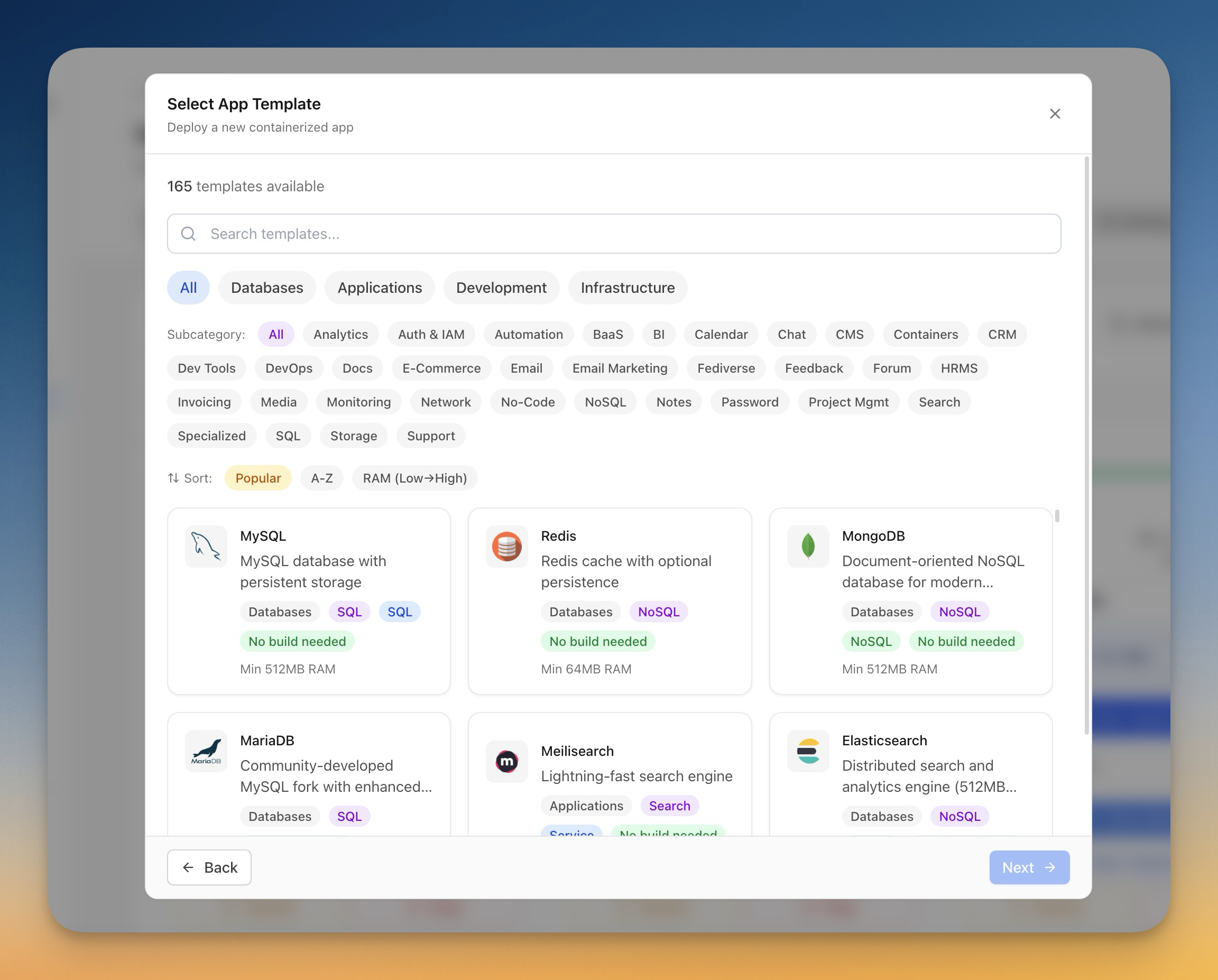
- 247+ one-click templates — the largest template library of any self-hosted PaaS, covering databases, CMS platforms, analytics tools, AI models, media servers, and more. See the full template gallery
- One-time $29 pricing — no subscriptions, no per-seat fees, no bandwidth charges. Pay once, use forever. Compare that to $600+/year on cloud PaaS platforms
- Built-in database admin — browse tables, run SQL queries, manage credentials, and back up databases with one click. No need for separate tools like pgAdmin or Adminer
- Integrated SSH terminal — a full multi-tab SSH terminal with command suggestions, autocorrect, and downloadable logs
- File browser and editor — browse, upload, download, and edit files on your server through the built-in file manager
- Advanced monitoring — a monitoring agent with configurable alert rules and notification channels (Slack, Discord, email, webhooks)
- GitHub Actions CI/CD — auto-generates GitHub Actions workflows for zero-downtime blue-green deployments
- Docker Compose + registry deploys — deploy from Dockerfiles, compose files, or pull pre-built images from Docker Hub, GHCR, or any registry
- Server snapshots — export your entire VPS configuration to an encrypted file for disaster recovery or migration
Server Compass Limitations
- Not open source — proprietary software with a one-time purchase. If you require open-source licensing for compliance reasons, Coolify or CapRover may be better options
- No web dashboard — you need the desktop app installed on your machine. There is no browser-based panel you can share with a team via URL (though the app supports multiple devices via encrypted cross-device sync)
- No Docker Swarm clustering — manages individual servers rather than orchestrating Swarm clusters. For multi-node Docker Swarm, CapRover has native support
In-Depth Feature Comparison
Let's break down the key areas where these platforms differ most.
Templates and One-Click App Library
The number of one-click templates determines how quickly you can deploy common self-hosted applications without writing Docker configuration from scratch.
Platform
Templates
Categories
Server Compass
247+
Databases, CMS, analytics, AI/LLM, media, DevOps, monitoring, security, and more
CapRover
~50
Web apps, databases, CMS, some DevOps tools
Coolify
~30
Databases, web apps, some popular services
Dokploy
~20
Databases, common web services
Server Compass's template library is roughly 5x larger than CapRover's and 8x larger than Dokploy's. This matters in practice: if you want to deploy something like Plausible Analytics, n8n, or Ollama, Server Compass has a working template ready to go. With other platforms, you may need to write Docker Compose configuration yourself. You can browse the full list of 247+ templates.
Deployment Methods
All four platforms support deploying from Git repositories and Docker. The differences are in the details:
- Coolify — GitHub/GitLab webhooks, Docker Compose, Dockerfiles, and static builds. Supports build packs (Nixpacks, Heroku buildpacks).
- CapRover — GitHub webhooks, CLI deployment, and its own captain-definition format. No native Docker Compose support.
- Dokploy — GitHub webhooks, Docker Compose, Dockerfiles. Clean Git integration with branch deployments.
- Server Compass — GitHub OAuth + GitHub Actions workflows, Docker Compose, local Docker builds, registry pulls, direct upload, and PM2 deployments. The Docker stack wizard auto-detects your project framework and generates the right configuration.
Pricing: The Real Cost of Each Platform
One of the most important factors is long-term cost. Here is what you actually pay:
Platform
Software cost
Server cost (you provide)
Year 1 total (1 VPS)
Year 2+ total
Coolify
Free (self-hosted)
~$6/mo VPS
~$72
~$72/yr
CapRover
Free
~$6/mo VPS
~$72
~$72/yr
Dokploy
Free
~$6/mo VPS
~$72
~$72/yr
Server Compass
$29 one-time
~$6/mo VPS
~$101
~$72/yr
Vercel Pro (for reference)
$20/seat/mo
N/A (managed)
$240+
$240+/yr
The open-source platforms (Coolify, CapRover, Dokploy) are free to use. Server Compass has a one-time $29 cost that pays for itself within the first month compared to cloud PaaS pricing. After year one, the ongoing cost is identical — just your VPS bill.
The more important cost question is: how much server overhead does the platform itself consume? Coolify, CapRover, and Dokploy all run web dashboards on your server that use 200-500MB of RAM. On a budget VPS with 1-2GB total RAM, that is 10-50% of your resources going to the management tool instead of your apps. Server Compass's desktop approach means 100% of your VPS resources go to your workloads.
For the full cost breakdown against cloud platforms, read our self-hosting cost savings analysis .
Database Management
If you self-host applications, you almost certainly self-host databases too. How well each platform handles database operations matters day-to-day:
- Coolify — can deploy PostgreSQL, MySQL, Redis, and MongoDB as services. No visual query editor or table browser.
- CapRover — no built-in database tooling at all. You deploy database containers manually and use external tools like pgAdmin.
- Dokploy — deploys databases with basic backup/restore functionality. No query editor.
- Server Compass — includes a full database admin panel with credentials management, one-click backup/restore, table browsing with search and pagination, and a SQL query editor. Supports PostgreSQL, MySQL, and MongoDB.
Monitoring and Alerting
Knowing when something goes wrong on your server is critical. Here is how each platform handles monitoring:
- Coolify and Dokploy — basic resource usage dashboards (CPU, memory, disk). No configurable alerting.
- CapRover — minimal built-in monitoring. Most users pair it with external tools like Grafana + Prometheus.
- Server Compass — installs a lightweight monitoring agent that reports real-time metrics. You can configure alert rules (e.g., CPU > 90% for 5 minutes) and route notifications to Slack, Discord, email, or webhooks.
Which Self-Hosted PaaS Should You Choose?
The right choice depends on your priorities. Here is a decision framework:
Choose Coolify If:
- Open-source licensing is a hard requirement
- You want a web-based dashboard accessible from any browser
- You need Nixpacks or Heroku buildpack support
- You value a large community and active Discord for support
- You are comfortable maintaining the platform software on your server
Choose CapRover If:
- You need Docker Swarm clustering for horizontal scaling
- You prefer CLI-based deployment workflows
- You want a mature, battle-tested platform with minimal surprises
- You do not need Docker Compose support
Choose Dokploy If:
- You want the cleanest, most modern UI
- You are deploying a small number of apps and do not need a large template library
- You want a lightweight self-hosted PaaS with a small resource footprint
- You prefer an actively-developed newcomer over established options
Choose Server Compass If:
- You want zero server overhead — every resource byte goes to your apps
- You need the largest template library (247+ one-click deploys) for quickly spinning up self-hosted apps
- You prefer one-time pricing over free-but-maintain-it-yourself
- You want built-in database management, SSH terminal, file browser, and monitoring in one tool
- You deploy to multiple servers and want to manage them all from one desktop app
- You want zero-downtime deployments and instant rollbacks out of the box
- You are migrating from Vercel, Railway, or Render and want a familiar developer experience
Migrating from Cloud PaaS to Self-Hosted
If you are currently on Vercel, Railway, or Render and considering a switch to any of these self-hosted platforms, the migration is simpler than you might think. Every platform on this list supports standard Docker containers, which means your application does not need to change — only the deployment pipeline does.
For a step-by-step migration guide from Vercel specifically, see our complete self-hosted Vercel alternative guide . If cost is your primary motivation, the Vercel hidden costs breakdown shows exactly where the money goes.
The basic steps for any migration:
- Get a VPS from Hetzner, DigitalOcean, or your preferred provider ($4-12/month for most workloads)
- Install your chosen self-hosted PaaS (or download Server Compass and connect via SSH)
- Containerize your app with a
Dockerfileif you have not already - Connect your Git repository and deploy
- Point your domain's DNS to your VPS and let the platform handle SSL
With Server Compass, steps 2-5 are handled through the desktop UI with guided wizards. The Docker stack wizard detects your framework automatically, and the domain management panel handles DNS verification and SSL certificate provisioning.
Popular Stacks You Can Deploy
Regardless of which platform you choose, self-hosted PaaS platforms support the same technology stacks you would use on cloud PaaS. Here are some popular configurations:
- Next.js + PostgreSQL — the most common full-stack combo. Deploy with the Next.js stack guide or the Next.js install page
- Laravel + MySQL — deploy PHP apps with the Laravel stack
- Django + PostgreSQL — Python web apps with the Django stack
- Node.js + MongoDB — JavaScript APIs and full-stack apps with the MERN stack
Server Compass includes one-click templates for the database components of each stack (e.g., PostgreSQL, MySQL, MongoDB, Redis), so you can have your entire infrastructure running in minutes.
Conclusion
The self-hosted PaaS landscape in 2026 has matured significantly. Coolify, CapRover, Dokploy, and Server Compass each solve the same core problem — giving you a Vercel-like deployment experience on your own infrastructure — but they approach it differently.
If open-source licensing is essential and you do not mind the management overhead, Coolify and CapRover are proven options. If you want a modern, minimal setup, Dokploy is worth watching.
If you want the most complete toolset — 247+ templates, built-in database admin, SSH terminal, file browser, monitoring with alerting, and zero server overhead — all for a one-time $29 payment, Server Compass is the platform that covers the most ground in a single tool.
Whichever platform you choose, moving off cloud PaaS to self-hosted infrastructure is one of the highest-ROI decisions a developer or small team can make. Your $6/month VPS is waiting.
Related in the StoicSoft network
If you're self-hosting on a VPS or working through a deployment guide like the one above, DeployToVPS is the StoicSoft network's handbook for VPS deployment recipes — docker-compose, nginx, traefik, and common app self-hosts.
From across the StoicSoft network
Hand-curated reads on the same topic from sister sites in the StoicSoft family.
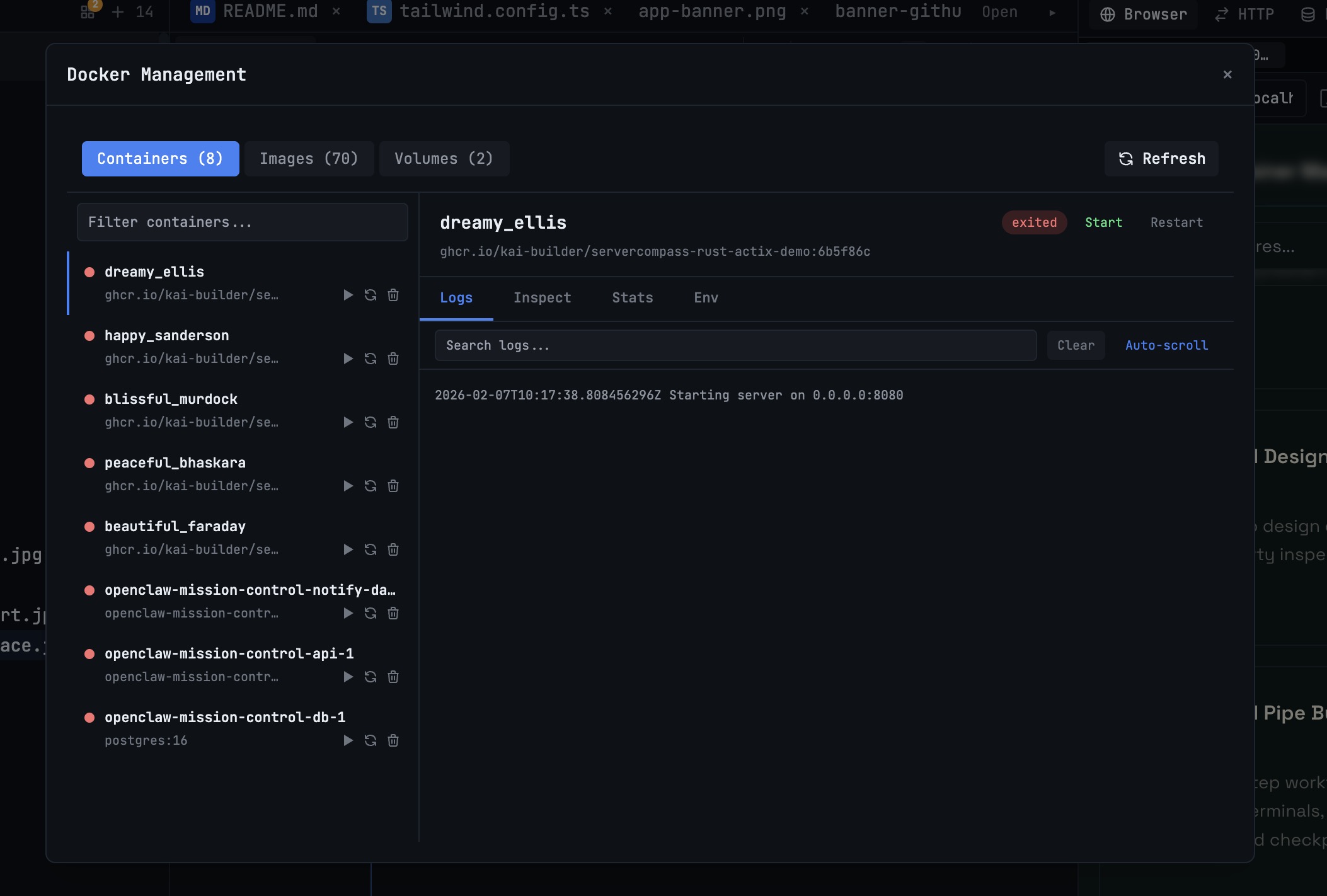 1DevTool10 min read
Docker Desktop Alternatives for Developers in 2026
Developers want a Docker workflow that stays close to code, logs, and AI agents. This comparison breaks down Docker Desktop alternatives by performance, observability, and daily usability.
Read on 1devtool.com 1DevTool14 min read
Cursor vs Windsurf vs Copilot: Which AI Coding Tool Wins in 2026?
In-depth comparison of Cursor, Windsurf, and GitHub Copilot. Pricing, features, AI capabilities, and which one is best for your development needs.
Read on 1devtool.com- 1DevTool14 min read
GitHub Copilot vs Cursor: The Definitive Comparison (2026)
GitHub Copilot vs Cursor head-to-head comparison. Features, pricing, AI models, and which one is better for your workflow.
Read on 1devtool.com